Whether you're shopping every day or travelling overseas, there's a TNG eWallet Visa Card for you. Choose the Visa Everyday Card for daily spending or the Visa Travel Card with up to 3% cashback on overseas spending. Both offer worldwide Visa acceptance, secure in-app controls and no credit checks or income requirements.

Why choose a TNG eWallet Visa Card?

Spend with confidence worldwide
Use your Visa Card at millions of Visa merchants worldwide, whether you're shopping locally or travelling overseas.

Security at your fingertips
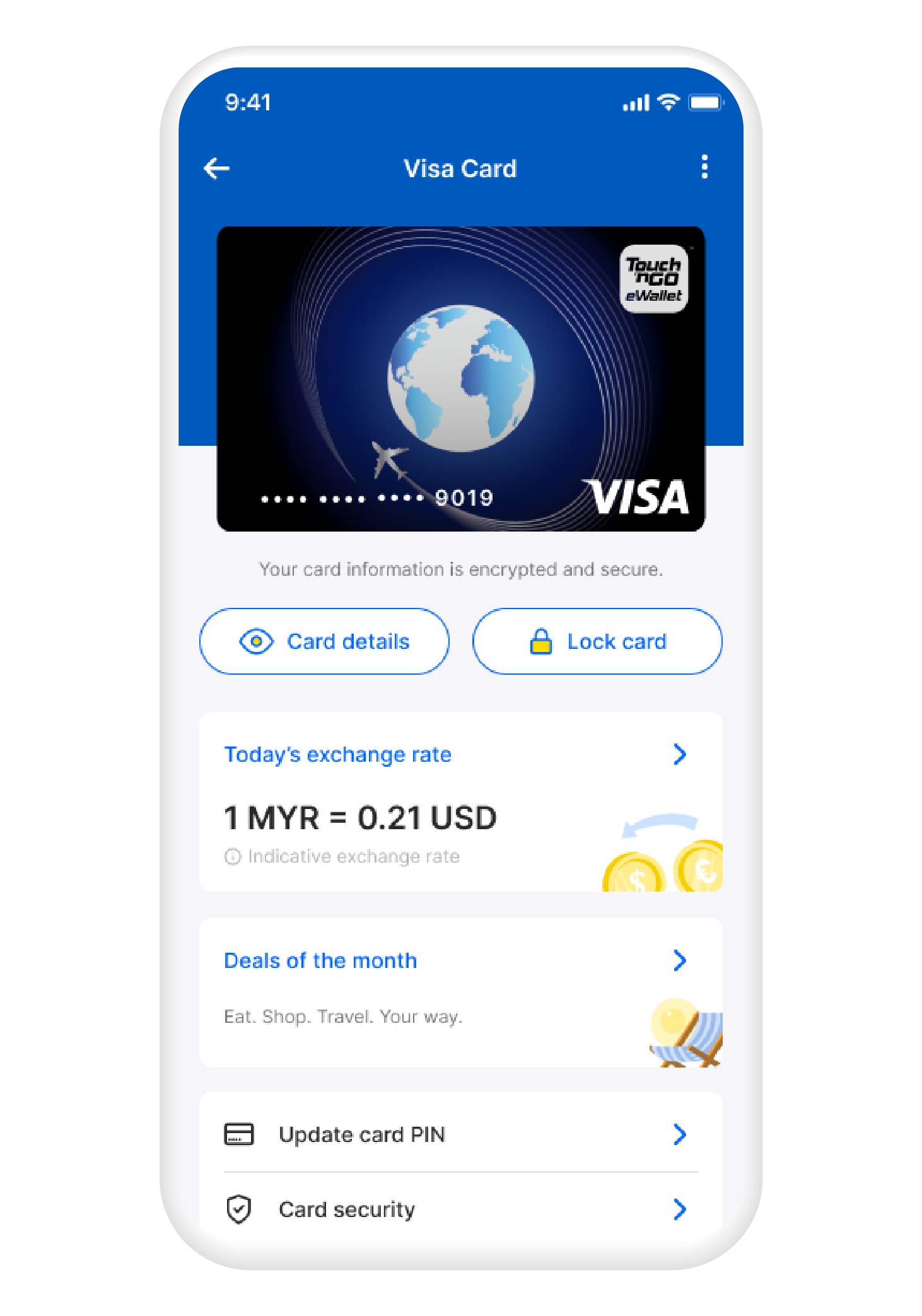
Protect your Visa Card by locking or unlocking it instantly, controlling online transactions, setting spending limits and viewing your card details, all in the TNG eWallet app.
Numberless card for added protection
Your card details stay securely stored in the app, helping reduce the risk of unauthorised use.
Which Visa Card is right for you?
| Visa Everyday Card | Visa Travel Card | |
|---|---|---|
| Best for | Local everyday spending | Oversea spending |
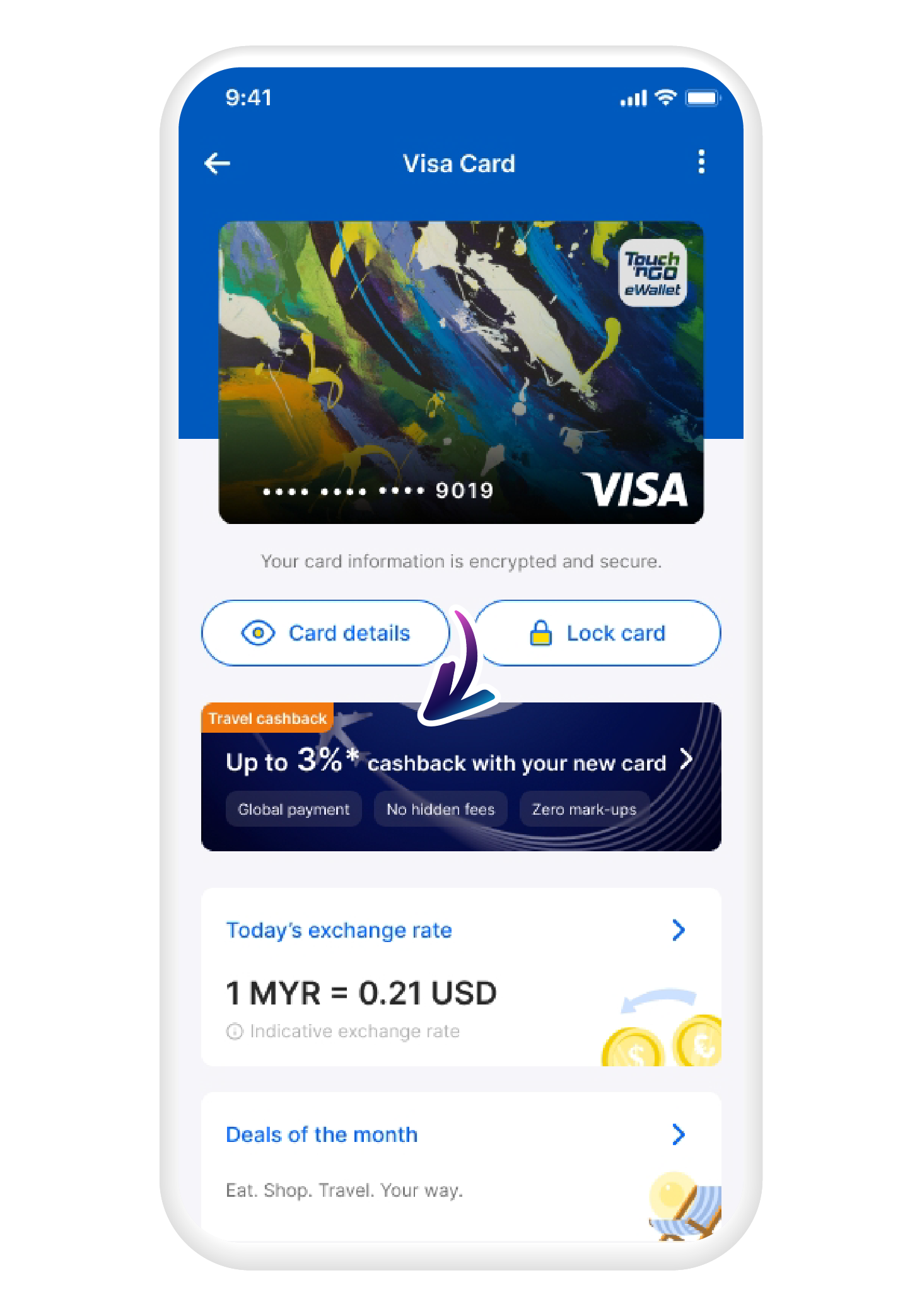
| Cashback | N/A | Up to 3% cashback on overseas spending |
| ATM withdrawal | RM10 per withdrawal | Free first withdrawal monthly; RM10 subsequent withdrawals |
| Application fee | RM10 | RM15 |
| Acceptance | Worldwide, wherever Visa is accepted | Worldwide, wherever Visa is accepted |
Getting started with your TNG eWallet Visa Card
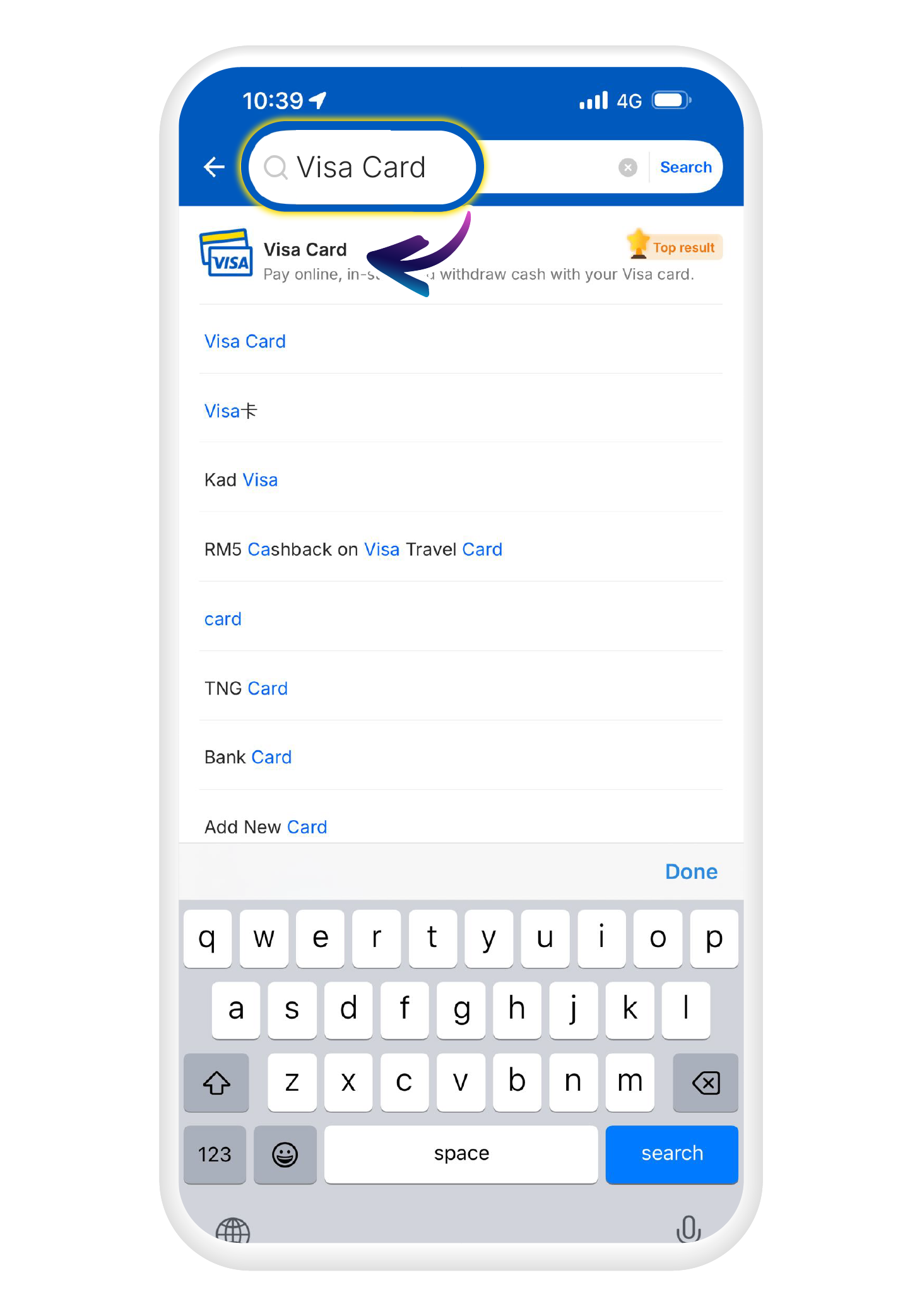
1
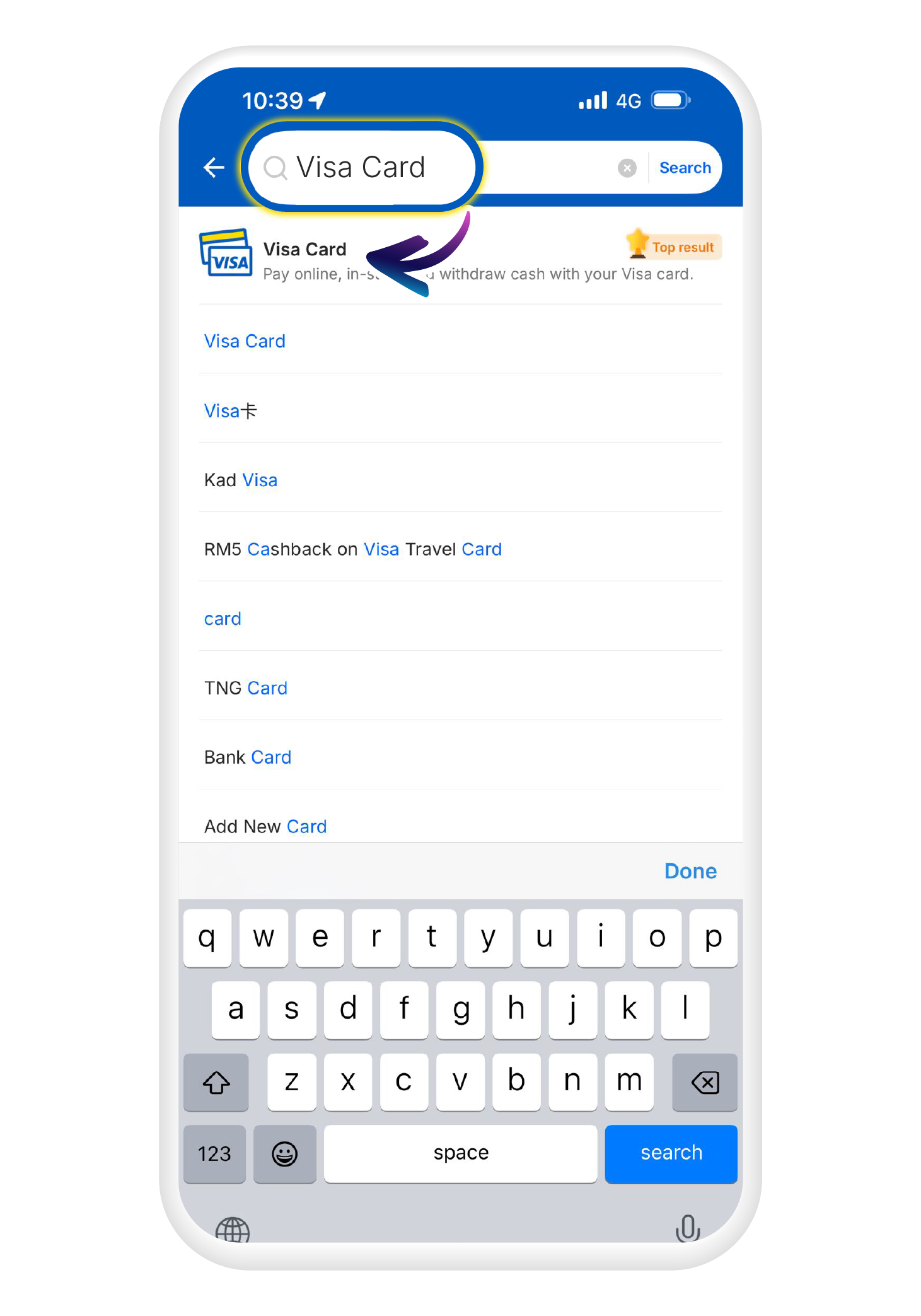
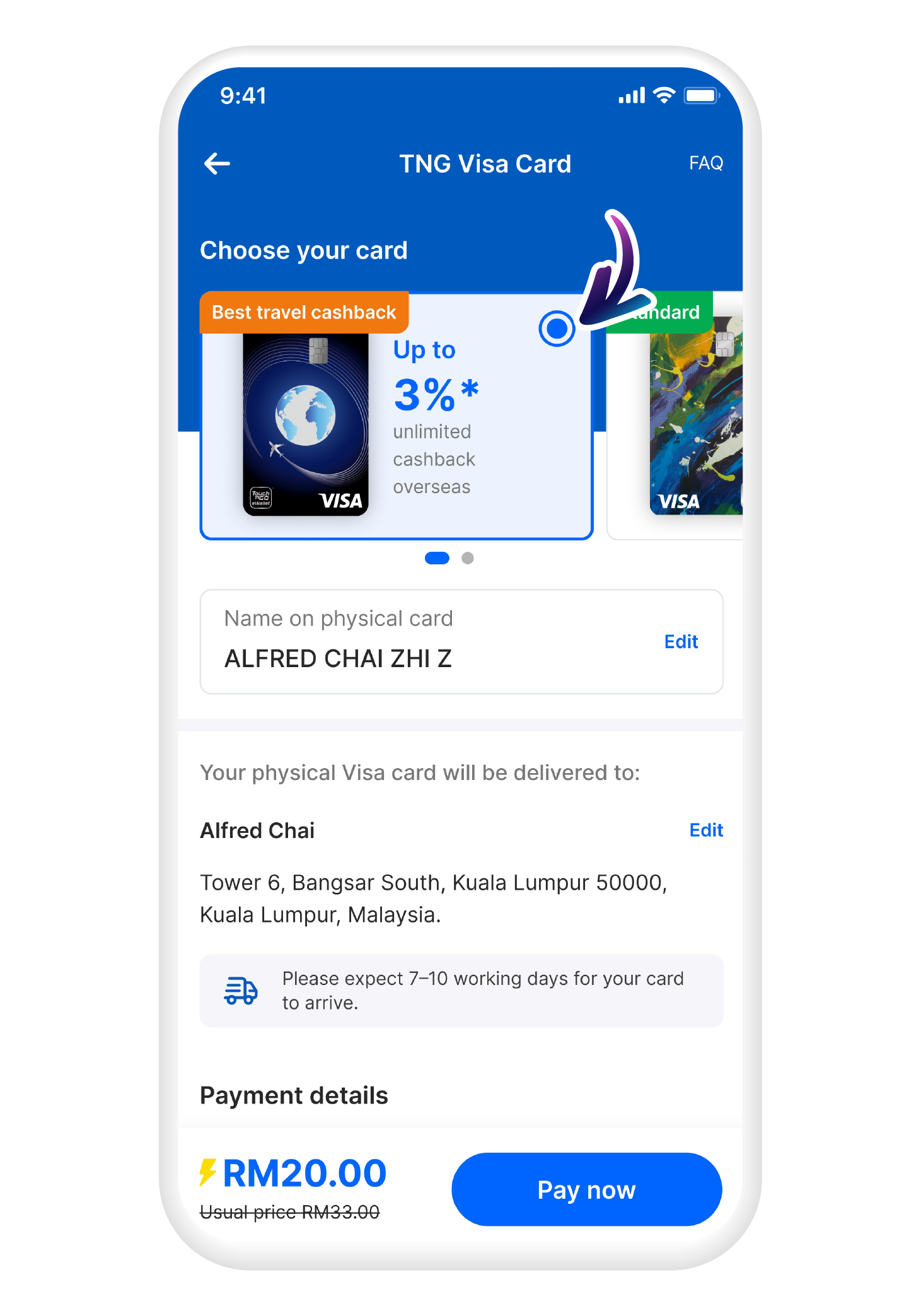
Search for "Visa Card" in the search bar and click on the "Visa Card" icon
2
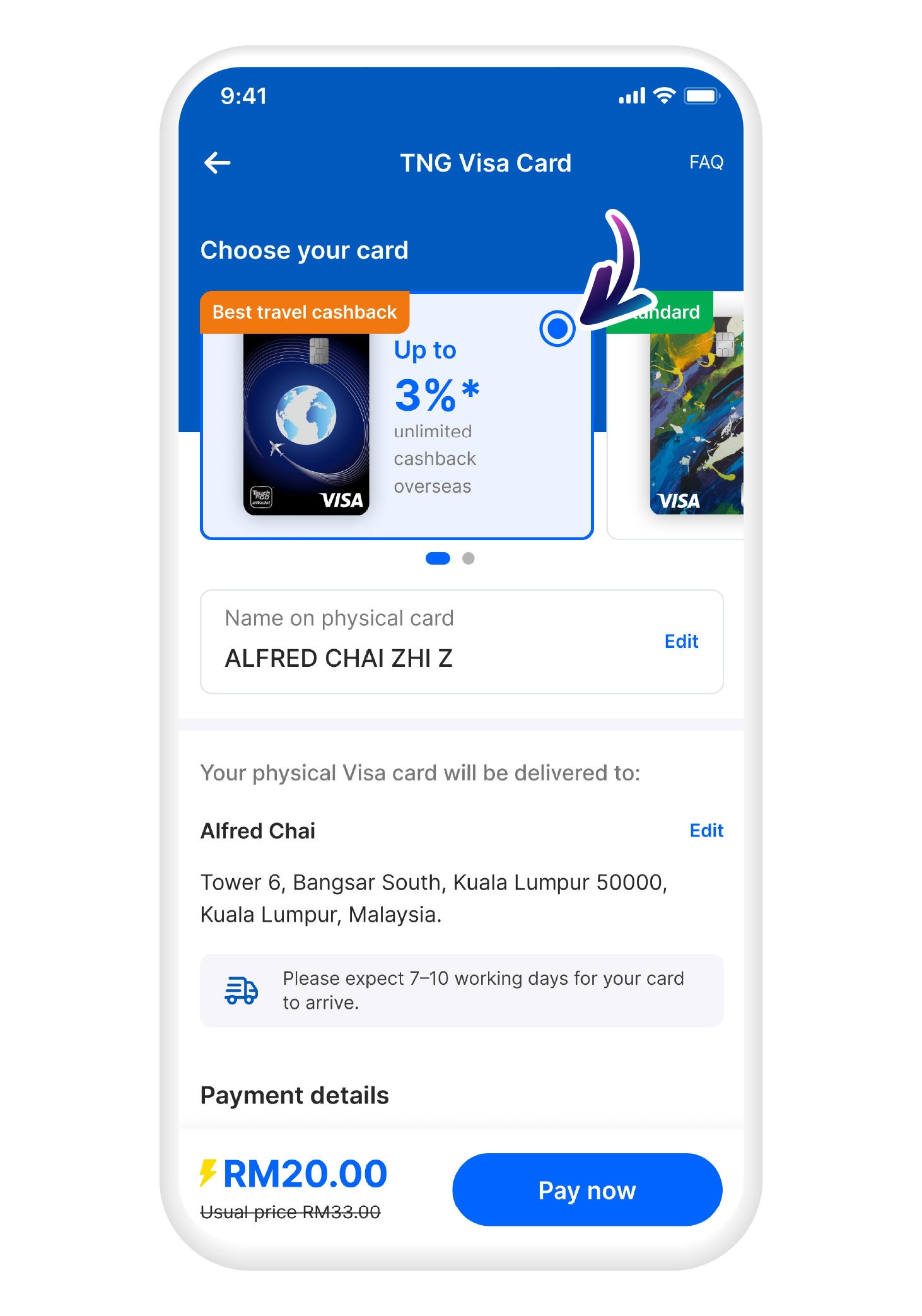
Select your preferred card type
3
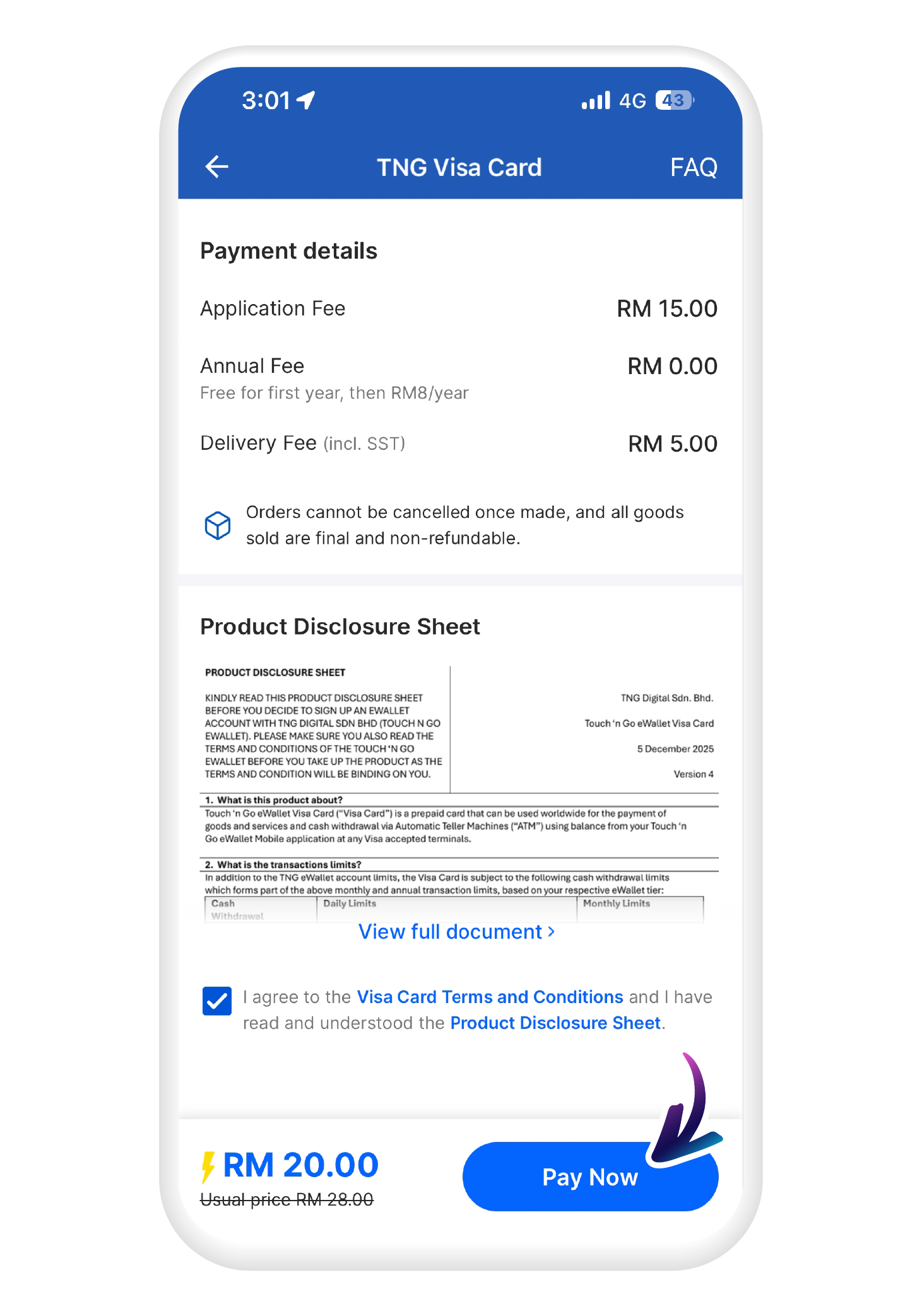
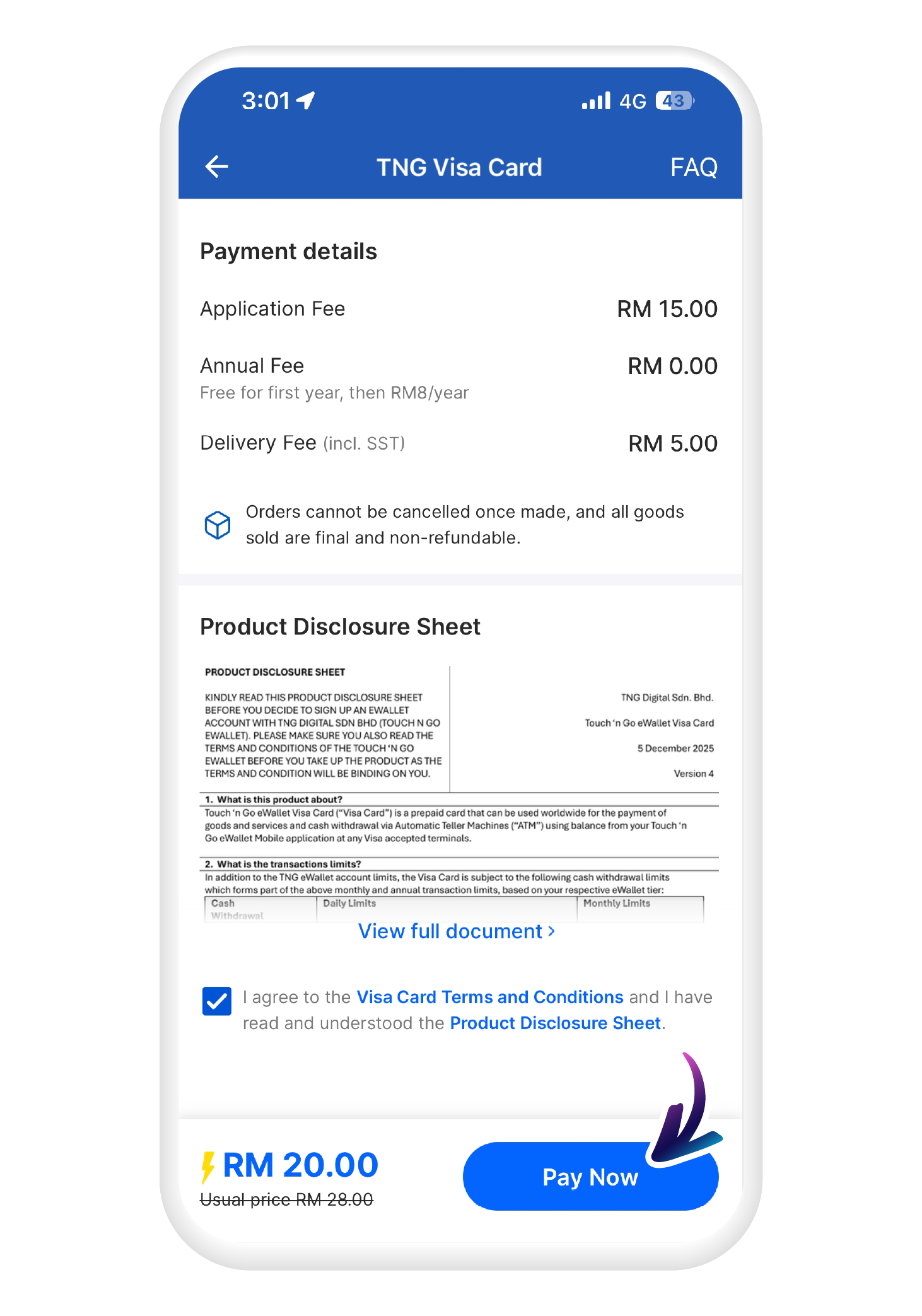
Enter your preferred name, confirm delivery address and tap "Pay Now" when ready
4
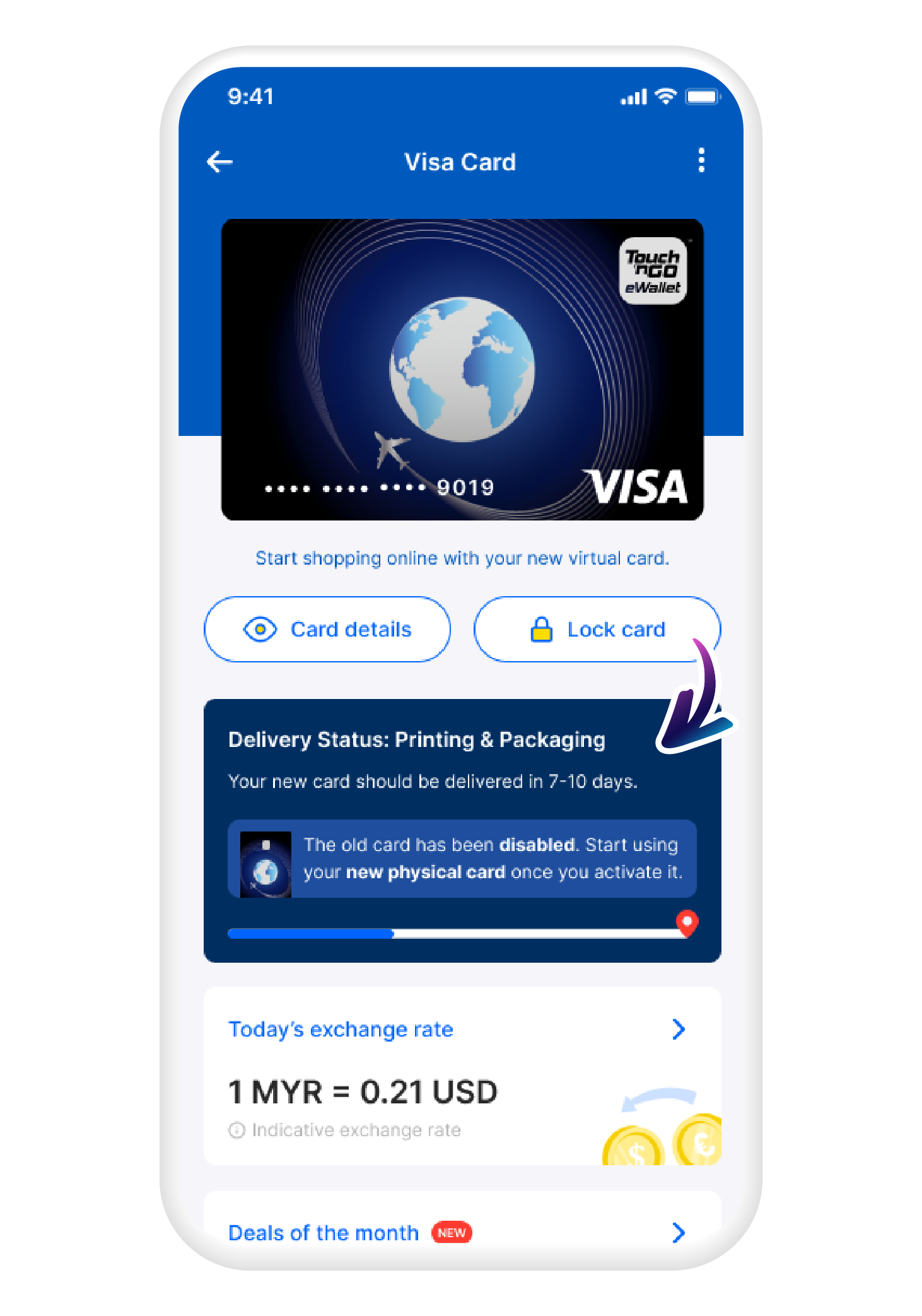
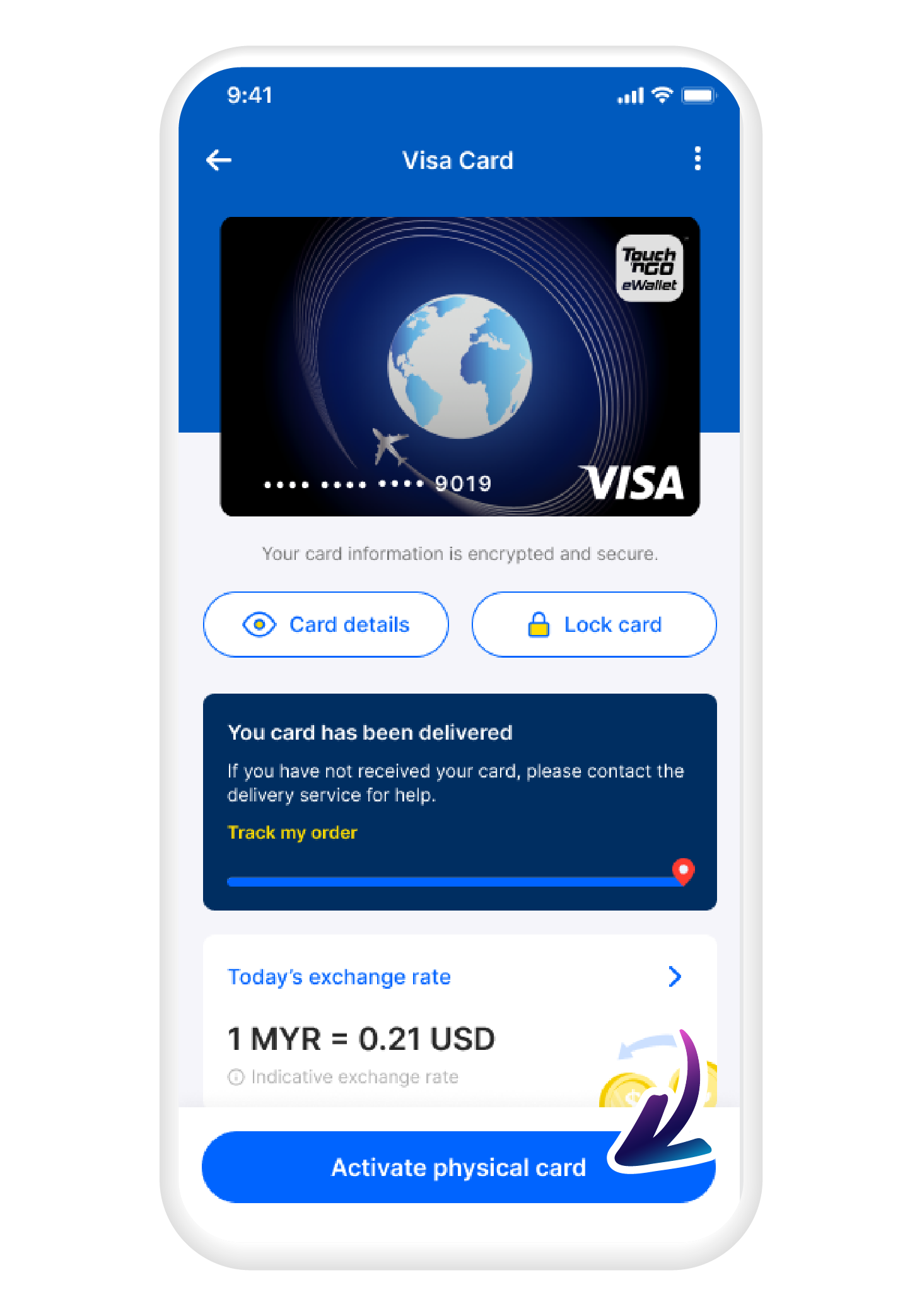
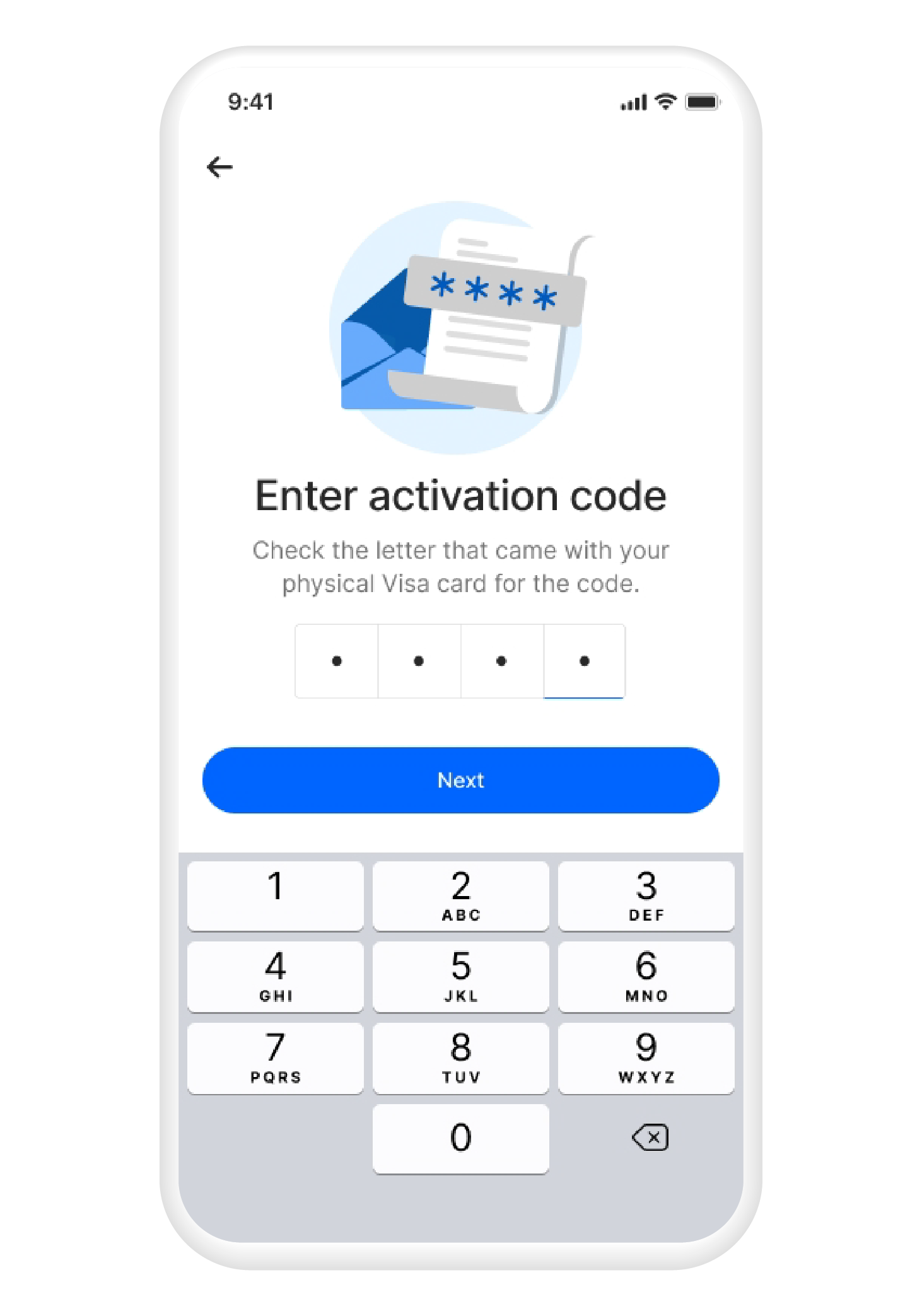
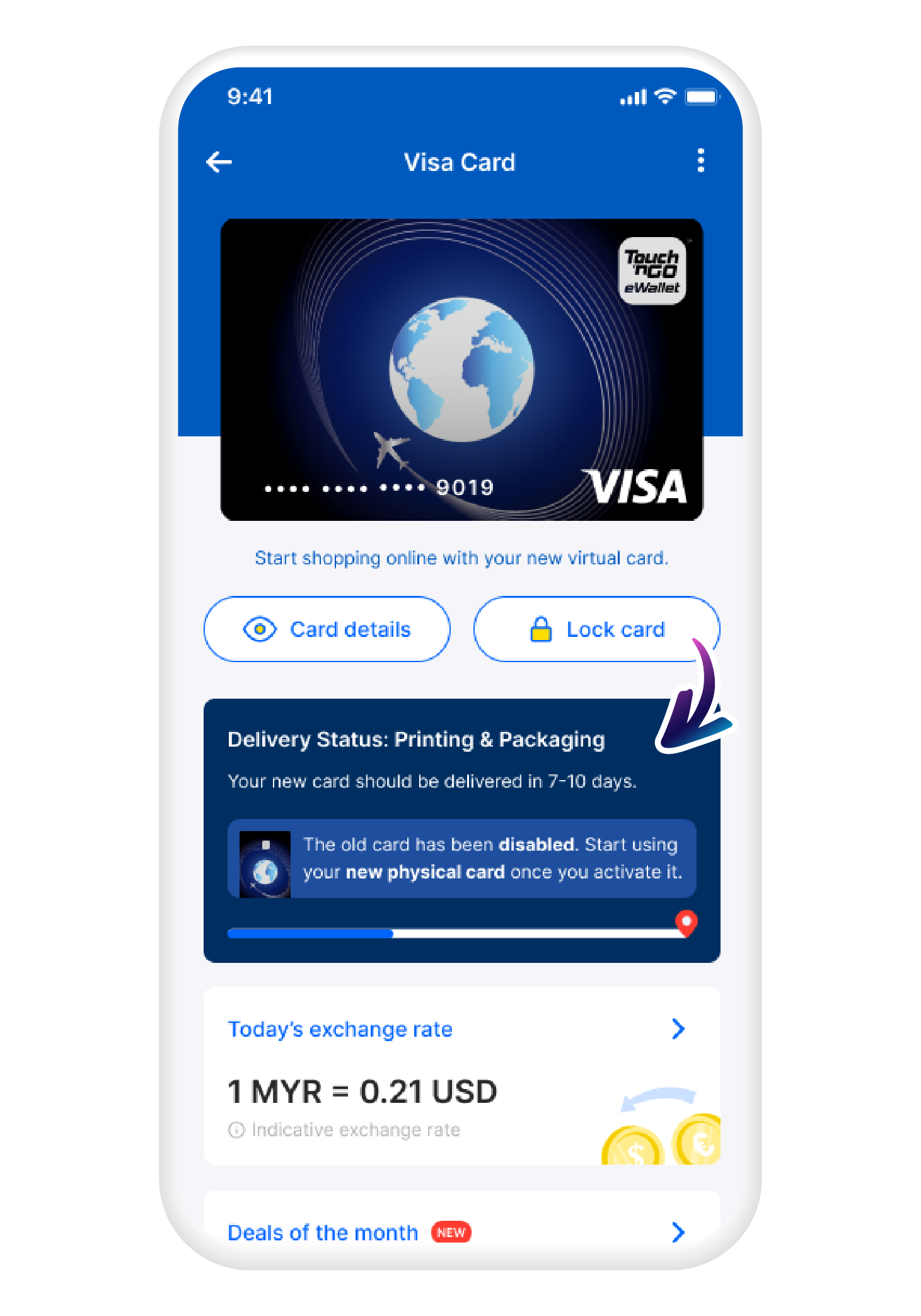
Your card's on the way. Track delivery status here
Terms & Conditions:
Touch 'n Go eWallet Visa Card (EN)
Touch 'n Go eWallet Visa Card (BM)
Product Disclosure:
Touch 'n Go eWallet Visa Card (EN)
Touch 'n Go eWallet Visa Card (BM)
Ready to apply for your Visa Card?
Ready to apply for your Visa Card?
Choose the Visa Everyday Card for daily spending or the Visa Travel Card for overseas spending and travel perks.
Ongoing promotions and travel perks
Have a question?
How many TNG eWallet Visa Cards can one TNG eWallet account have at the same time?
Each TNG eWallet account can have up to two TNG eWallet Visa Cards at the same time, but the cards must be different types. For example, you can hold the TNG eWallet Visa Everyday Card and a TNG eWallet Visa Travel Card.
What is the Touch ‘n Go eWallet Visa Card (“Visa Card”)?
The Visa Card is a prepaid card that is linked to your TNG eWallet balance. It can be used worldwide and online for the payment of goods and services, wherever a Visa card is accepted. In addition, you can withdraw cash from any ATM that is enabled on the Visa Plus network. Look out for these logos to know where you can use your Visa Card:
How can I apply for a Visa Card?
You can only apply for the card through the TNG eWallet app: as long as you are 12 years old, successfully completed your eKYC and are currently residing in Malaysia. Please note that each user is entitled to only one (1) card at a time.
Step 1: Tap on “Visa Card”
Step 2: Then on “Get Card Now”
Step 3: Enter your preferred name, confirm delivery address and tap “Pay Now” when ready
Step 4: Your card’s on its way. Track delivery status here
What is the difference between Touch 'n Go eWallet Visa Card and the Touch 'n Go Card?
The Touch 'n Go eWallet Visa Prepaid Card and the Touch ‘n Go Card are two (2) different products, with the following key differences:
Touch 'n Go eWallet Visa Card |
Touch ‘n Go Card | ||
| Everyday Card | Travel Card | ||
| Card design | |||
| Card issuer | Touch ‘n Go eWallet | Touch ‘n Go | |
| Card scheme | These are Visa cards that can be used worldwide and online, wherever a Visa card is accepted. | These cards can only be used at selected Touch ‘n Go touchpoints. | |
| Card balance | eWallet balance | On card (separate from eWallet balance, unless linked via PayDirect for tolls and parking) | |
| Toll payments | Yes (Selected tolls) | Yes | |
| Mass transit | Yes (Selected trains) | Yes | |
| Parking | Yes | Yes | |
| Where to apply? |
Application can only be done via the Touch ‘n Go eWallet app, look out for the Visa logo on the homepage or in your profile page.
|
There are multiple places where you can purchase the card: Via Touch ‘n Go eWallet app, look out for the TNG card logo on the homepage.
On the Lazada eshop, at selected petrol kiosks and resellers. |
|
Are there fees and charges for the card?
Visa Everyday Card |
Visa Travel Card |
|
|---|---|---|
Card Application Fee |
RM15 (includes delivery fee of RM5) |
RM20 (includes delivery fee of RM5) |
Annual Fee |
RM8.00 (waived for the first year) |
|
Example |
If you applied for your Visa card on 1 January 2023, the annual fee will be charged on 1 January 2024, 1 year after your application. |
|