Get international data roaming with the Travel eSIM

Beyond checking the weather and sorting out local currency, staying connected abroad is a top concern for travellers. But with the Travel eSIM, this worry is a thing of the past. Purchase, activate, and switch seamlessly with only a few taps.

Simply select your destination from the list of supported countries, and your plan only starts when you connect to a local network. Pre-purchase in advance and stay worry-free from the moment you land.

Key benefits of getting a Travel eSIM via your eWallet

No more physical sim

No more physical SIM

Enjoy instant setup on your phone without swapping physical SIM cards or hunting local SIM cards.
Available in over 190+countries

Available in over 190+countries

Stay connected with a variety of data packages offering fast and reliable coverage worldwide
No more expensive roaming fees

No more expensive roaming fees

Competitive pricing compared to traditional roaming fees from as low as RM7
Rewarding

Rewarding

Turn your spending into something greater. Earn GoRewards points with every RM1 you spend.

Here’s how simple it is to purchase:

1

Tap on "More" from your eWallet home screen, followed by "GOtravel"
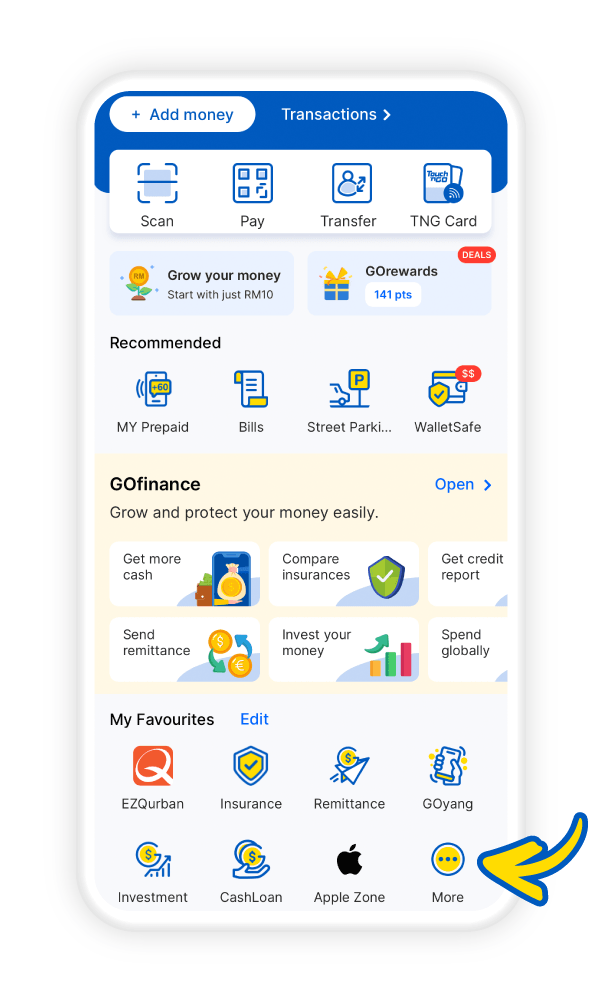
Tap on "More" from your eWallet home screen, followed by "GOtravel"

2

Select "Travel eSIM"
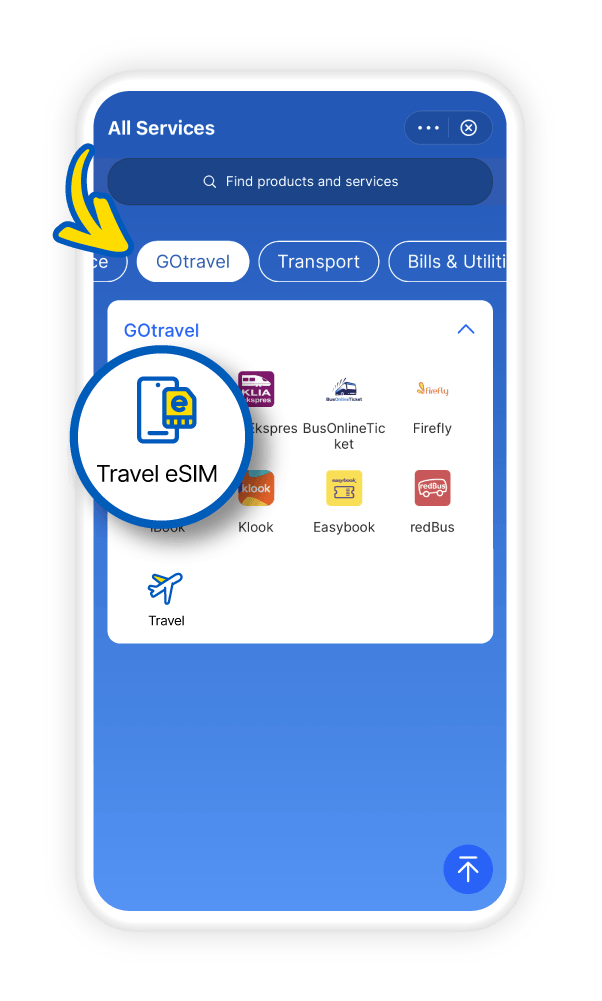
Select "Travel eSIM"

3

Then on "Select country" to choose a country from the dropdown menu
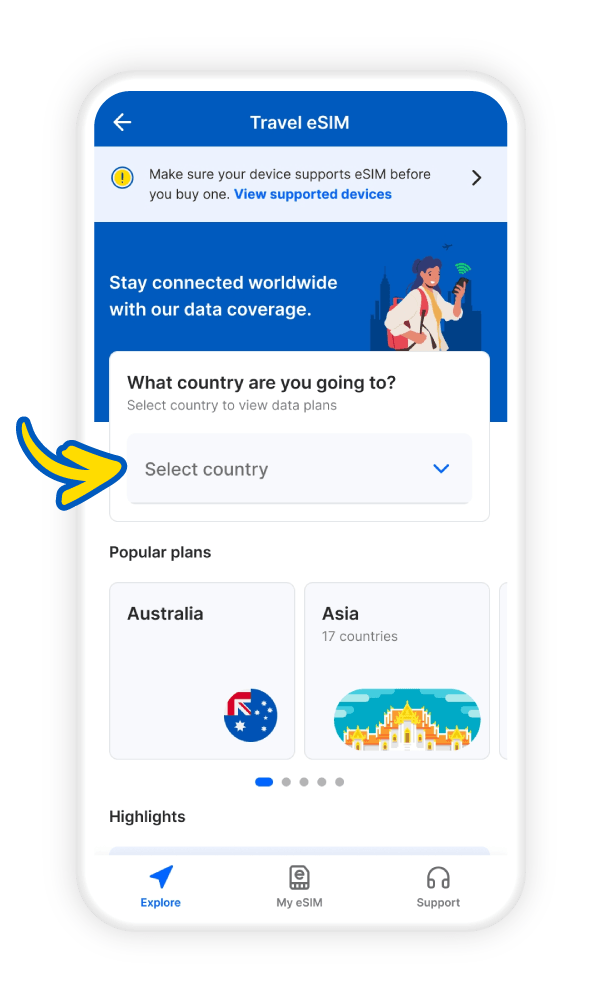
Then on "Select country" to choose a country from the dropdown menu

4

Select your preferred plan
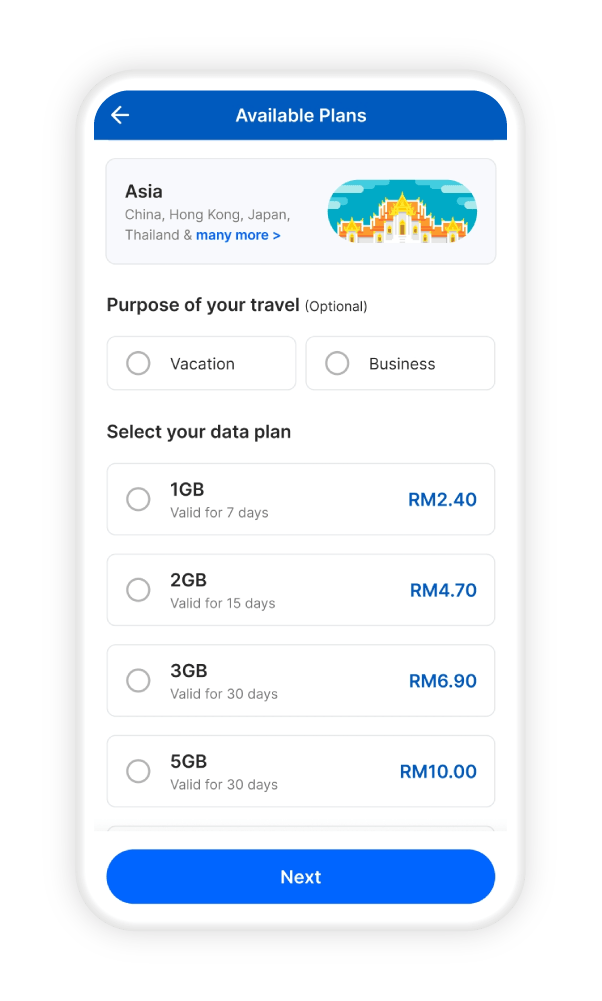
Select your preferred plan

5

Review and pay
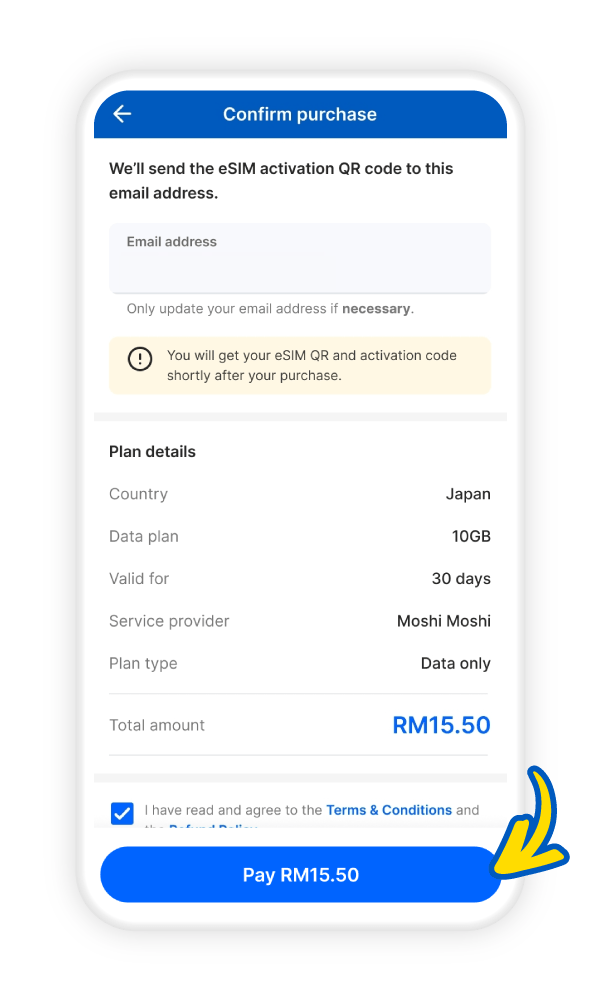
Review and pay

6

You can now access and manage your Travel eSIM from the "My eSIM" tab.
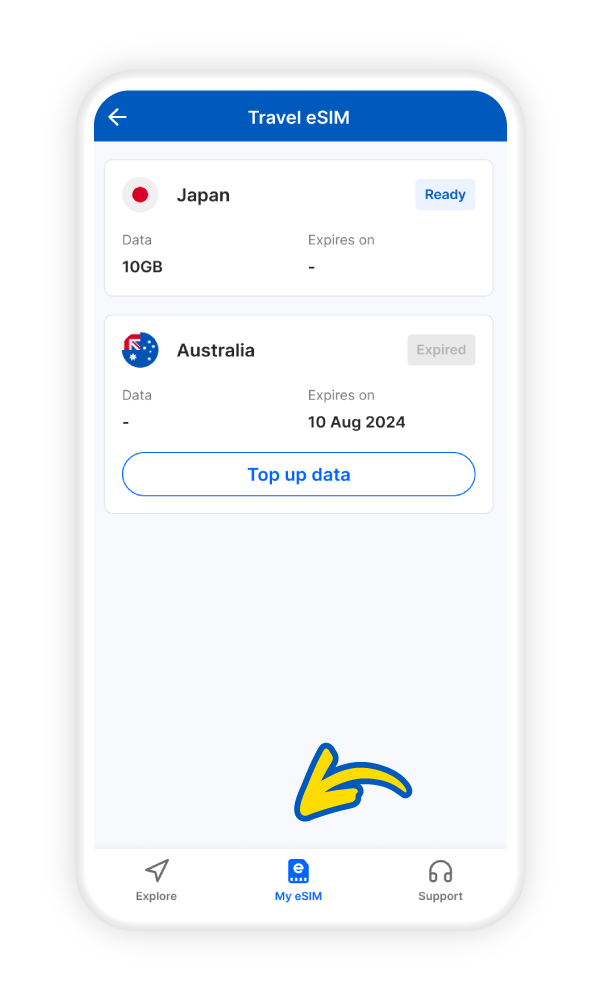
You can now access and manage your Travel eSIM from the "My eSIM" tab.

*Note: Your eSIM will only activate when you arrive at your travel destination. See below to learn how to activate your eSIM.

You can purchase your Travel eSIM in advance, but please be aware that it will expire 30 days after purchase if not installed and activated within this period. Once expired, the eSIM cannot be activated, used, or refunded. To avoid this, make sure to install and activate your eSIM within the 30-day validity period.

How to install your Travel eSIM

Android
iPhone (iOS)

For Android users, you can easily install your Travel eSIM on your Android phone using the "Scan to Gallery" function.

  1. Save the QR code by taking a screenshot or downloading from your email.
  2. Go to your "Settings"
    • Select "Connections" (or "Network & Internet")
    • Select "SIM Manager" (or "Mobile Networks")
    • Select "Add eSIM" (or "Add Mobile Plan")
  3. When prompted, choose "Scan QR Code from Gallery" (or "Use Saved QR Code"), then select the saved QR code from your phone's Gallery or Photos app. Follow the on-screen instructions to complete the eSIM installation and activation.

Having trouble activating your Travel eSIM? Check these first.

Your Travel eSIM should activate automatically upon arrival at your destination.
If it does not, check the following: eSIM:

Now, for your Travel eSIM line, please enable:

  1. Mobile data
  2. Data roaming
  3. APN (Access Point Network) and manually add the APN for your eSIM. You can find the correct APN for your Travel eSIM here.
  4. Manually connect to the local (destination) telco in the network selection. This helps you stay connected with the network. You can toggle between the networks you see in the network selection to find the most stable one for you.
  5. Set the appropriate Network mode/type (e.g., 3G, 5G) according to the eSIM you purchased.

Finally, for your Travel eSIM line, please disable:

  1. Airplane mode
  2. VoLTE (TURN OFF VoLTE)
  3. “Limit IP Address Tracking”
Not sure where to find these settings? Check out our full guide for iOS and Android here

Have a question?

What is a Travel eSIM?

An eSIM (embedded SIM) is a digital version of a SIM card that is built into a compatible mobile device. Unlike a traditional physical SIM card, a Travel eSIM does not need to be inserted or removed from your phone. Through supported Travel eSIM service providers, users can activate mobile data plans directly on their devices, making Travel eSIMs a convenient option for travel and dual-line usage.
 
*These FAQs are subject to our provider's terms and conditions.

What eSIM packages are available for download?

Explore a wide range of Travel eSIM packages designed to suit different travel needs. Click here to browse available Travel eSIM packages for over 190 destinations worldwide through the TNG eWallet app.

*These FAQs are subject to our provider's terms and conditions.

Is there an eSIM for my desired country?

Our Travel eSIM service provider offers coverage across 190+ countries and regions worldwide. Click here to access the Travel eSIM section in your TNG eWallet app and enter your destination to browse available Travel eSIM plans from our service provider. If you have any questions or require assistance, please feel free to contact customer support.

*These FAQs are subject to our provider's terms and conditions.

How can I buy a Travel eSIM on TNG eWallet?

Find the right Travel eSIM for all your travel needs by browsing the packages on our TNG eWallet app.

Click here to view packages from over 190 countries powered by Galaxy One Network Sdn. Bhd.

*These FAQs are subject to our provider's terms and conditions.

Still have questions?

Browse our FAQ for quick answers.

Browse our FAQs