
Every business deserves a chance to grow

Every business journey is unique. BizCash provides digital small business loans that adapt to your goals — whether it’s managing cashflow or supporting long-term growth.

With simple digital applications, faster approvals, and loans of up to RM150,000, BizCash is a simple solution for business loans, so you can focus on running your business while having the financial support you need. It’s ideal for micro loans, SME loans, and even startup business loans in Malaysia.

Benefits of BizCash

Flexible financing icon

Flexible financing

Loan from RM10,000 up to RM150,000, with loan duration from 1 to 5 years.
Quick approval icon

Quick approval & disbursement

Get your funds quickly with same-day approvals on digital applications

Accessible to small businesses icon

Accessible to small businesses

Available to businesses with at least RM5,000 in monthly sales and 1 year of operations

Here’s a quick comparison table on why BizCash is the better option

BIZCASH BANKS
Application process Fully digital Bank visit required
Minimum monthly annual sales Min RM5,000 monthly Min RM25,000 monthly
Minimum loan amount Min RM10,000 Min RM50,000
Loan application updates Daily updates in-app Manually tracked by applicant

How to apply for BizCash

1

Tap on "BizCash" from your eWallet's homepage or Merchant DashBoard
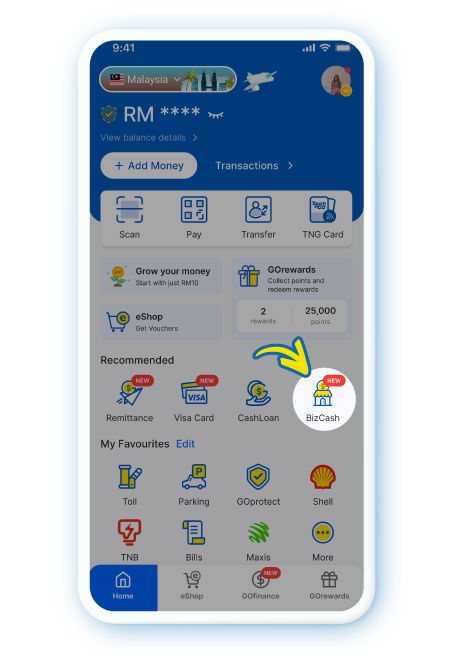
Tap on "BizCash" from your eWallet's homepage or Merchant DashBoard

2

Key in your loan amount, duration and annual sales to calculate your business loan eligibility
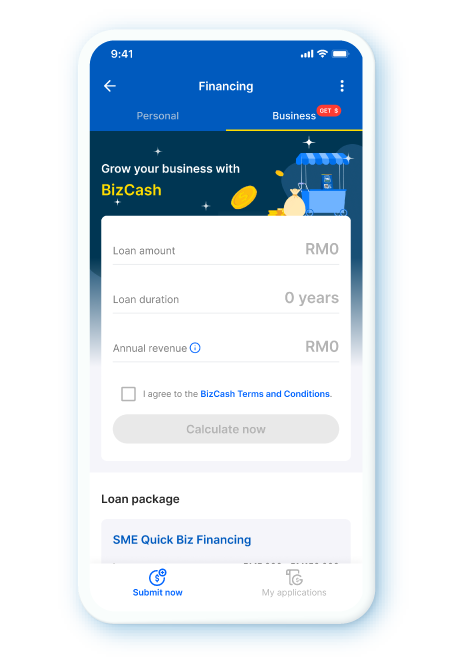
Key in your loan amount, duration and annual sales to calculate your business loan eligibility

3

Tap “Confirm” to proceed with your loan offer
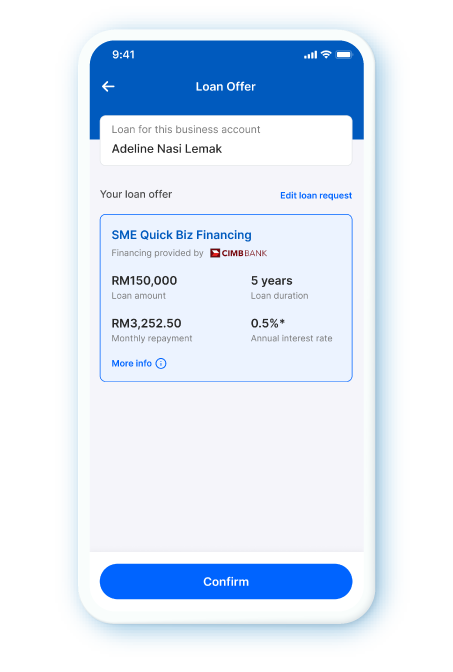
Tap “Confirm” to proceed with your loan offer

4

Fill in your business details
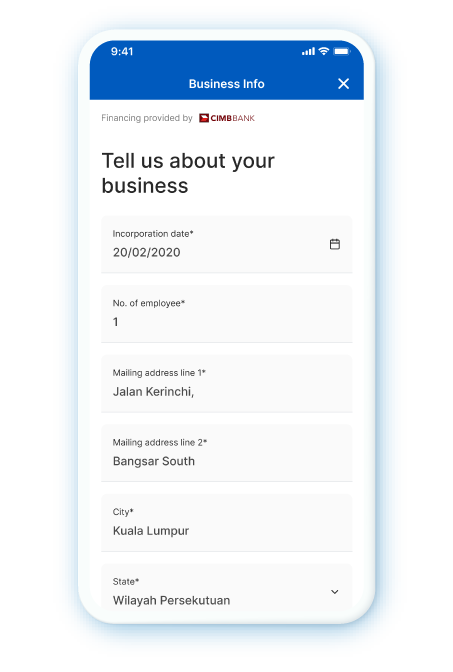
Fill in your business details

5

Upload your bank statements then hit “Submit”
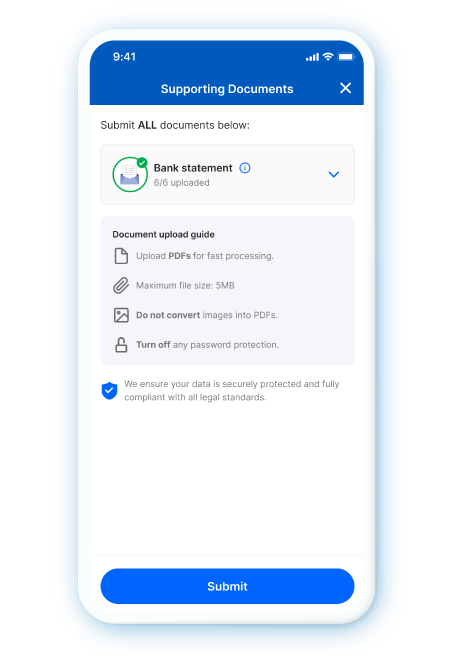
Upload your bank statements then hit “Submit”

6

You will receive a push notification when your loan has been approved. Review and tap “Accept Loan Offer" button
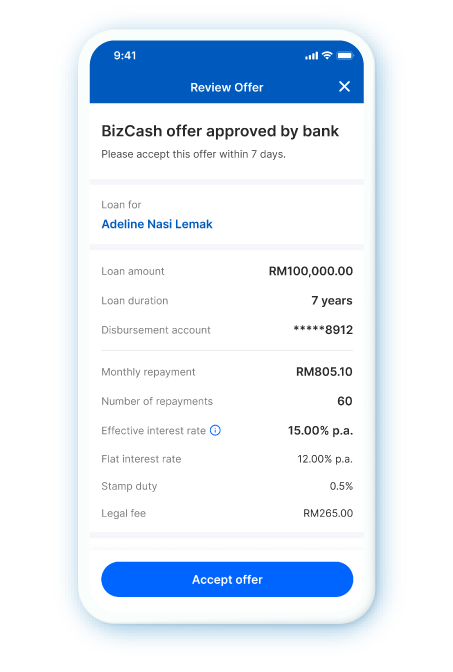
You will receive a push notification when your loan has been approved. Review and tap “Accept Loan Offer" button

7

Key in your 6-digit PIN to confirm
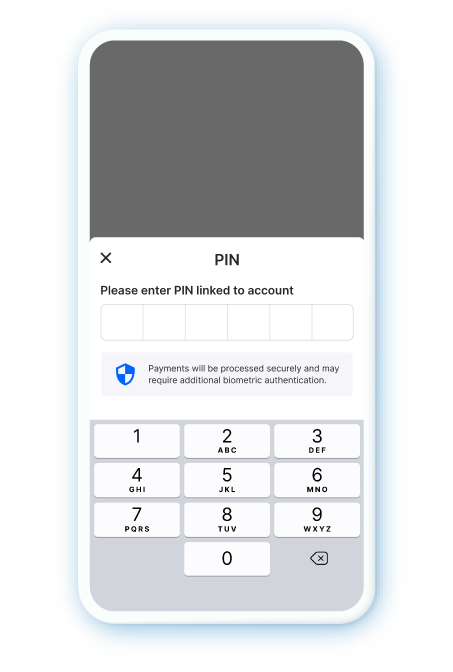
Key in your 6-digit PIN to confirm

8

Your loan will be disbursed into your receiving account
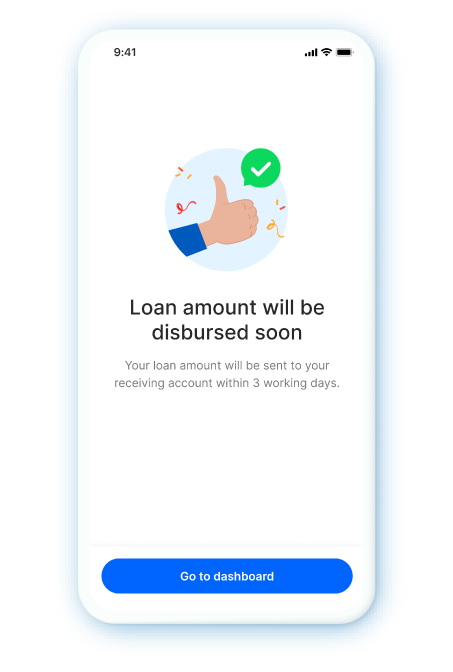
Your loan will be disbursed into your receiving account

Scan QR code and get your extra cash now

Disclaimer: If BizCash does not launch after scanning the QR code, please ensure that your eWallet app is updated to the latest version. Visit your app store to check for updates.