How PayDirect™ works
With PayDirect™, customers can link their Touch 'n Go Cards to their Touch 'n Go eWallets. The cards can then be used as normal (at highways), while our back-end systems deduct a customers linked Touch 'n Go eWallet balance.
Read the full Touch ‘n Go PayDirect Product Disclosure Sheet and Terms & Conditions here
Why use PayDirect™

Check your Touch 'n Go Card balance online anytime, anywhere

Customers no longer need to worry about insufficient balance with the Touch 'n Go eWallet auto-reload function

Your Touch 'n Go Card will no longer fall into the dormant status when you link it to your Touch 'n Go eWallet
Why use PayDirect™
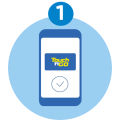
Add Touch 'n Go card into the Touch 'n Go eWallet to activate PayDirect™
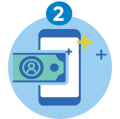
Reload the Touch 'n Go eWallet
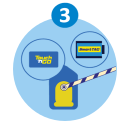
For toll: Tap your added Touch 'n Go Card or SmartTAG with the added card at participating highways
Read the full Touch ‘n Go PayDirect Product Disclosure Sheet and Terms & Conditions here.