You can finally pay on Shopee with TNG eWallet!
11 Aug 2026 - 31 Dec 2026


⚠️
Important
Update your TNG eWallet app to v1.9.9 or above before starting.
METHOD 1
Share to TNG eWallet
1
Step 1
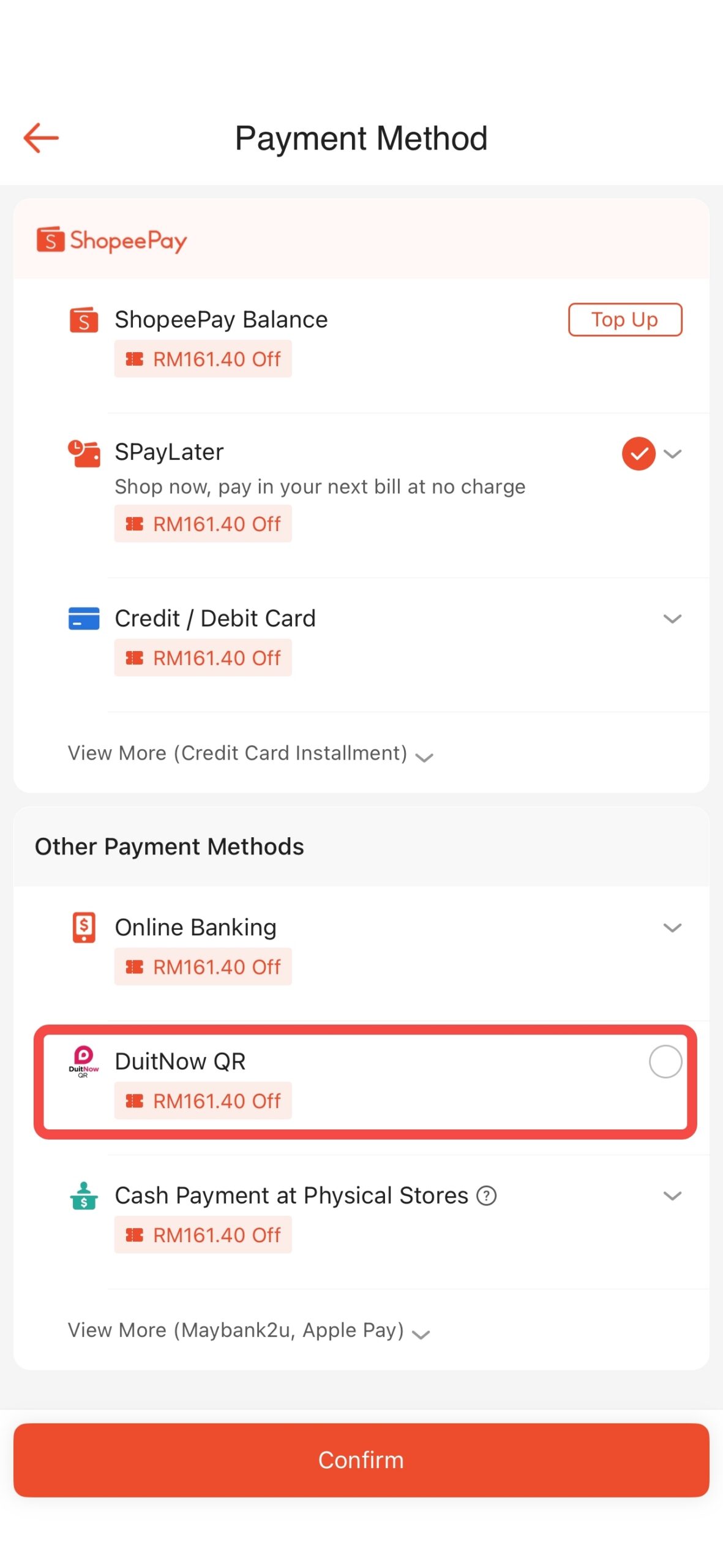
Select “DuitNow QR” under Other Payment Methods at checkout.
2
Step 2
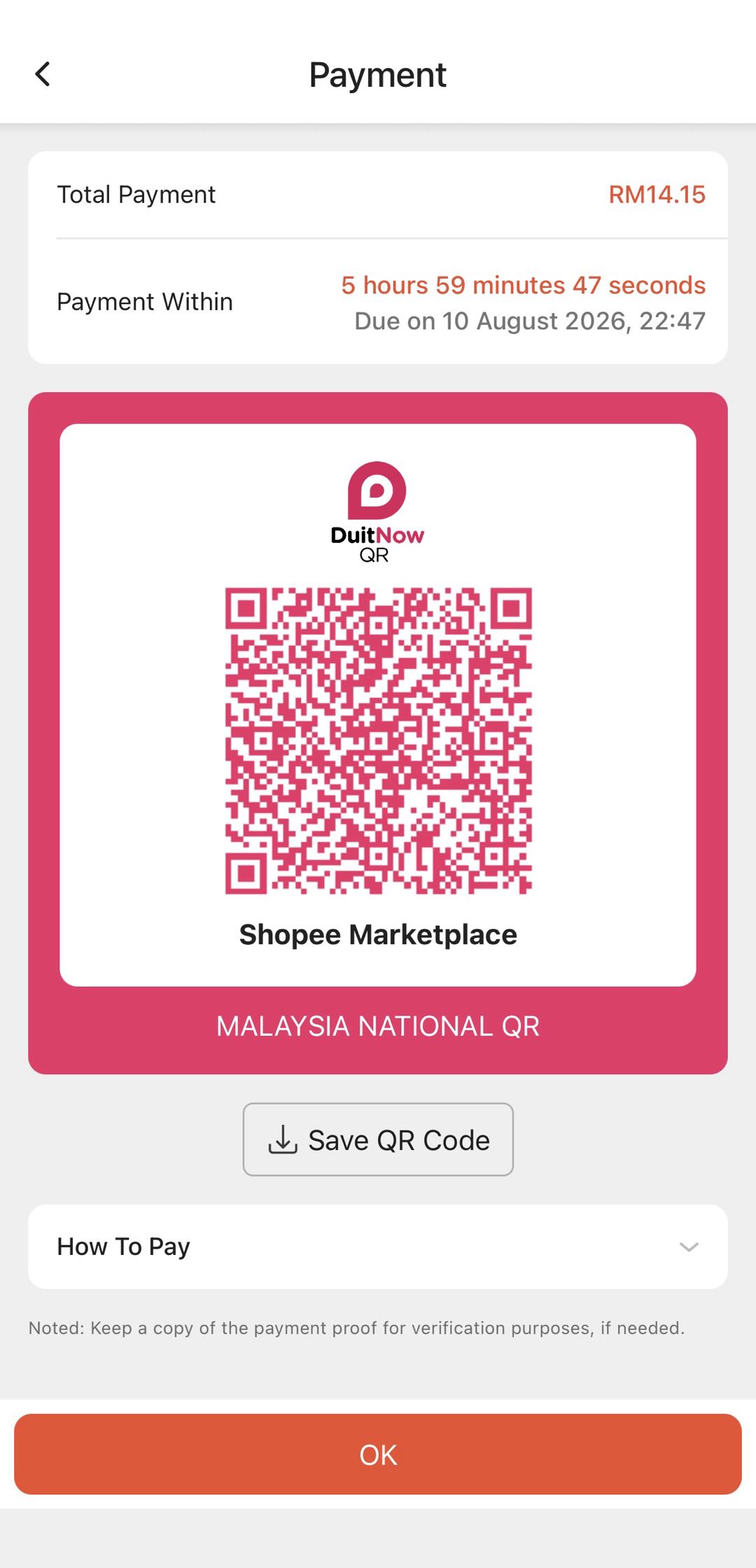
Screenshot the Shopee payment QR.
3
Step 3
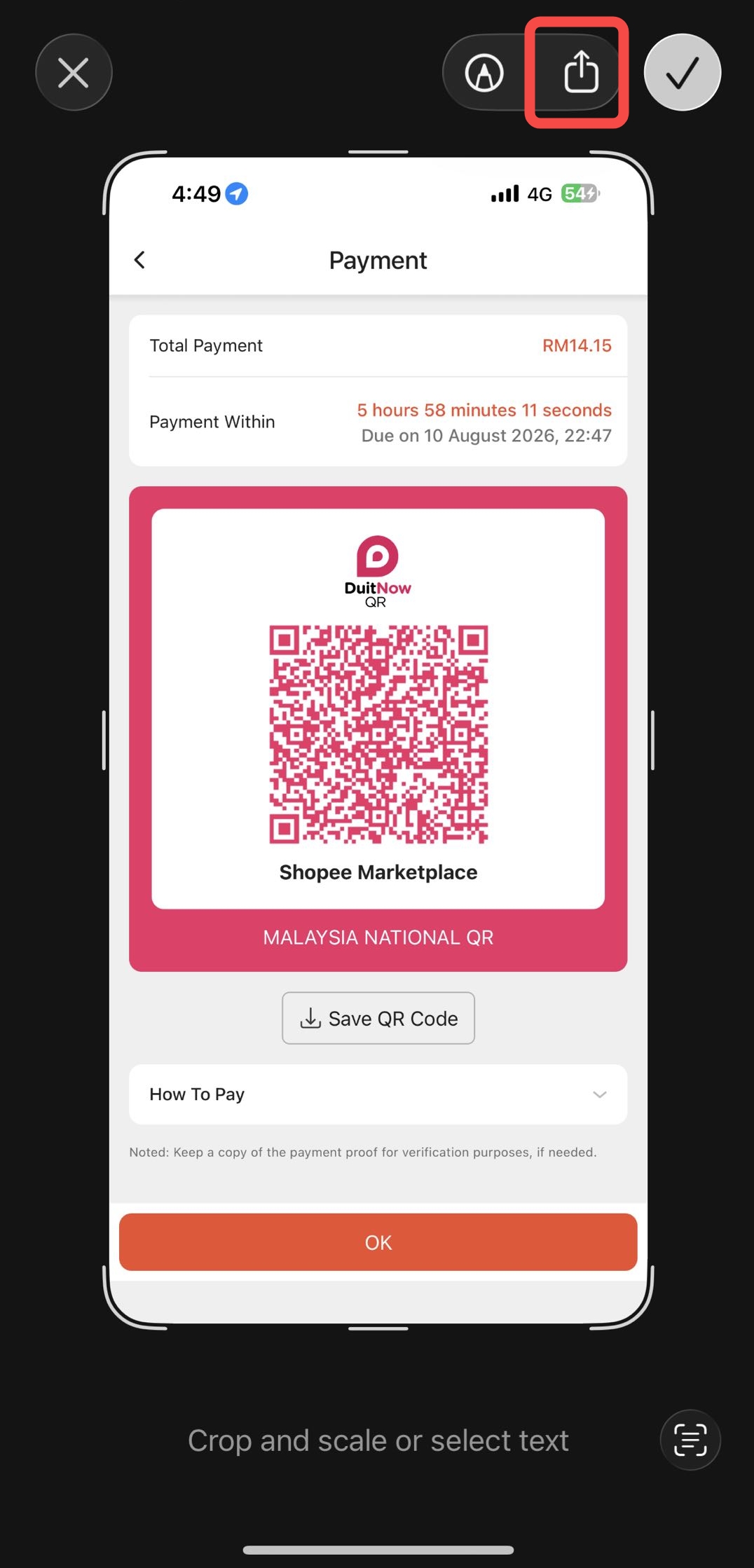
Tap the Share icon.
4
Step 4
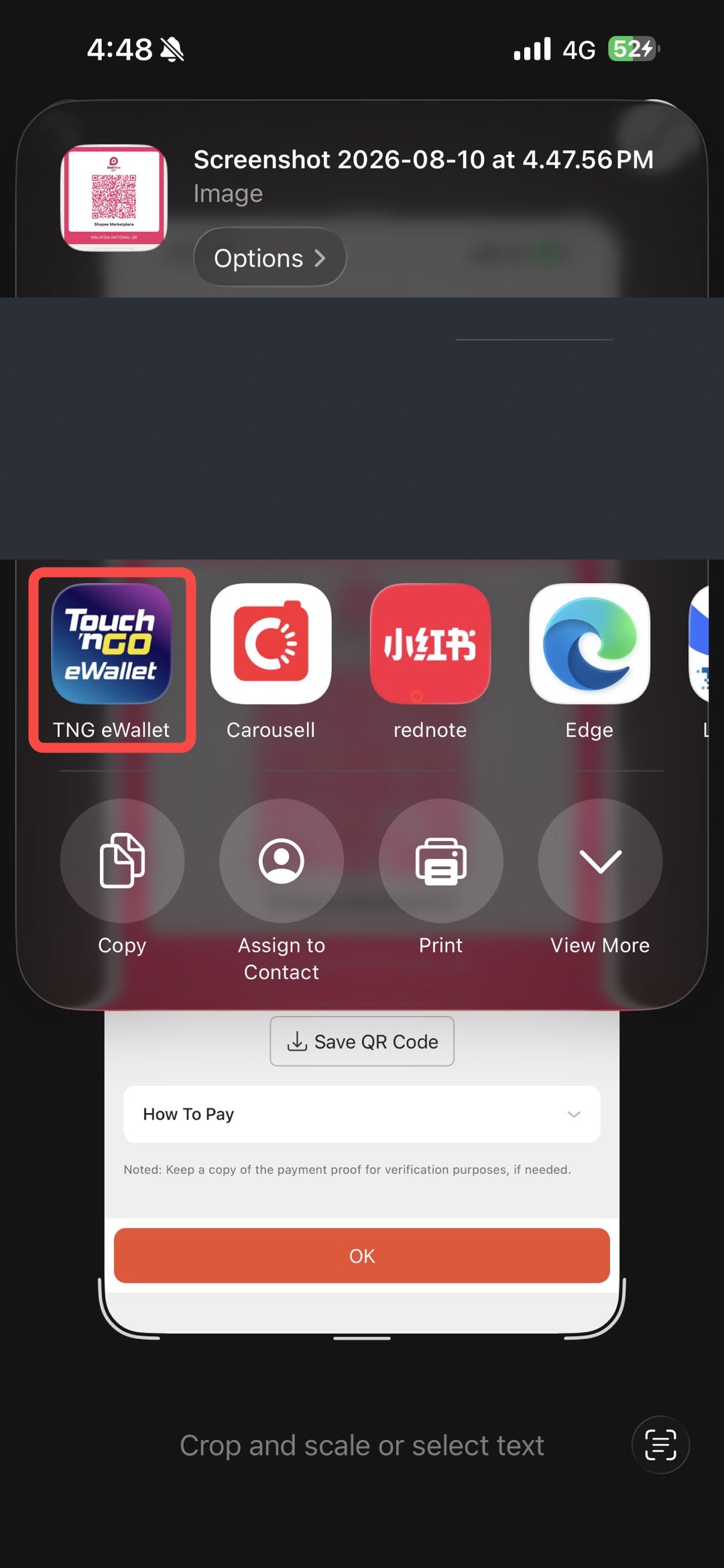
Select TNG eWallet from the share options.
5
Step 5
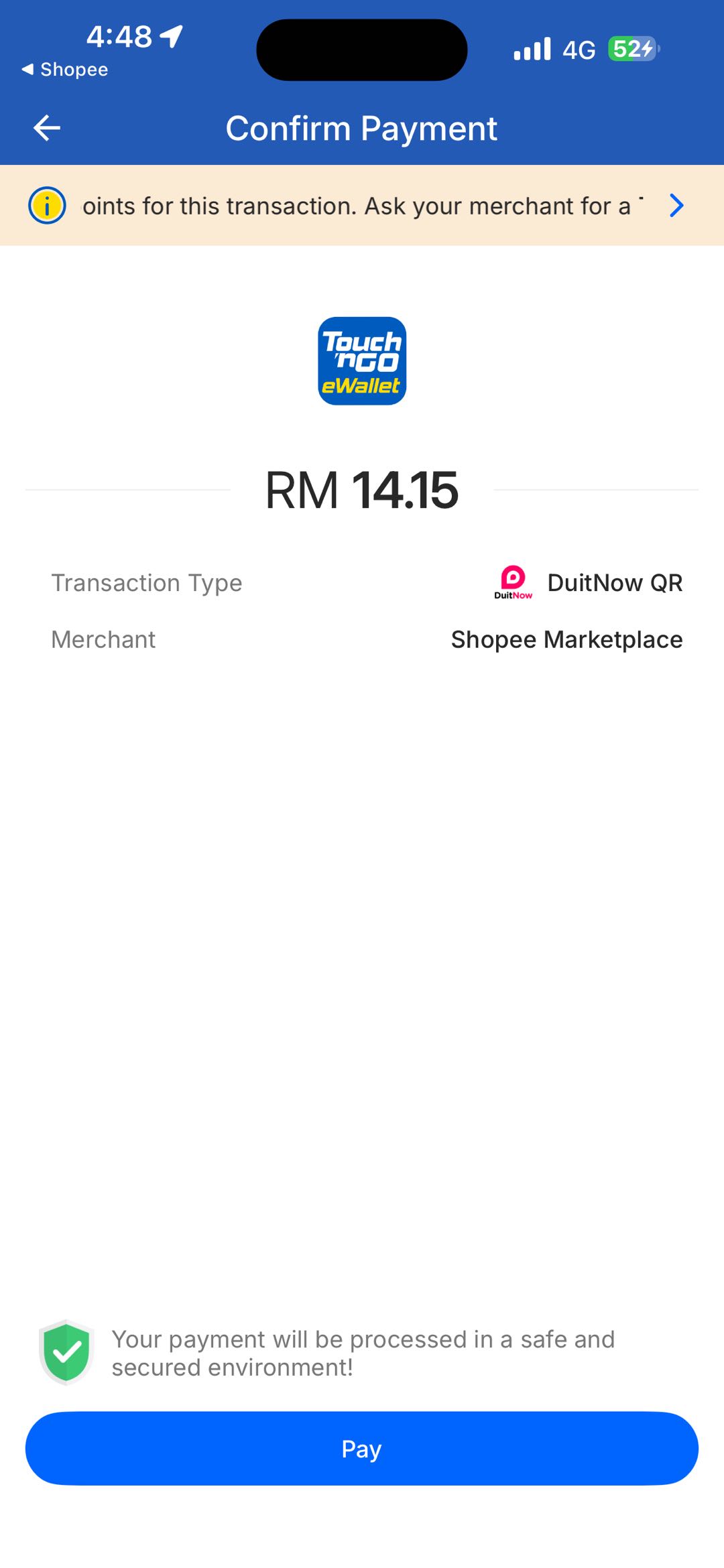
Review the amount and Pay. Done!
Or
METHOD 2
Universal Scan
1
Step 1
Select “DuitNow QR” under Other Payment Methods at checkout.
2
Step 2
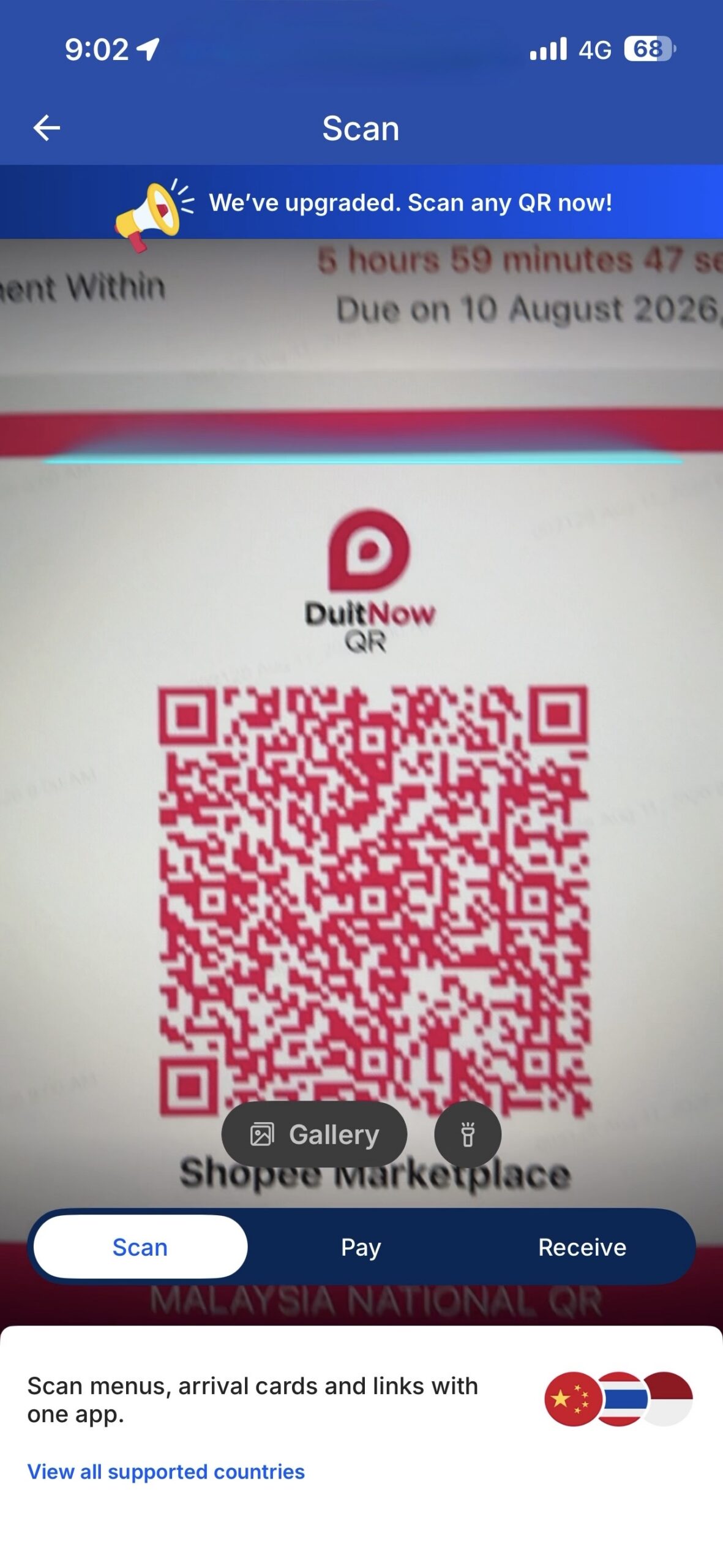
Use TNG eWallet Scan to capture the DuitNow QR.
3
Step 3
Confirm and Pay. Payment complete!
Earn extra cashback on your Shopee order with Shop & Earn now.
Terms & conditions apply. Screens shown are for illustration purposes only and may vary by app version.
Touch ’n Go eWallet is a registered trademark of TNG Digital Sdn. Bhd.