Sep 20 2024
How to Pay All Your Bills Easily with Touch ‘n Go eWallet
by Haziq
Are you tired of juggling multiple apps or dealing with complicated processes? With Touch ‘n Go eWallet, you can pay all your bills with just one app.
Whether it’s your internet subscription, water, or even electricity bills, here’s how you can better manage your bill payments with us.
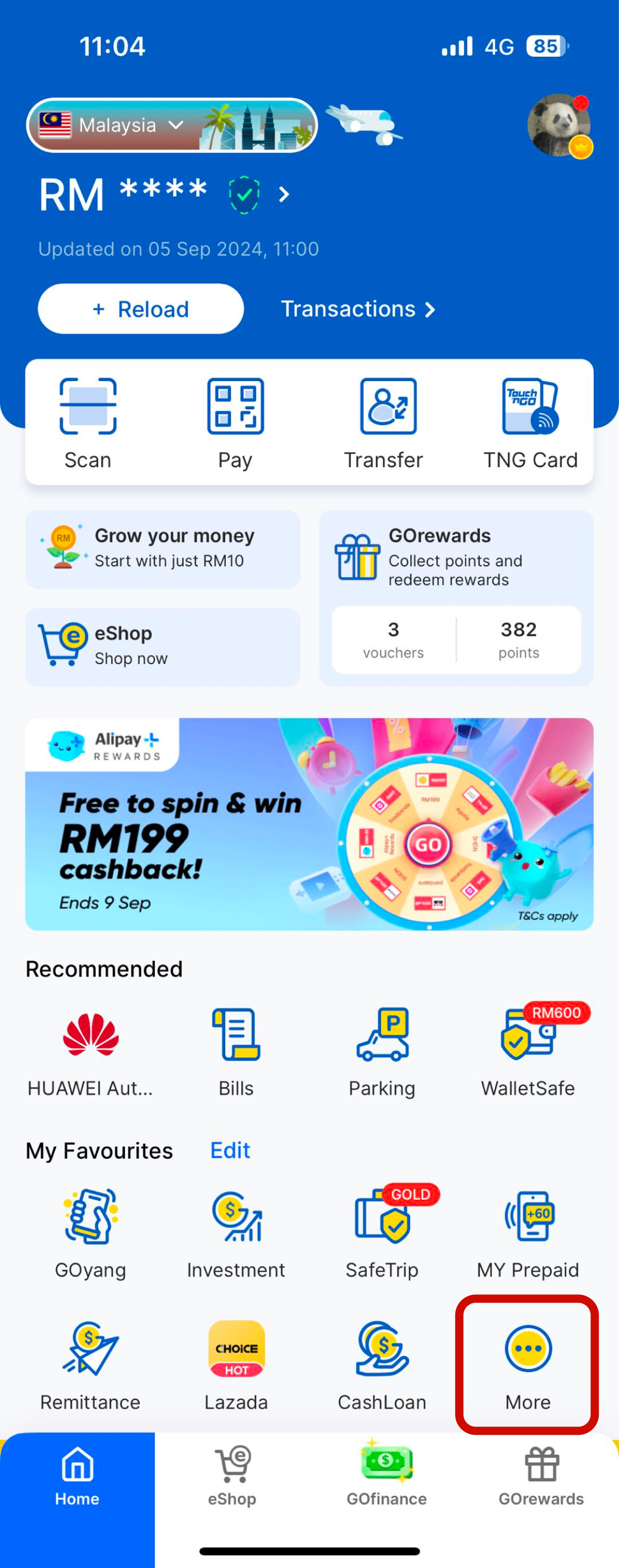
Step 1: Open Your Touch ‘n Go eWallet
To get started, open your Touch ‘n Go eWallet app, scroll down to “My Favourites,” and tap “More” as shown in the screenshot below.
Step 2: Tap on “Bills”
You’ll land on the ‘All Services’ page, where all our available products and services are listed. Simply tap on “Bills” or type ‘Bills’ in the Search bar.
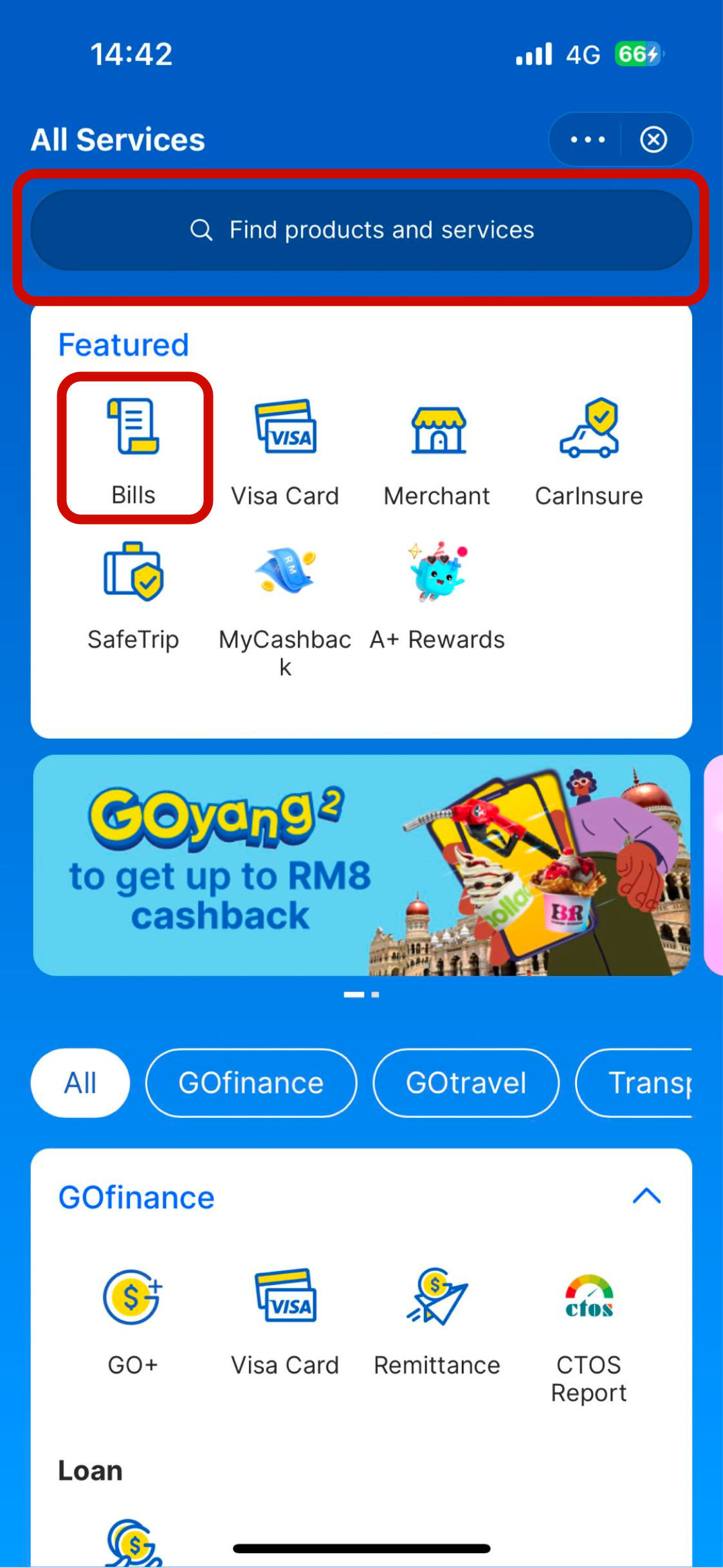
You can also scroll down to the ‘Bills & Utilities’ section to quickly go to your preferred biller.

Step 3: Search for Your Biller
Simply search for the biller you wish to pay (e.g. “Unifi”), or scroll to find and tap on a biller to pay. With JomPAY incorporated into the eWallet, you can choose from more than 10,000 billers, ranging from postpaid, utilities, broadband, entertainment, PTPTN, and local councils.
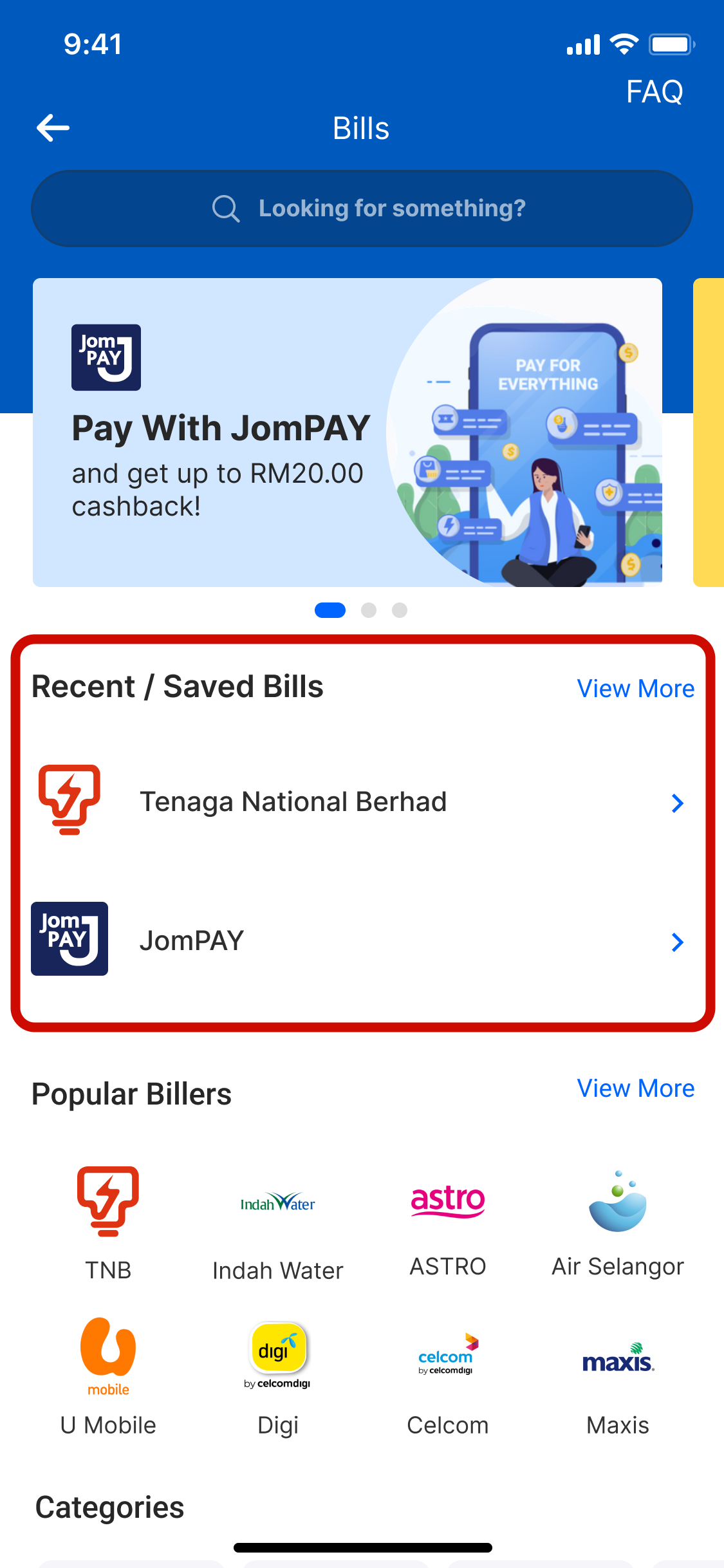
For added convenience, we show your most recent bill payment first, so you don’t have to re-enter your payment details every month.
Step 4: Make Payment
To make a payment, enter your account number and the amount to pay. You can also schedule monthly payments, so you’ll never miss a due date. This feature helps you stay on top of your finances without the stress of remembering due dates.
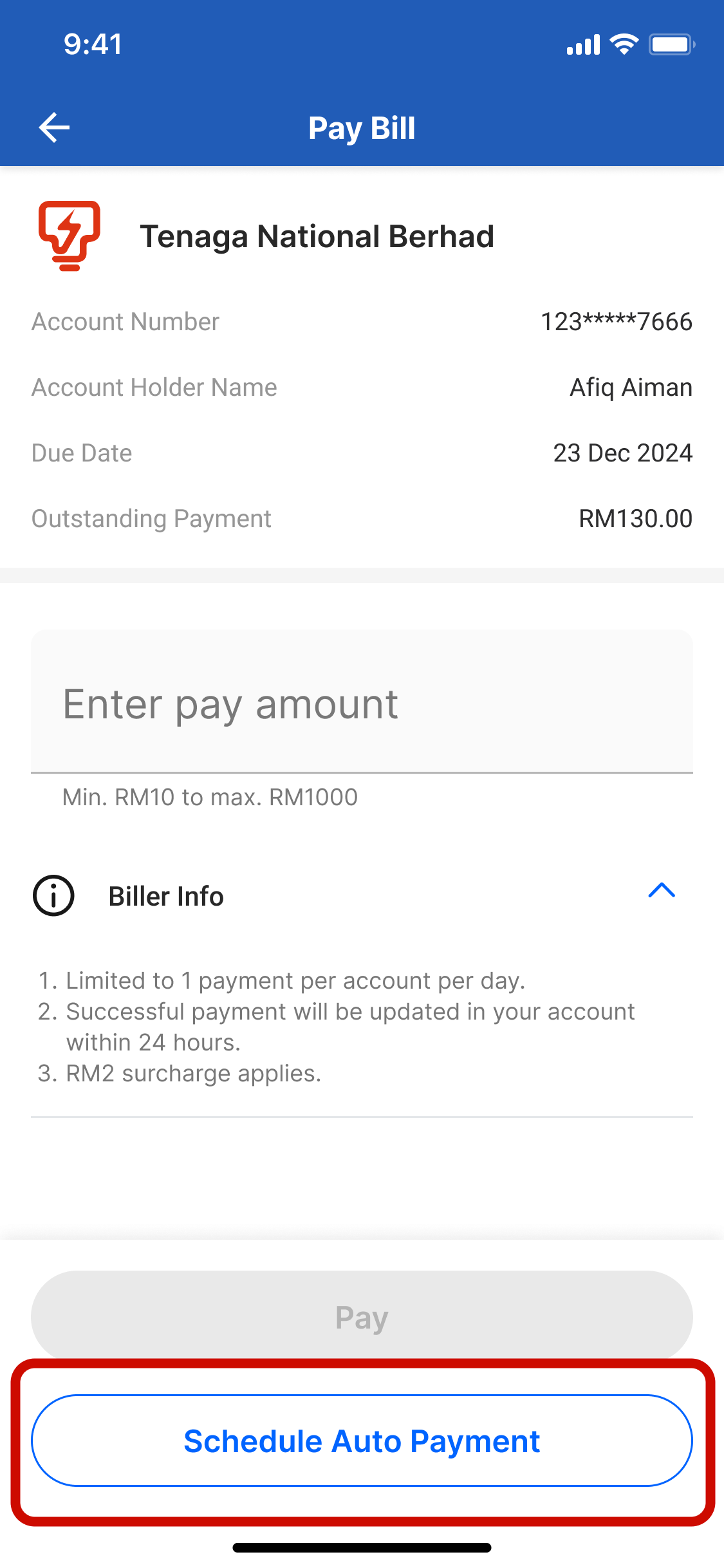
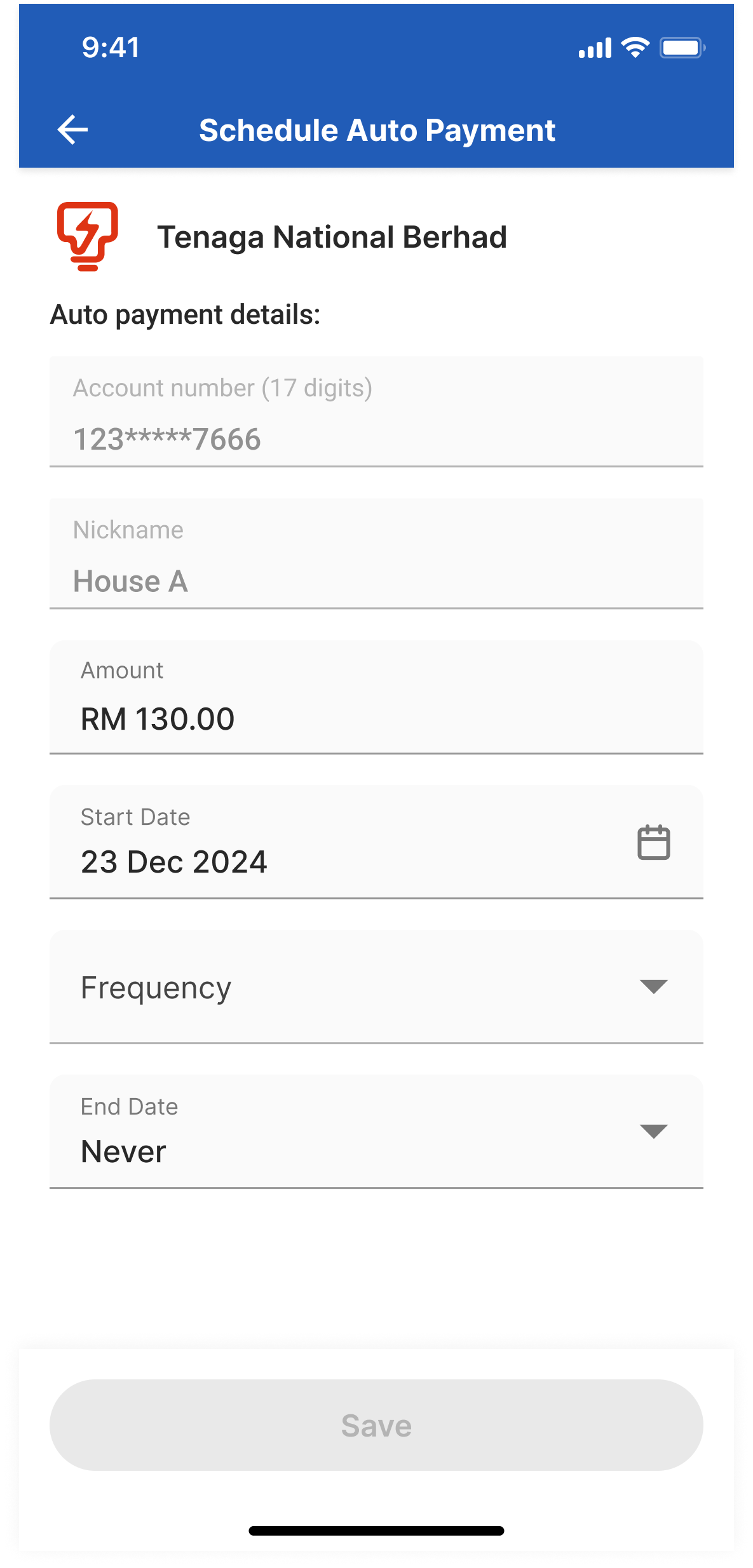
Reminder: Ensure Sufficient Balance for Easy Payments
Once you have saved all your information, schedule your payment and ensure you always have sufficient balance in your Touch ‘n Go eWallet app. Your payment will be automatically deducted the following month for a seamless payment transaction.
You can also add money to your GO+ balance, as you can use the money in GO+ to pay bills and earn daily returns of over 3% at the same time.
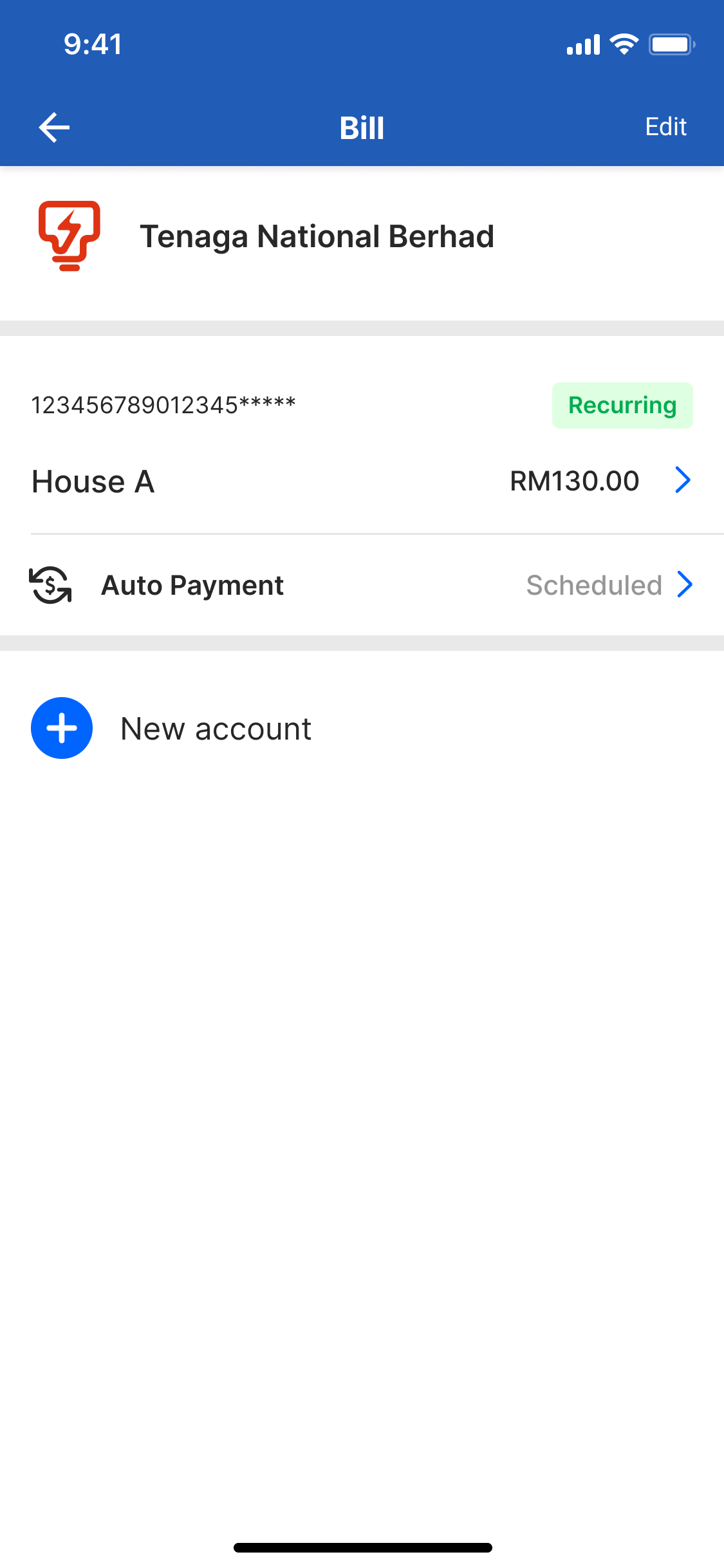
Goal: Prioritise your payments to stay within budget
Your TNG eWallet goes beyond just making payments; it helps you manage your money more effectively. When you save your payment details, you know exactly how much you spend on bills and set aside enough money for the month.
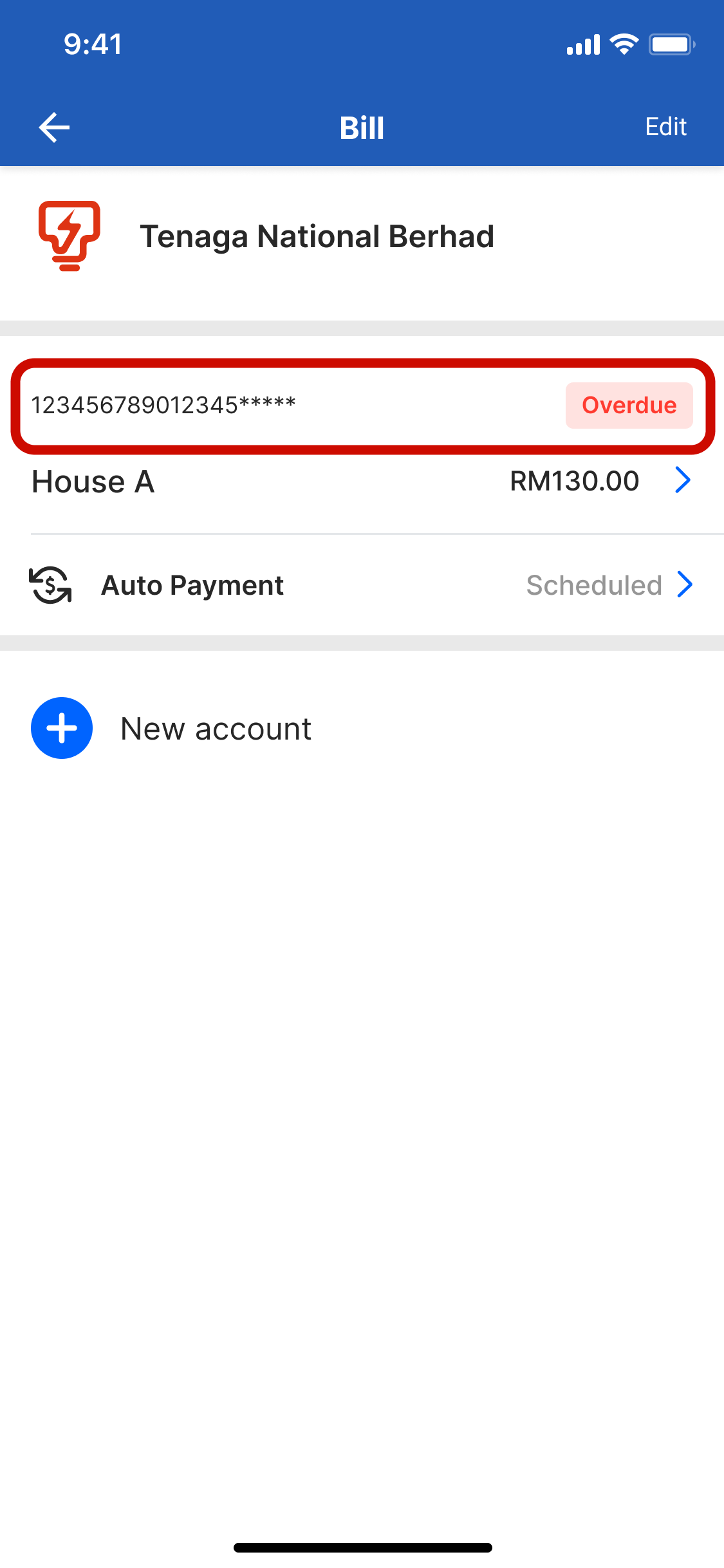
Here, you get to see all your bills and payment commitments in one place. You also get payment updates, overdue payment reminders, and even know when you last paid your bill.
Ready to take control of your finances? Join the thousands of users who have already made the switch!
Experience the ultimate convenience with our Bill Payment feature now for a smarter, more convenient way to manage your bills.