Oct 19 2026
How to pay parking in Malaysia online: KL, Selangor and other cities
by Venus Low
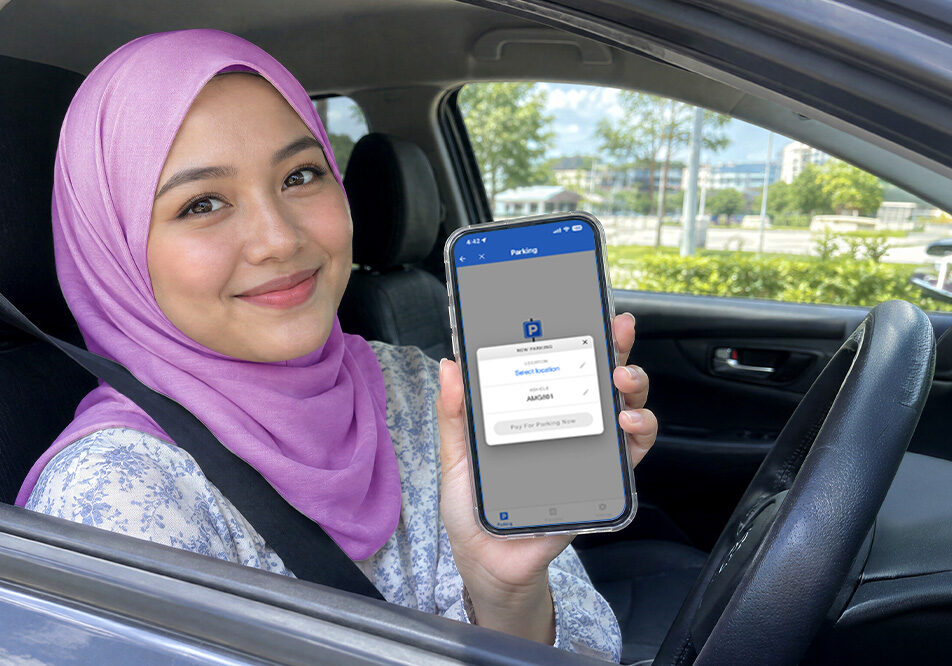
Did you know you can now pay for street parking online without searching for coins or finding a parking machine? Many local councils let you pay through mobile apps. Before paying, remember to check the council name, vehicle registration number, parking location and duration. Shopping centres, offices and other private properties may use different payment methods.
How to pay parking in Kuala Lumpur
DBKL accepts several online parking payment options in Kuala Lumpur. Choose an app that is available on your phone and check that DBKL is selected before paying. Enter the correct vehicle registration number, parking zone and duration. Review the information and wait for a successful payment confirmation before leaving your vehicle.
Accepted payment options include:
- TNG eWallet
- EZ KL Smart Park
- Flexi Parking
- Boost
- MCash
- Ekupon
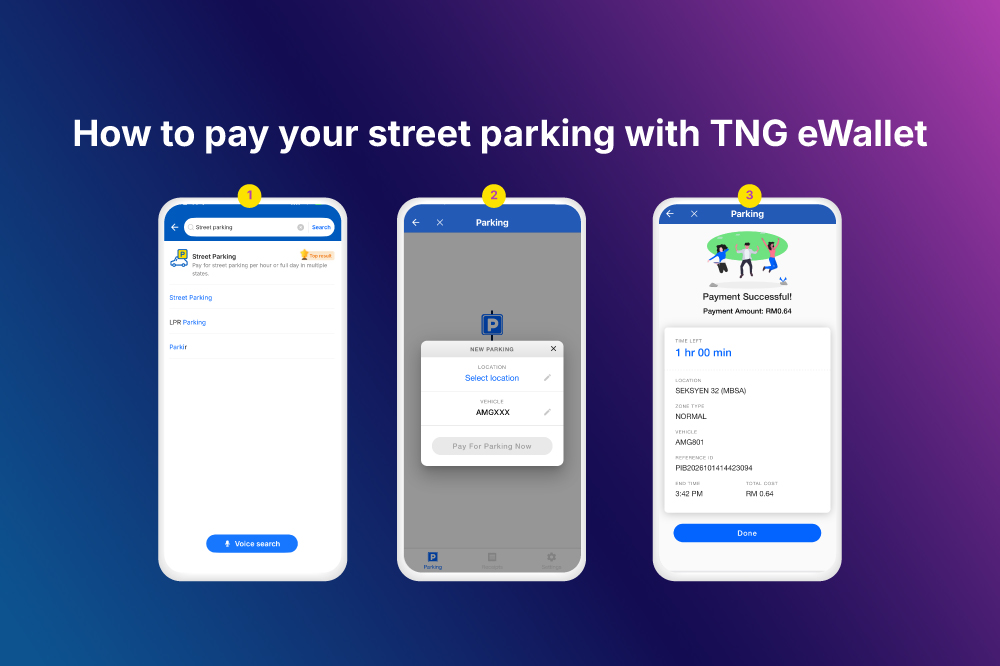
Pay parking with TNG eWallet
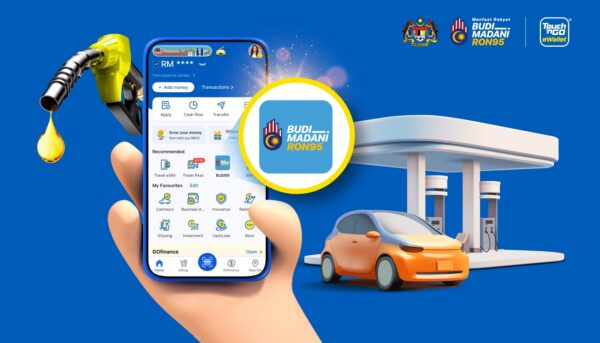
First, open TNG eWallet and select Street Parking. From there, choose your parking location, vehicle registration number and parking duration. The app will show the session end time and total cost. Review the details, then pay directly using your TNG eWallet balance. Check that the payment is successful before leaving your vehicle. TNG eWallet will send a reminder before your parking session expires when notifications are enabled. You may extend the session through the app if the council and parking zone allow it.
Pay with another DBKL parking app
Other options include EZ KL Smart Park, Flexi Parking, Boost, MCash and Ekupon. The layout may differ between apps. Follow the on-screen instructions to enter your location, vehicle and duration, then confirm that your parking session is active.
How to pay parking in Selangor
Parking in Selangor is managed by 12 local councils. Before paying, check whether your location falls under MBPJ (Petaling Jaya), MBSJ (Subang Jaya), MBSA (Shah Alam), MBDK (Klang), MPAJ (Ampang Jaya), MPS (Selayang), MPKJ (Kajang), MPSp (Sepang), MPKL (Kuala Langat), MPKS (Kuala Selangor), MPHS (Hulu Selangor) or MDSB (Sabak Bernam).
Available apps may include TNG eWallet, Smart Selangor Parking, Flexi Parking, JomParking and Setel. Not every council accepts every app, so follow the payment options shown on the parking sign.
MBPJ parking
Majlis Bandaraya Petaling Jaya manages council parking in areas under Petaling Jaya. To pay through TNG eWallet, tap Parking, select MBPJ and enter your vehicle registration number. Choose the required duration and confirm the payment. Other approved parking apps may also be available. Check the parking sign for the payment methods accepted at your location.
MBSJ parking
Majlis Bandaraya Subang Jaya manages council parking in areas under Subang Jaya. Select MBSJ through TNG eWallet or another council-approved parking app. Add your vehicle number and choose the parking duration before paying. Standard yellow bays and orange two-hour bays have different rules. Check the bay colour and nearby sign before starting your session.
MBSA parking
Majlis Bandaraya Shah Alam manages council parking in Shah Alam. Open TNG eWallet, tap Parking and select MBSA. Confirm your vehicle number, location and duration before making payment. Some areas use two-hour parking zones. Check the nearby sign for the operating hours and maximum duration.
MPKJ parking
Majlis Perbandaran Kajang manages council parking in areas under Kajang. Select MPKJ through TNG eWallet or another approved app. Enter your vehicle details and pay for the required duration. Some MPKJ locations use orange two-hour bays. These bays charge RM0.50 for each 30-minute period and cannot be extended beyond the two-hour limit.
How to pay parking in other Malaysian cities
| City or area | Online parking options |
| Putrajaya | TNG eWallet Street Parking, Setel Street parking and Flexi Parking |
| Seremban and Nilai | TNG eWallet Street Parking, Setel Street parking, Flexi Parking and Evocity |
| Kota Bahru | TNG eWallet Street Parking, Flexi Parking and Setel Street parking |
| Machang | PBTPay, TNG eWallet Street Parking and Setel |
| Kuala Terengganu | TNG eWallet Street Parking and Setel Street parking |
| Kuantan | TNG eWallet Street and PahangGo |
Parking operating hours
Parking payment hours differ by council, location and bay type.
| Council | Parking payment hours |
| DBKL | Many street parking areas charge from 7.30am to 6pm from Monday to Saturday. Check the sign because some zones have different limits |
| MBPJ | Published hours for Jalan Persiaran Barat are 8am to 6.30pm from Monday to Friday. Other locations may differ |
| MBSJ | Standard bays operate from 8am to 6.30pm from Monday to Friday and 8am to 1pm on Saturday |
| MBSA | Two-hour zones operate from 8am to 5pm from Monday to Friday. Check the sign for standard bays |
| MPKJ | Two-hour zones operate from 8am to 6.30pm from Monday to Friday |
| Other councils | Check the parking sign and selected app for the current operating hours |
Sunday and public holiday rules also differ by council. Do not assume parking is free unless the nearby sign or official parking app confirms it. The parking sign takes priority when it states a specific schedule, limit or restriction.
A friendly reminder before you park
Remember to pay for your parking online as soon as you arrive. Check the location, vehicle registration number and duration, then make sure your session is active. A quick check can help you avoid a parking compound and enjoy your journey with one less worry.
FAQs
Can I extend my parking time through TNG eWallet?
Yes. You can extend an active Street Parking session if the council and parking zone allow it. Time-limited zones may not permit extensions beyond the maximum duration.
What parking apps are available in Malaysia?
Available apps include TNG eWallet Street Parking, Flexi Parking, Setel and council-specific apps such as PahangGo and Park@Perak. Accepted apps vary by council, so check the parking sign before paying.
What happens if I forget to pay for street parking?
You may receive a parking compound from the local council. Pay as soon as you park and confirm that your session is active, as paying later may not cancel a compound that has already been issued.