Apr 22 2026
8 best apps to download for your China trip
by Elyssa Fam Mae-Z
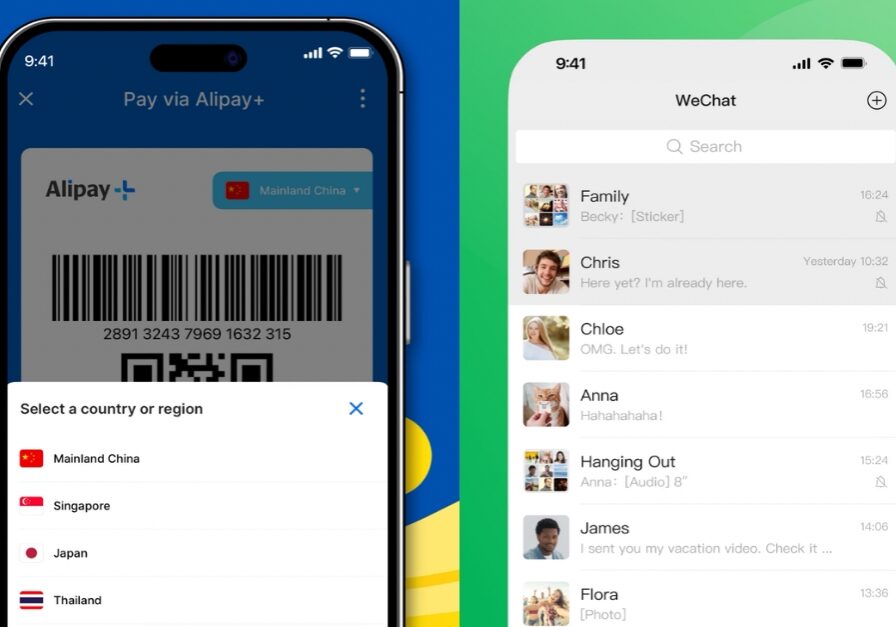
If you’re travelling to China, you’ll quickly realise that many of the apps you usually rely on, such as Google Maps along with other Google services, may not work as expected. While you can still access these apps using data roaming or an international travel eSIM, some features, like live traffic updates, may be limited.
To avoid disruptions, it’s essential to download the best apps for China travel before your trip. From payments and transport to navigation and food discovery, these apps will help you get around smoothly.
TNG eWallet
All-in-one app for payments and trip planning
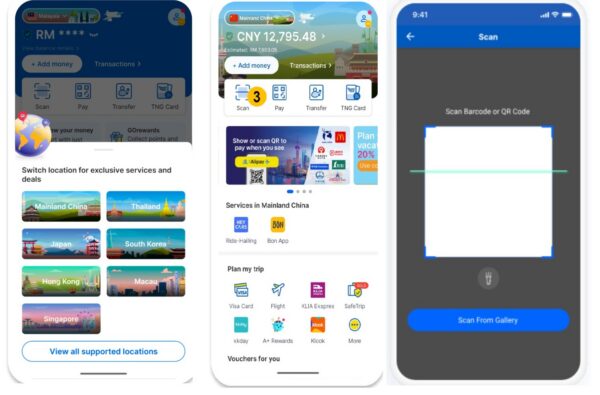
With TNG eWallet, you won’t need to download another app to pay in China. Due to its cross-border partnership with Alipay+, you can easily scan to pay at over 10 million merchants including Chagee, Pop Mart, and Mixue. Plus, you’ll also get to enjoy real-time currency conversion.
How to pay with TNG eWallet:
- Switch your homepage to the destination country by tapping the dropdown menu above the eWallet balance and selecting the relevant country.
- Look for the Alipay+ QR code and tap on “Scan” to scan the merchant’s QR code. Then enter the amount in the local currency to be paid.
- Alternatively, you can display your own QR code for the merchant to scan.
- Finally, tap “Confirm” to complete the transaction.
Beyond payments, you can also book a car with Hey Cars through TNG eWallet. You won’t need to worry about getting into the wrong car. As with any e-hailing app, it has a built-in map to show you where and how far your driver is along with their car plate number.
How to book taxis with TNG eWallet:
- Switch your homepage to the destination country by tapping the dropdown menu above the eWallet balance and selecting the relevant country.
- Tap on the icon “Ride-Hailing” under the “Services in China” section.
- Set your location and the app will provide a list of cars available from different companies
- Pick the option with your preferred rates and it’ll automatically deduct the fee from your eWallet balance for payment.
How to plan your entire trip with Trip Planner in TNG eWallet:
Switch your homepage to the destination country by tapping the dropdown menu above the eWallet balance and selecting the relevant country.
- Tap on the “Trip Planner icon” under the “Plan my trip” section.
- Choose the country (China) you’re travelling to and then tap “Create new plan”.
- Select the specific state (Shanghai) and then key in your travel dates.
- Choose your interests and tap “Let’s plan”, and you’ll have your days planned out for your entire travel duration.
Best app in China for messaging and food ordering
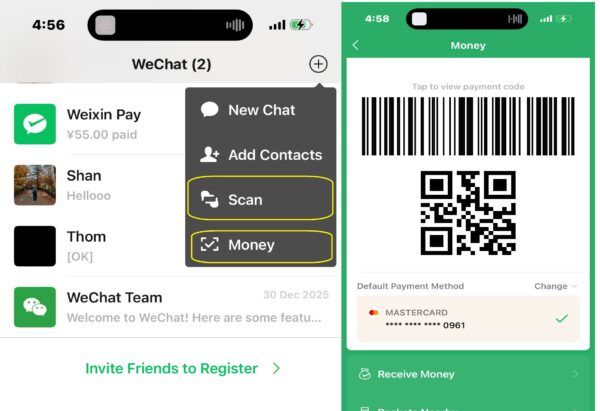
WeChat is one of the most used and essential apps for your China trip. Beyond messaging, it allows you to pay for food, transport, and shopping through its built-in wallet, WeChat Pay. Many businesses, from restaurants to street vendors, rely heavily on QR code payments via WeChat so much so that you might not even be able to order food if you don’t have this app downloaded.
You can also access various mini services within the app, such as booking taxis or tickets for public transport.
How to pay with WeChat:
- Set up your WeChat pay by linking it with a credit card. You can also link your Touch ‘n Go eWallet Visa Card for payments and earn up to 3% cashback credited directly to your TNG eWallet.
- Tap on the “+” icon and select “Money” to present your personal QR code and pay.
- Alternatively, sometimes the vendor displays their QR code instead, simply scan to pay.
Alipay
Can link up to 30 foreign cards
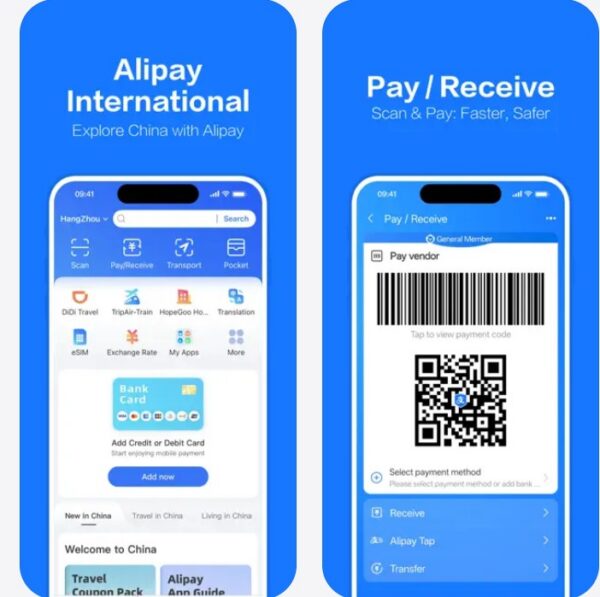
Image credit: App store
Alipay is another dominant payment app widely accepted across China. It’s especially useful for tourists thanks to its international-friendly features, allowing you to link up to 30 foreign cards maximum. It also includes mini apps for transport, bill payments, and even tourist services.
How to pay with Alipay:
- Set up your Alipay by linking it with a credit, debit card, or your Touch ‘n Go eWallet Visa Card.
- Tap on the “Pay/Receive” icon to present your personal QR code and pay.
- If the vendor displays their QR code instead, simply tap on “Scan” to pay.
Baidu Maps
Accurate Chinese navigation app
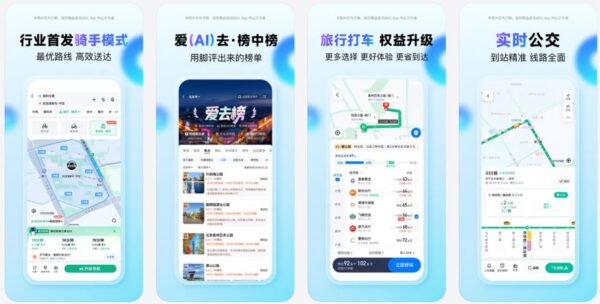
Image credit: App store
Since services like Google Maps often face connectivity issues in China, Baidu Maps has become the essential navigation tool for travelers. It offers highly accurate routes for driving, walking, and public transit. However, users should note that the interface is entirely in Chinese. While you may need to rely on screenshots and translation apps like Waygo to navigate the menus, the intuitive icons and layout make it surprisingly manageable even for non-speakers.
How to use Baidu Maps:
- Enter your destination in the search bar using pinyin
- Tap “到这去” (Go here)
- Then choose your mode of transport through: driving (驾车), public transit (公共交通), cycling (骑行), and walking (步行)
- Then tap “开始导航” to start navigation
Amap
Best English-friendly navigation app for China
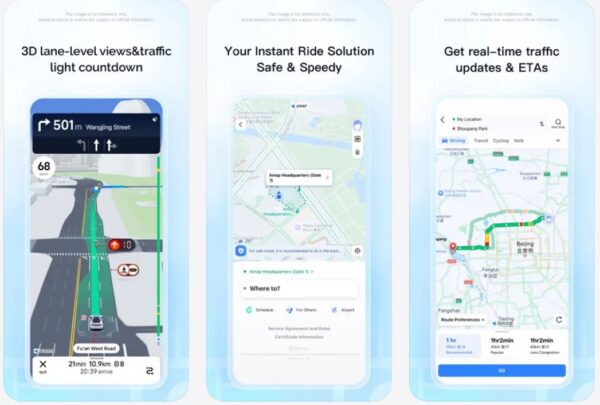
Image credit: App store
Another excellent alternative to Baidu Maps, Amap is known for its user-friendly interface and highly detailed navigation. It’s particularly useful for real-time traffic updates and integrated ride-hailing services. Best of all, it offers an English version, making it a much more accessible choice for those not fluent in Chinese.
How to use Amap:
- Key in your destination in the search bar in either English or Chinese
- Click on the blue arrow and enter your starting point in ‘My Location’
- Choose between the public transport, car, bike, or walking routes and click ‘Go’ to start navigation.
Didi
China’s go-to ride-hailing app
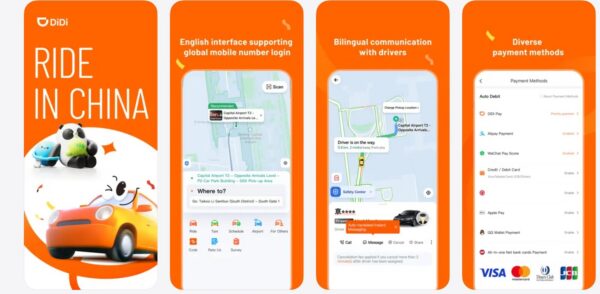
Image credit: App store
Think of Didi as China’s version of Uber or Grab. It’s the most widely used ride-hailing app in the country and supports both English and Chinese, making it convenient for international travellers. It can also be accessed through WeChat and Alipay through their mini programmes. However, most recommend downloading Didi separately as the translations within WeChat and Alipay can sometimes be inconsistent.
The app also features integrated translation tools that help passengers communicate with drivers, making it particularly helpful for international visitors. Compared to traditional taxis, DiDi is generally more convenient for those who may not speak the local language.
How to book a car with Didi:
- Enter your destination and pick-up point
- Choose your vehicle type and click confirm
- Once confirmed the app will display the driver’s details
- When the driver arrives, they will ask for the last 4 digits of your phone number to confirm the pickup.
Waygo
Best for offline translation

Image credit: App store
One of Waygo’s advantages is its offline functionality, as it instantly converts Chinese text into English without needing an internet connection. While it may not be the best option for full conversations, Waygo is especially effective for quick, on-the-spot translations such as reading menus, street signs, or product labels.
Da Zhong Dian Ping
Best food app for finding hidden gem restaurants
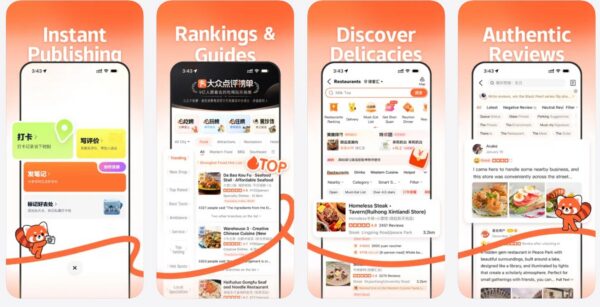
Image credit: App store
If you want to explore China’s food scene like a local, Dazhong Dianping is one of the most useful apps to have. Often compared to Yelp but far more detailed, it features extensive user reviews, real customer photos, and rankings across everything from restaurants and cafés to bubble tea and street food. You can easily search by cuisine, price range, distance, or popularity, which makes it especially helpful when navigating a new city.
While the app is primarily in Chinese, it’s still manageable to navigate through its built-in auto-translate features or with other translation tools. With a bit of effort, it can lead you to local favourites that may not appear on platforms like Google. It also supports reservations for selected restaurants, which is useful for busier spots, although some may require a local phone number to confirm the booking.
How to use Da Zhong Dian Ping:
- Choose a city.
- Choose a category, be it food, scenic places, beauty etc.
- If you select food, for example, choose the cuisine you want and then filter it by distance.
- Key in your preferred price range to find narrow down the options that best fit your budget.
Why use TNG eWallet
While WeChat Pay and Alipay are widely used across China, they typically charge a 3% convenience fee on transactions above CNY200 when linked to international cards. TNG eWallet offers a practical alternative for larger expenses like hotel stays or dining, as it uses a 1% conversion fee built into the exchange rate without the additional surcharge. If you pay using the Touch ’n Go eWallet Visa Card, you can also earn up to 3% cashback, adding extra value to your spending.
Plus, with TNG eWallet, you can avoid the language barrier and navigate a familiar interface from start to finish. Although Alipay and WeChat have English versions, many of their mini programmes can still default to Chinese, which can make navigation less straightforward.
Beyond payments, there’s also a built-in Travel Hub where you can book bus tickets, trains, tours, attractions, car rentals, flights, and hotels. These are available through partners such as Agoda, Booking.com, Klook, and Trip.com.
If you need help planning your trip, the AI Trip Planner can map out a full itinerary from your first to your last day, so you do not have to rely on multiple apps.
Download these apps for your next trip to China
Before travelling to China, make sure to download and set up these apps in advance, as some may be harder to install once you’re inside the country. It’s also a good idea to sort out essentials like choosing to buy an eSIM online so you can stay connected, along with travel insurance for added peace of mind throughout your trip.
Link your payment methods and verify your accounts early to avoid any disruptions, so you can explore China smoothly from the moment you arrive.