Jun 4 2026
A guide to your brand new TNG eWallet homepage
by Haziq

TNG eWallet just got a major glow up, we’ve upgraded your homepage experience! We’ve redesigned a few things to make your favourite services easier to access, your finances simpler to manage, and everyday navigation more seamless.
Don’t worry, everything you need is still within the app, just more seamless and connected. Here’s a quick and simple guide to show you what’s changed, and exactly where to find everything.
Say hello to your new homepage
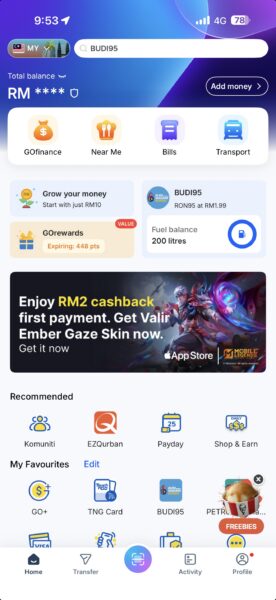
The homepage of your favourite app has received a brand new and improved look. But to make things easier for you, let’s go over all the major changes.
Looking for something? Start with the search bar.
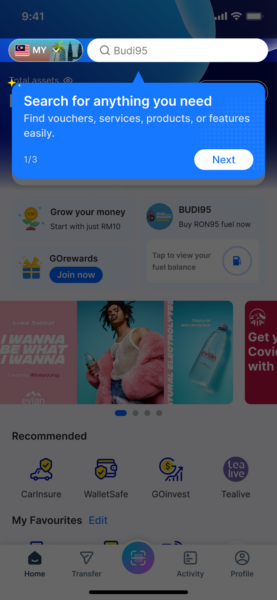
The fastest way to get to anything in the new TNG eWallet is through the search bar at the top of your homepage. Whether you know exactly what you’re looking for or just want to explore what’s new, just type it in and it’ll take you straight there.
Meet the new GOfinance
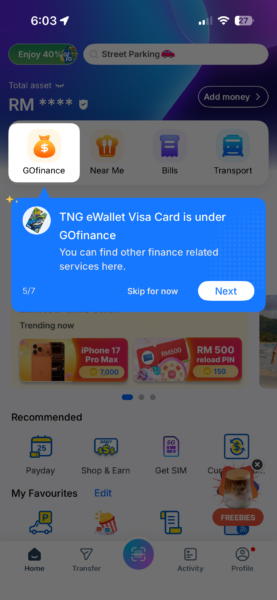
GOfinance has had a glow-up. The updated GOfinance section now gives you a much clearer view of your money, all in one place.
Here’s what you’ll find there:
- Your Touch ‘n Go eWallet Visa Card — your Visa Everyday Card or Visa Travel Card now live under GOfinance.
- Balances, savings, and investments — check everything at a glance without digging through multiple sections. It’s important to note that this balance now reflects your total assets, including your eWallet balance, savings, and investments.
Think of GOfinance as your personal financial dashboard inside TNG eWallet.
Bills
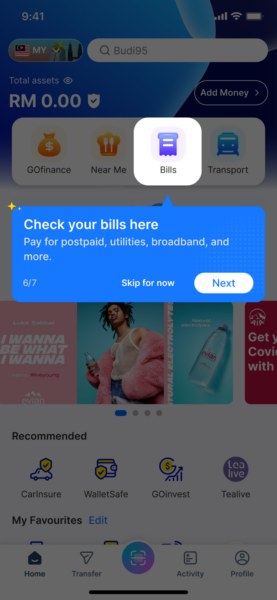
It’s now easier to stay on top of your bills with this feature easily accessible on the homepage.
Looking for your Touch ‘n Go Card? Head to Transport.
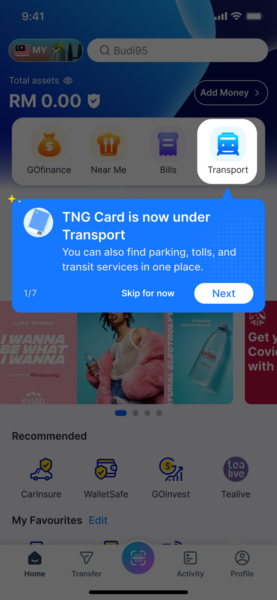
Your Touch ‘n Go Card features, including your card balance, reload options, and transit history have been moved to the Transport tab. Just tap on Transport and everything you need for your commute and toll payments will be right there.
Your favourite services are now easier to reach
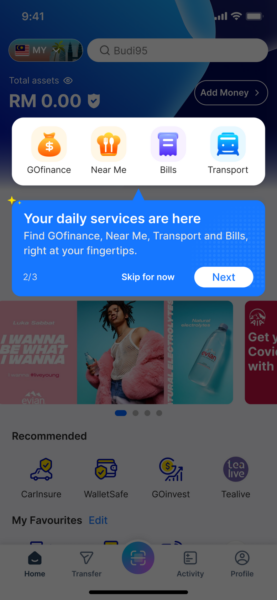
We’ve reorganised the homepage so the things you use most are front and centre. Now you can reach all your favourite services with fewer taps and less scrolling.
Now you can Transfer without stretching your thumb
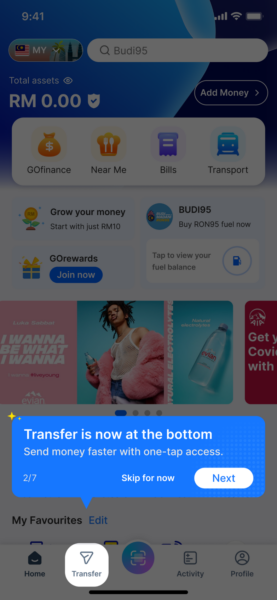
Need to send money? Transfer now lives on the bottom navigation bar, so it’s always just one tap away no matter where you are in the app, and easier to access with your thumb. No more hunting for it.
Keep track of your transactions under Activity
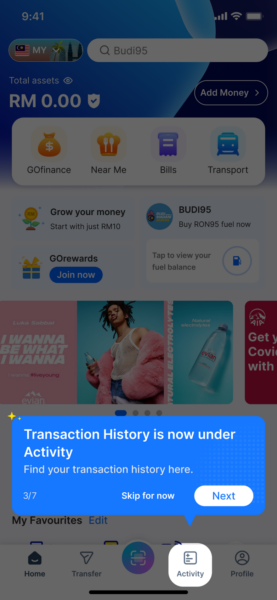
All your transaction history has moved to Activity. This is where you will find all your recent payments, transfers, and reload records, all in one place. So if you need to check any of your recent transactions, this is where you’ll find it.
We hope the new homepage makes your everyday TNG eWallet experience feel smoother and more intuitive. As always, if you need help, our support team is just a tap away in the app.
Share blog
Related Blog
Related Product