Support Nepal from Malaysia
28 Aug 2026 - 15 Sep 2026
What happened?
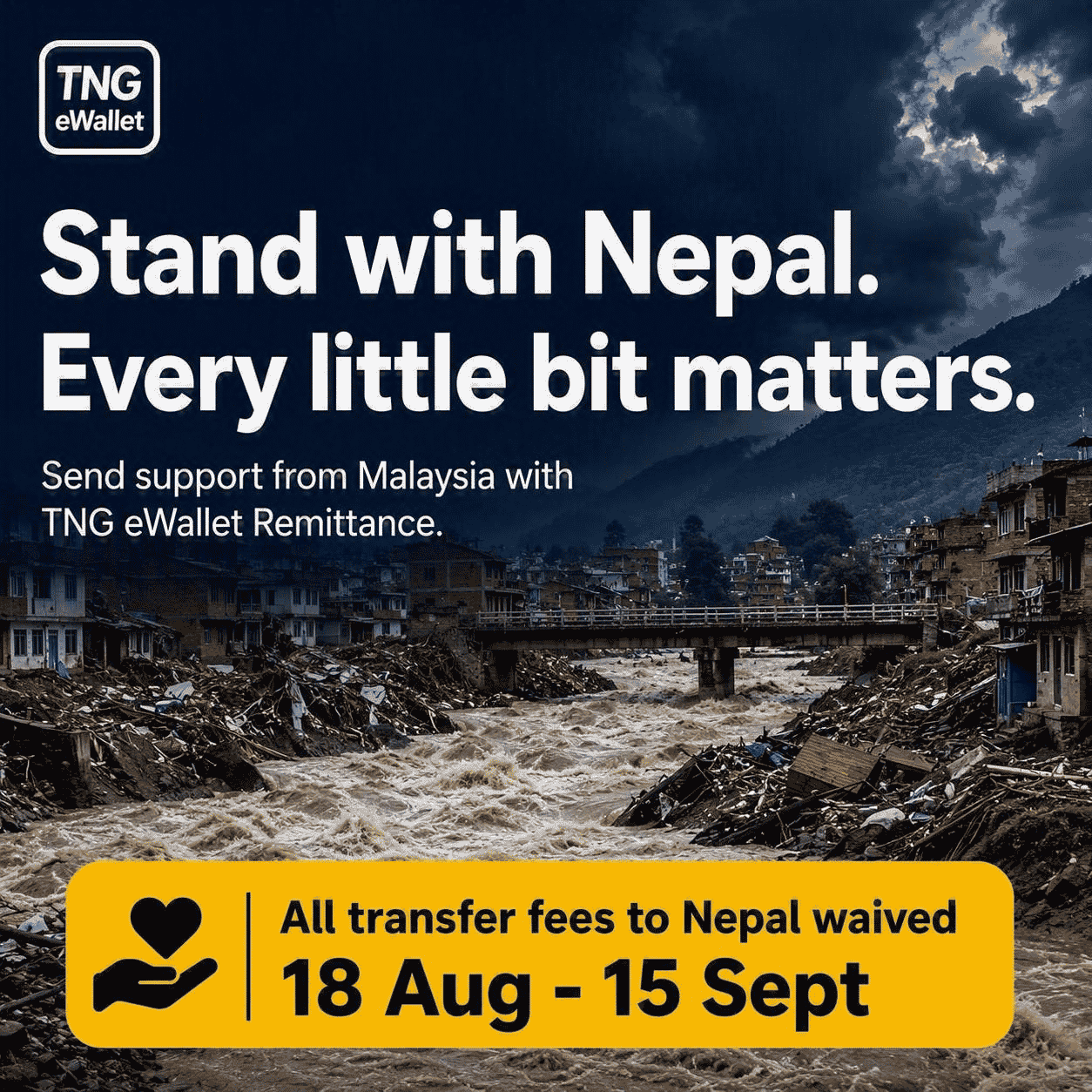
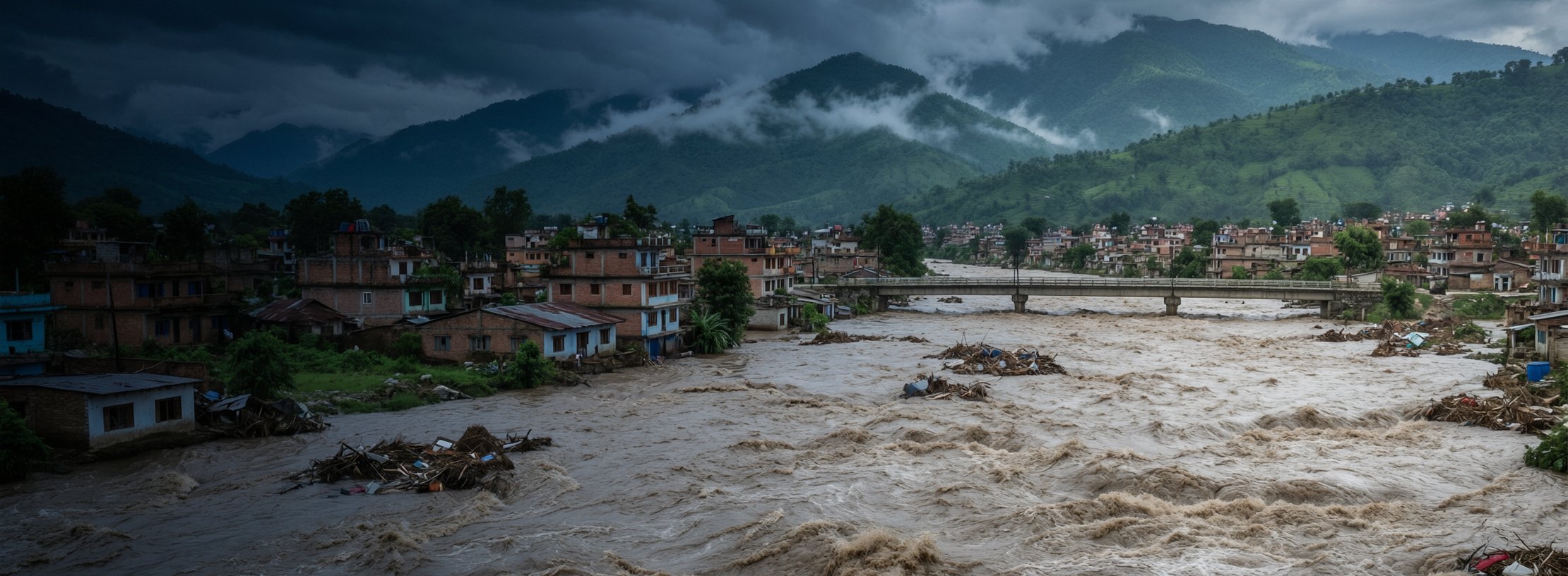
On 26 August 2026, severe flash floods swept through the Bhote Koshi area of Rasuwa and nearby districts including Nuwakot, Dhading and Gorkha. Hundreds of lives are lost, and thousands of families urgently need food, shelter and relief.
Search and rescue operations are ongoing, and the Government of Nepal has opened official relief channels and appealed for support. Below are two simple ways to help from Malaysia.
Give what you can
Option A
Transfer fee waived until 15 Sept
Send to your loved ones in Nepal
The most direct help is money in their hands. Send straight from TNG eWallet Remittance to their bank account, eWallet or cash pick-up. Remittance transfer fee is wavied until 15 Sept


…or any Nepali bank account · cash pick-up
Share the word to others
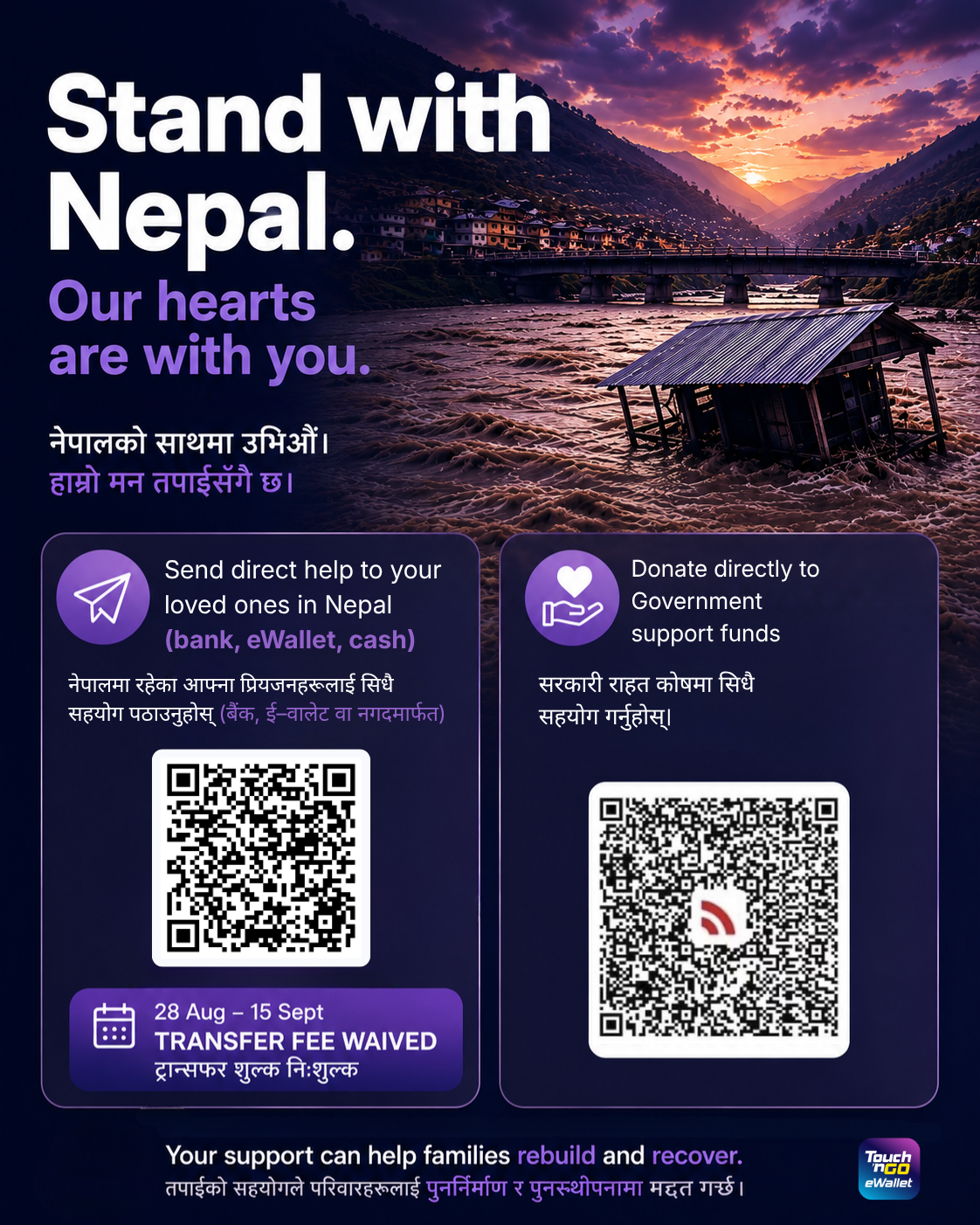
Long-press the image to save it, then drop it in your family or community group chat.
Option B
Scan with TNG eWallet to donate to official relief funds

Scan the QR below
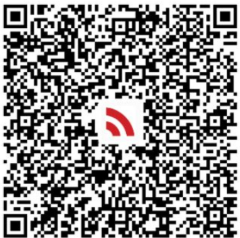
PRIME MINISTERS DISASTER RELIEF FUND
Terminal: 22220100021637134
Branch: SINGHADURBAR COUNTER
Branch: SINGHADURBAR COUNTER
Help us spread
The more people who know, the more help reaches Nepal
Long-press the poster to save it — both QR codes travel with it, so it works even without this page.
How to send with TNG eWallet
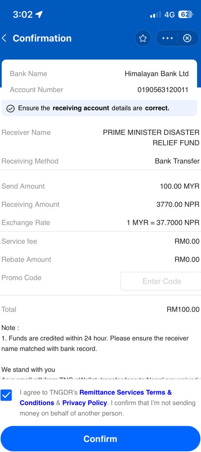
Tap to open the visual guide — exactly what you'll see in the app. The example shows a bank transfer to the relief fund; sending to family follows the same flow. In a hurry? Scan the QR in Option B instead.
1 • Note the receiver's details
The example uses the relief fund — its details are on the screens below. For family, have their bank or eWallet details ready.
2 • Choose Nepal, enter amount
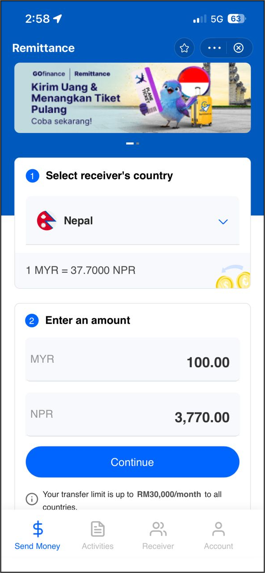
3 • Select “Bank transfer”
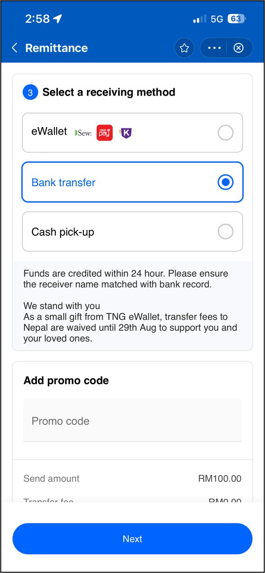
4 • Fund details on Business tab
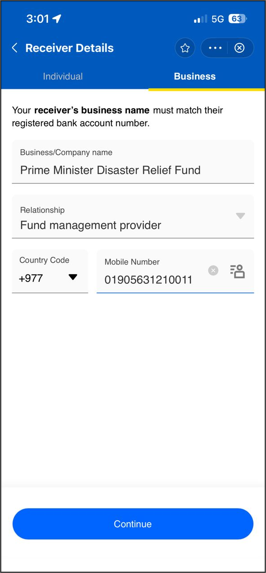
5 • Pick the bank, paste the number
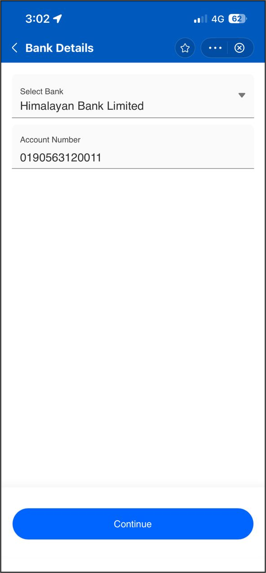
6 • Purpose: “Gifts, Grants or Donations”
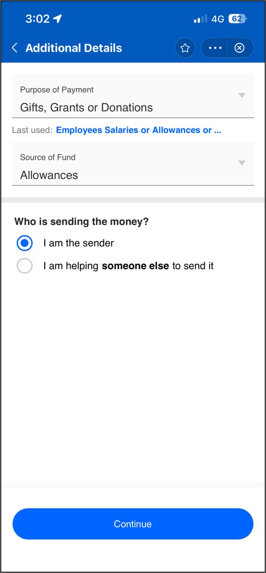
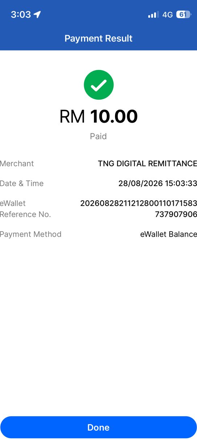
7 • Review (fee RM0), Confirm, Pay
Give with peace of mind
Sadly, disasters can also bring out scammers — and we know trust matters when you give from the heart. This initiative is anchored to official, verifiable sources below:
✓
ReliefWeb (UN OCHA) — Nepal: Flash Floods, Aug 2026
The UN's live disaster-tracking page for this emergency
✓
IFRC — emergency funds released for Nepal flash floods
Official press release from the International Federation of Red Cross and Red Crescent Societies
✓
Red Cross Red Crescent — official Nepal Flash Floods appeal
The movement's official donation page for this disaster
✓
NDRRMA — Government of Nepal
Nepal's National Disaster Risk Reduction and Management Authority, coordinating relief on the ground
A gentle reminder: TNG eWallet will never ask for your PIN or OTP. Please check the recipient name shown in your payment app before confirming, and give only through official channels.
Casualty and displacement figures are as reported by ReliefWeb (UN OCHA) as of 28 August 2026.
To the Nepali community in Malaysia — our hearts and our support are with you and your families.
TNG eWallet provides the remittance service only; donations go directly to the official relief-fund channels.
TNG Remittance guide
To the Nepali community in Malaysia — our hearts and our support are with you and your families.
TNG eWallet provides the remittance service only; donations go directly to the official relief-fund channels.
TNG Remittance guide