Eastel – Entertainment Plan
05 Aug 2026 - 05 Aug 2026


Games & Streaming Services Cashback Voucher
How Do I Redeem My Cashback Voucher?
Upon successful subscription or renewal of an eligible Eastel – Entertainment Plan, one (1) Games & Streaming Services Cashback Voucher will be credited to your TNG eWallet account. The cashback amount will correspond to your subscribed plan.
Follow the 3 easy steps below to redeem your cashback voucher:
Step 1: Choose your merchant
Select one (1) of the following participating merchants to redeem your voucher with:
Note: Your voucher can only be redeemed with one merchant. It cannot be split across multiple merchants.
Step 2: Complete your redemption
Each partner has its own payment and redemption requirements. Select your preferred partner above to view their redemption instructions, then complete payment using your TNG eWallet.
Step 3: Receive your cashback
Once your transaction is successful, the cashback amount stated in your voucher will be automatically credited to your TNG eWallet. Enjoy!
Apple App Store |
Step 1: Link your TNG eWallet account to Apple Zone
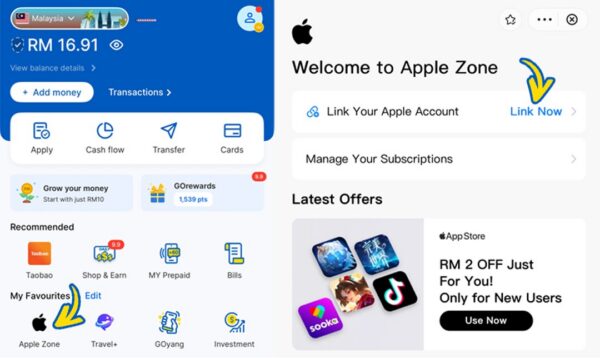
- Visit https://visit.tngdigital.com.my/appstore and tap Link Now under Link Your Apple Account.
- Follow the on-screen instructions and click I Agree to link your account to Apple Zone.
Step 2: Make a purchase
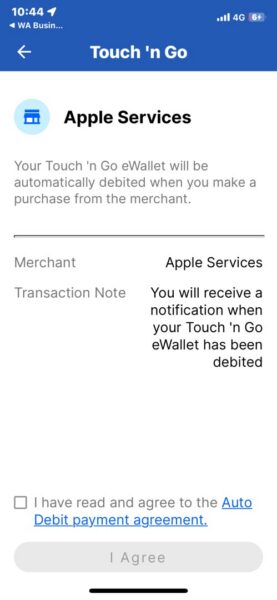
Once your account has been linked to Apple Zone, make a purchase on any item in the App Store. Your cashback will only be credited once payment is completed.
Step 3: Receive your cashback
Upon successful completion of payment, your cashback of RM1.50 / RM3.00 / RM5.00 (corresponding to the respective Eastel – Entertainment Plan you are subscribed to) will be automatically credited to your TNG eWallet.
Google Play Store |
Step 1: Bind your TNG eWallet account to Google Play Zone
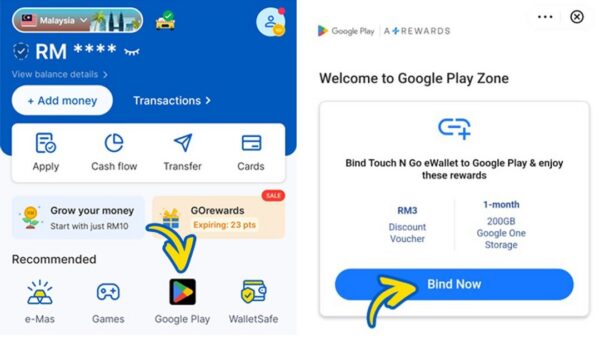
- Visit https://visit.tngdigital.com.my/commercial/google and tap Bind Now.
- Follow the on-screen instructions and click Authorise to bind your account to Google Play Zone.
Step 2: Make a purchase
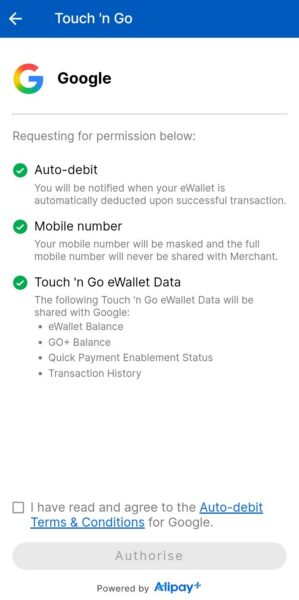
Once your account has been linked to Google Play Zone, make a purchase on any item in the Google Play Store. Your cashback will only be credited once payment is completed.
Step 3: Receive your cashback
Upon successful completion of payment, your cashback of RM1.50 / RM3.00 / RM5.00 (corresponding to the respective Eastel – Entertainment Plan you are subscribed to) will be automatically credited to your TNG eWallet.
Netflix |
Step 1: Set TNG eWallet as your payment method
For New Users
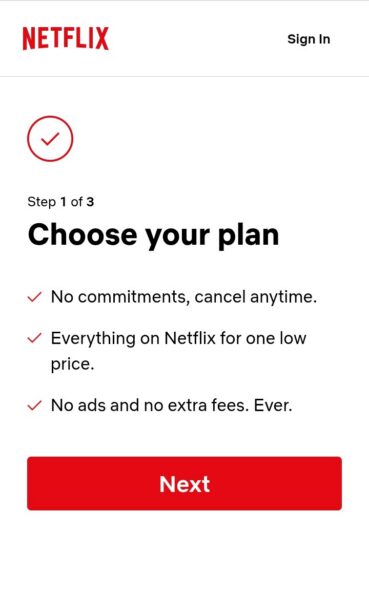
- Visit https://netflix.com/signup and sign up for a Netflix account.
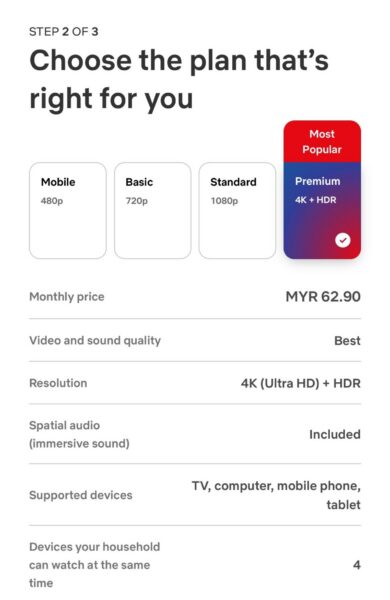
- Choose your preferred subscription plan.
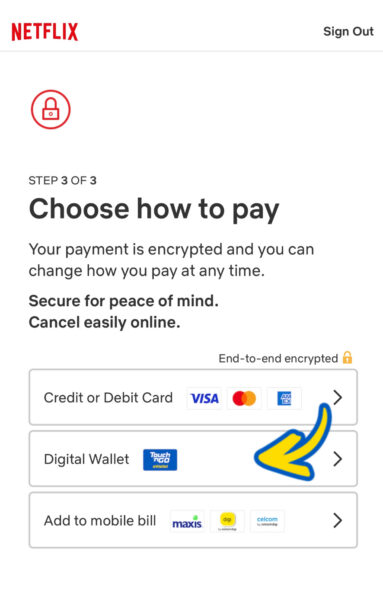
- Select TNG eWallet as your payment method.
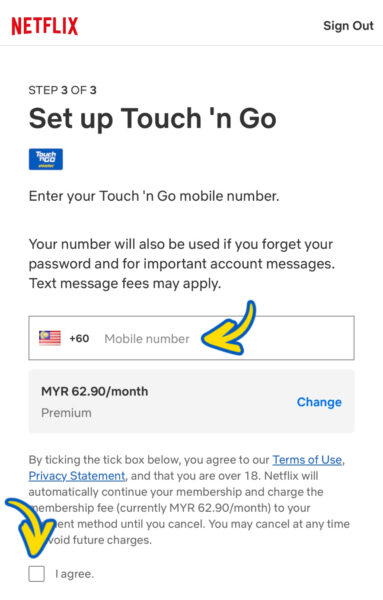
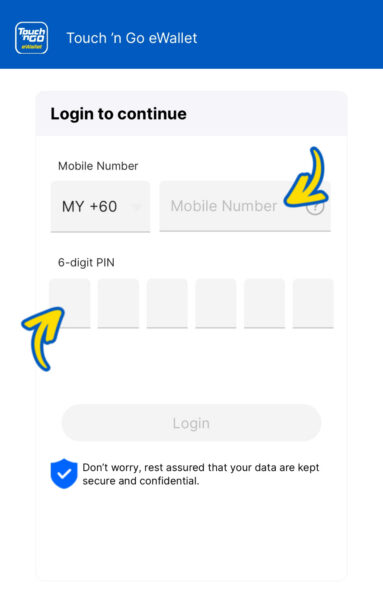
- Follow the on-screen instructions to finish setting up TNG eWallet as your payment method.
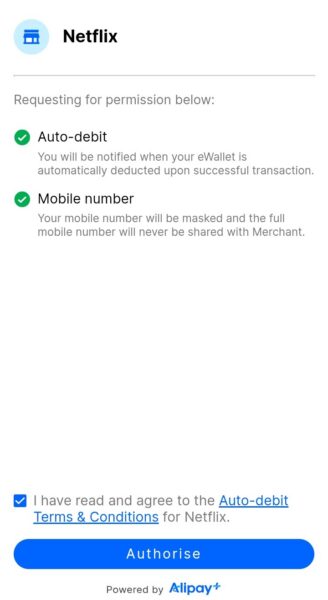
- Tap Authorise to complete the setup and enable auto-debit.
For Existing Users
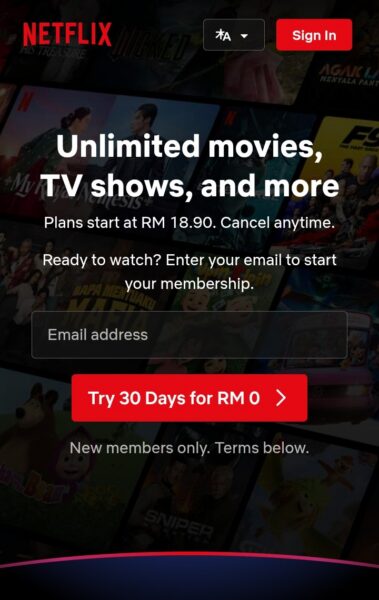
- Visit https://netflix.com and log in to your account.
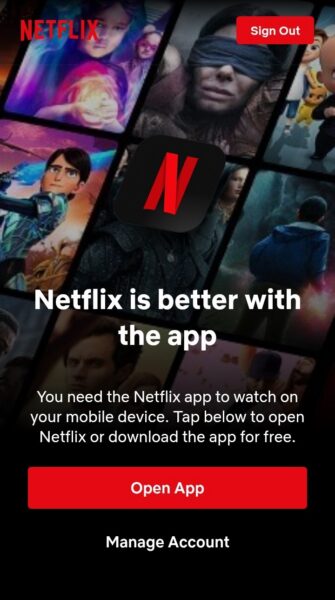
- Go to Manage Account.
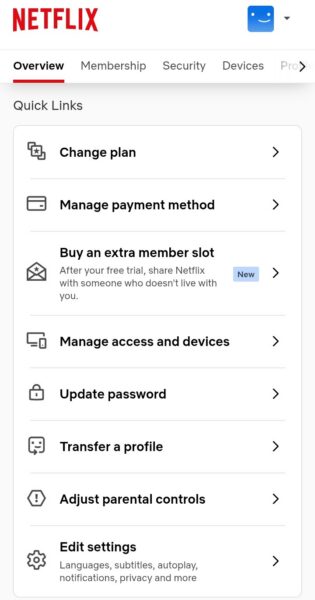
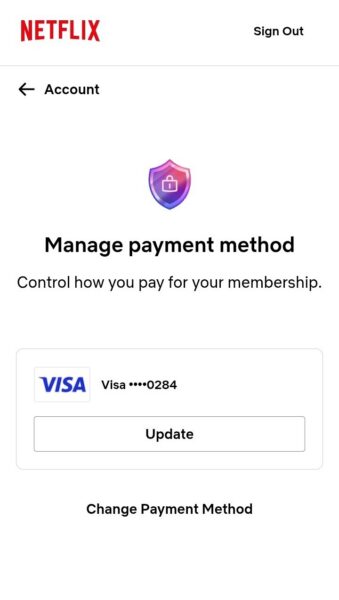
- Select Manage Payment Method > Change Payment Method
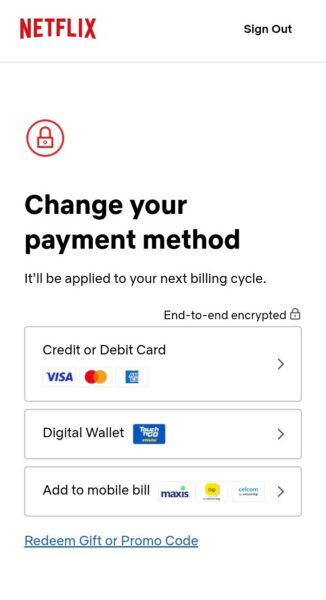
- Choose Digital Wallet > TNG eWallet.
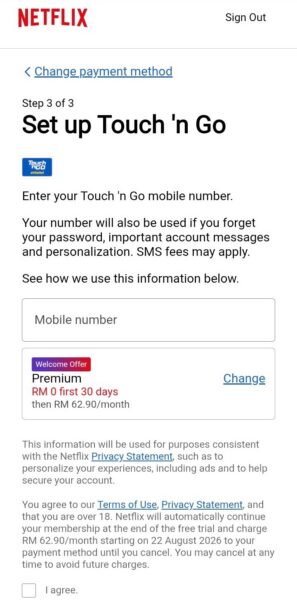
- Follow the on-screen instructions to set up TNG eWallet as your payment method.
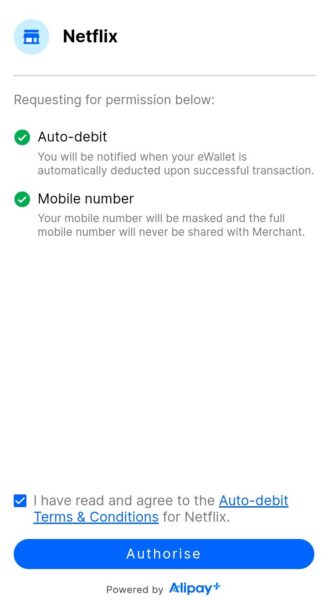
- Tap Authorise to complete the setup and enable auto-debit.
Step 2: Make payment
Once TNG eWallet has been set as your payment method, you are required to pay the full subscription amount before receiving your cashback.
Step 3: Receive your cashback
Upon successful completion of payment, your cashback of RM1.50 / RM3.00 / RM5.00 (corresponding to the respective Eastel – Entertainment Plan you are subscribed to) will be automatically credited to your TNG eWallet.
Spotify |
Step 1: Set TNG eWallet as your payment method
For New Users
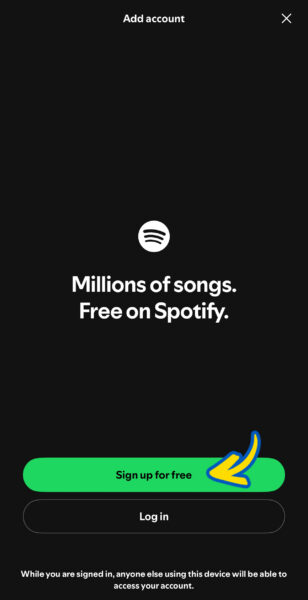
- Download the Spotify app and sign up for an account.
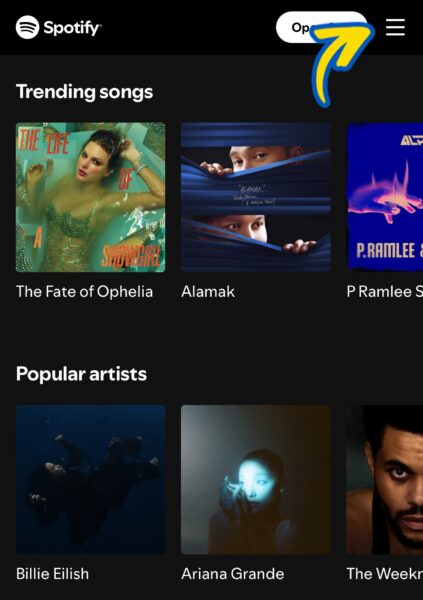
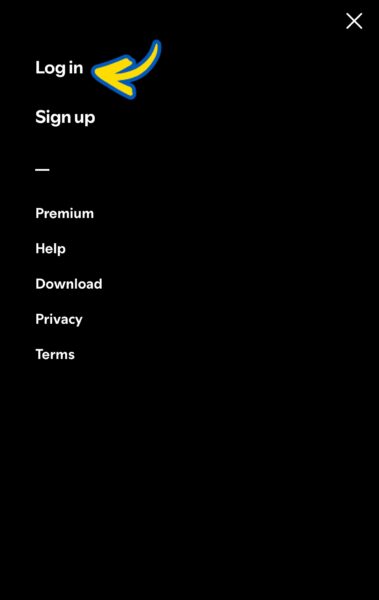
- Visit https://spotify.com and log in to your account.
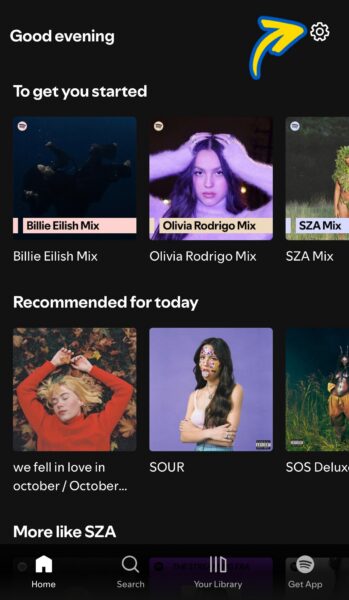
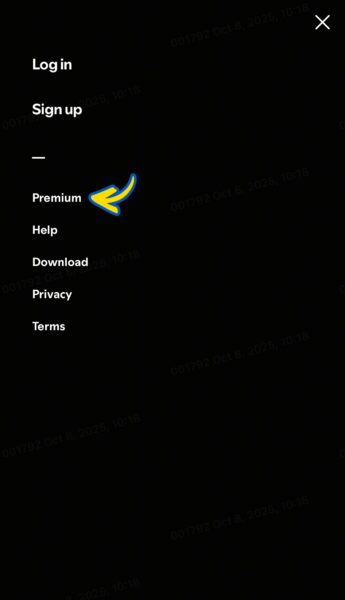
- Tap on the Settings icon and select Premium.
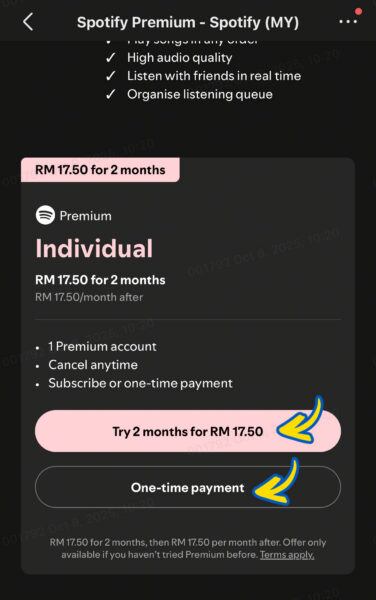
- Choose your preferred payment term.
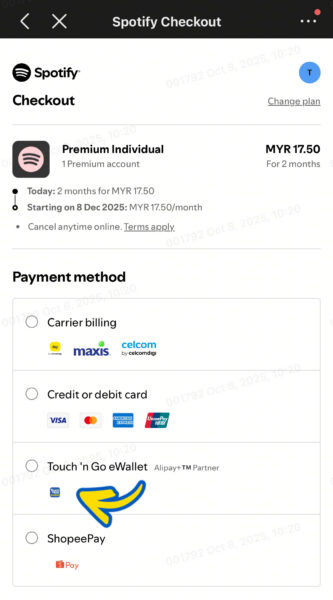
- Select TNG eWallet as your payment method.
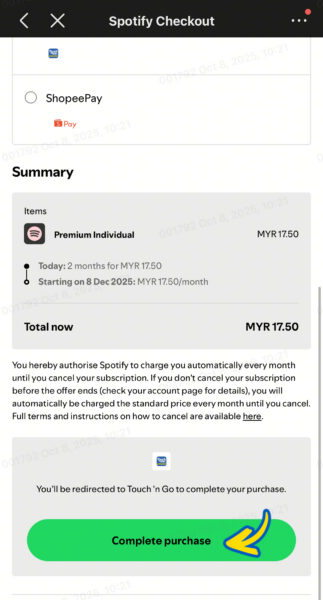
- Tap Complete Purchase.
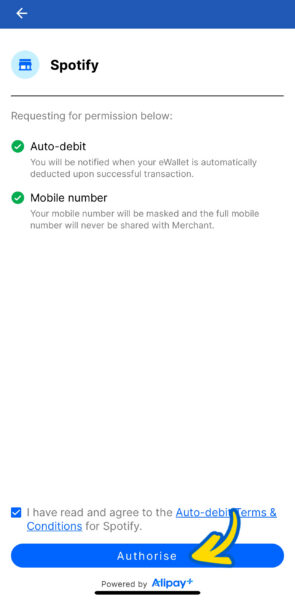
- Tap Authorise to complete the setup and enable auto-debit.
For Existing Users
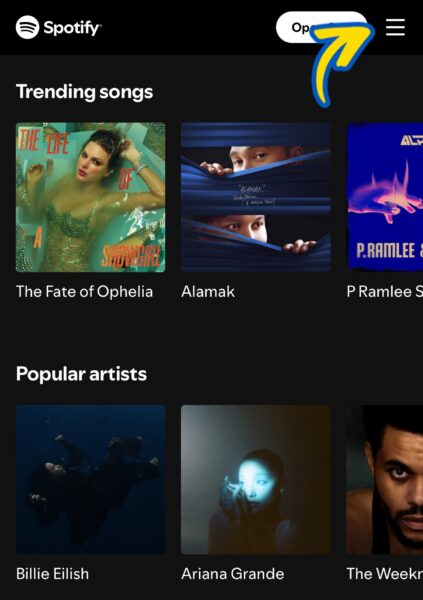
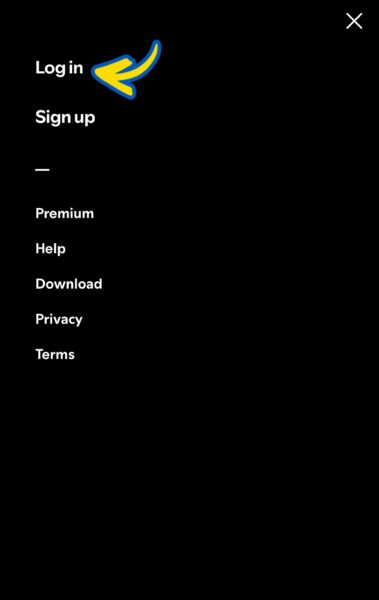
- Visit https://spotify.com and log in to your account.
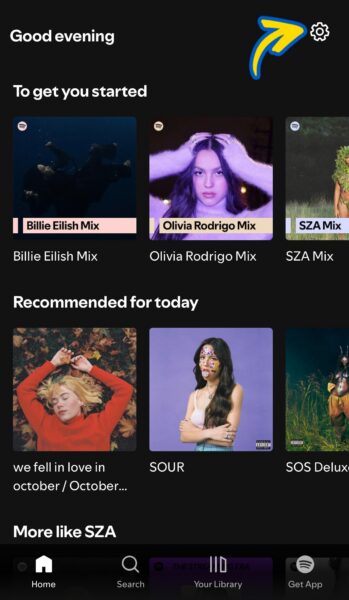
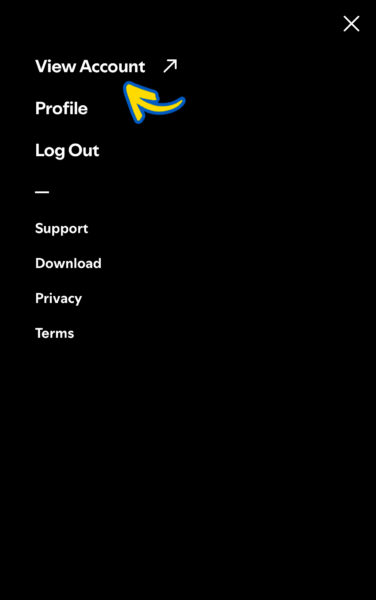
- Tap on the Settings icon and select View Account.
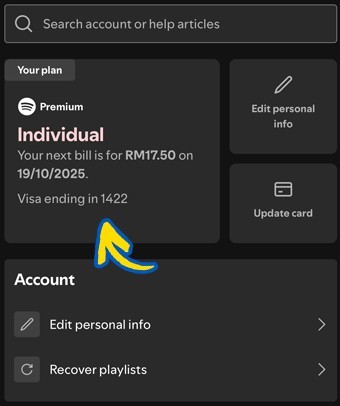
- Check your current payment method here.
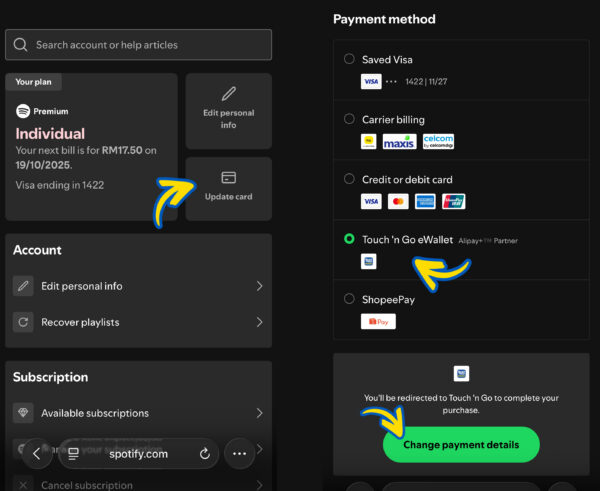
- If your subscription is billed through other payment methods, select Update Card, choose TNG eWallet, and tap Change Payment Details.
Step 2: Make payment
Once TNG eWallet has been set as your payment method, you are required to pay the full subscription amount before receiving your cashback.
Step 3: Receive your cashback
Upon successful completion of payment, your cashback of RM1.50 / RM3.00 / RM5.00 (corresponding to the respective Eastel – Entertainment Plan you are subscribed to) will be automatically credited to your TNG eWallet.
MLBB or PUBG Mobile (on Kaki Gamer) |
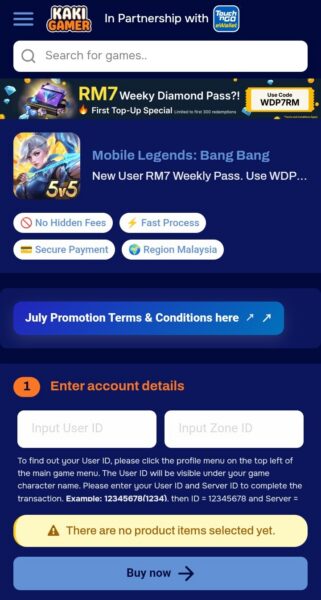
Step 1: Make a purchase using TNG eWallet
- Visit https://kakigamer.com/.
- Select your preferred game title and provide the required details. The information required may vary depending on the selected game title.
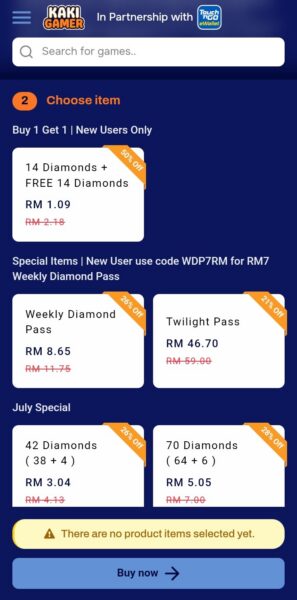
- Choose the diamond or credit package you wish to purchase.
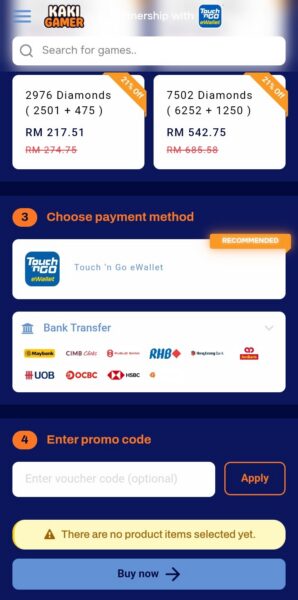
- Select TNG eWallet as your payment method.
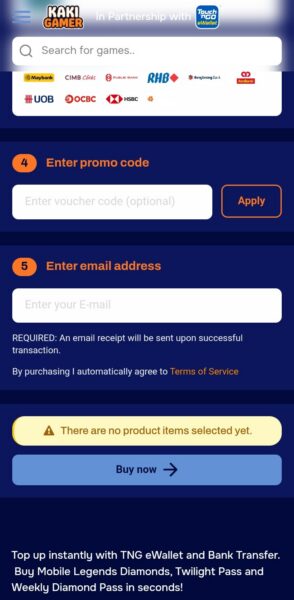
- Enter a valid email address and tap Buy Now.
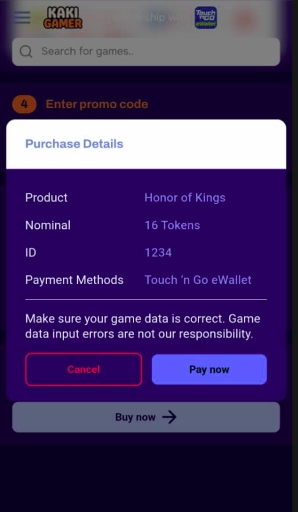
- Review your order and click Pay Now.
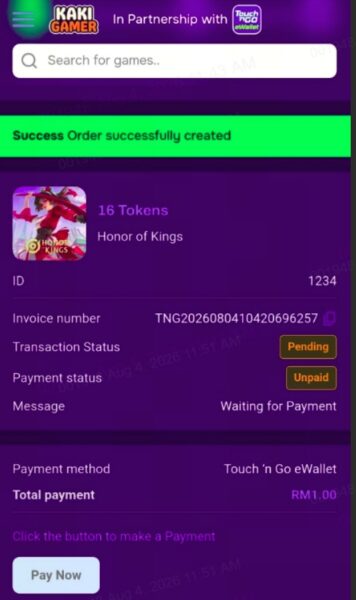
- On the payment page, select Pay Now
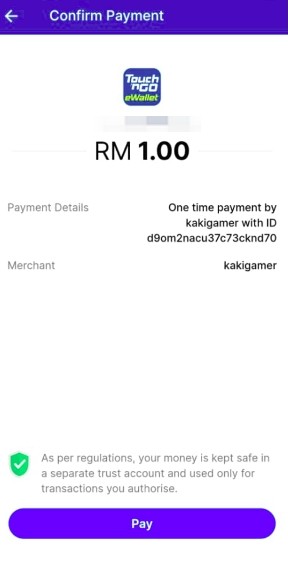
- Finally, tap Pay to confirm and complete your payment.
Step 2: Receive your cashback
Upon successful completion of payment, your cashback of RM1.50 / RM3.00 / RM5.00 (corresponding to the respective Eastel – Entertainment Plan you are subscribed to) will be automatically credited to your TNG eWallet.