Inclusive digital solutions for Malaysia’s refugee community
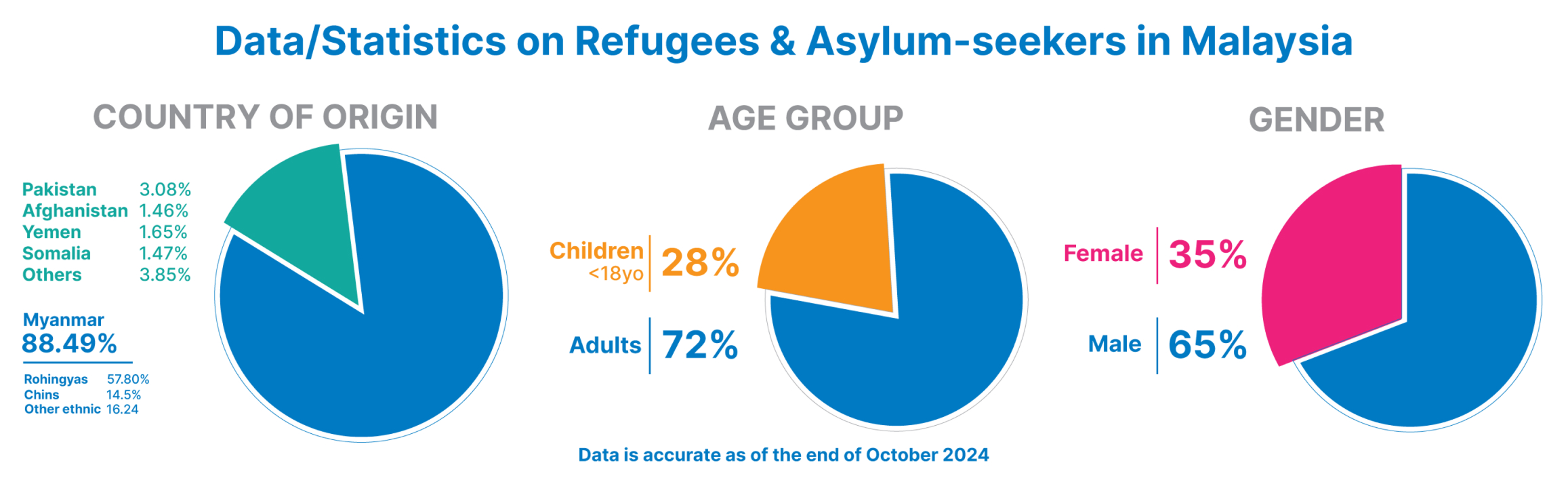
There are over 192,000 refugees and asylum seekers registered with UNHCR in Malaysia as of October 2024, including individuals from Myanmar, Pakistan, Yemen, Syria, and other countries affected by conflict and persecution. Many face significant barriers to accessing traditional financial services due to their legal status and documentation challenges.
TNG Digital is proud to partner with UNHCR to bridge this gap by providing access to safe, secure, and inclusive financial services through TNG eWallet. This digital wallet empowers refugees to manage their finances independently from a mobile device, without the need for a bank account or any associated fees.
This initiative aims to equip refugees with the essential digital resources they need to manage their finances, build stability, and improve their quality of life. It also aligns with the Malaysian government’s vision to promote digital inclusion and enable unbanked communities to participate meaningfully in the digital economy.

Big eWallet size
Hold up to RM5,000
Money-back Guarantee
We will refund your money for unauthorised transactions if it's not your fault.

GOrewards points
Earn points on every purchase and redeem them for discounts and rewards.
Withdraw from ATM
Apply for Touch ‘n Go eWallet Visa Card to get cash from ATMs.
Seamless public transit
Link the enhanced Touch ‘n Go card to TNG eWallet for quick reloads and easy access to buses and trains.

Transfer feature
Send to and receive money from another eWallet or any bank account in Malaysia.
Prepaid reload
Top up your mobile and data prepaid credit with any telco provider in Malaysia.

Pay bills
Settle phone or utility bills easily from your eWallet.
Registering for TNG eWallet is completely free. Here’s how simple it is:
1
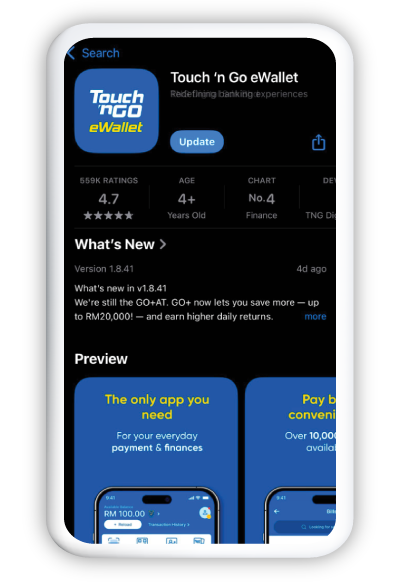
Install the TNG eWallet app
Install the TNG eWallet app from Apple App Store, Google Play Store or Huawei AppGallery.
2
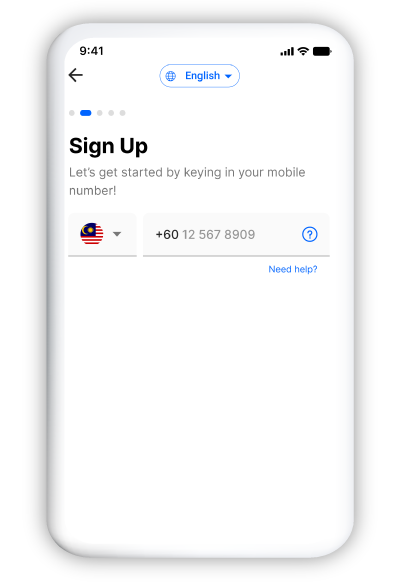
Enter your mobile number
Enter your Malaysian mobile phone number and the OTP sent to you via SMS.
3
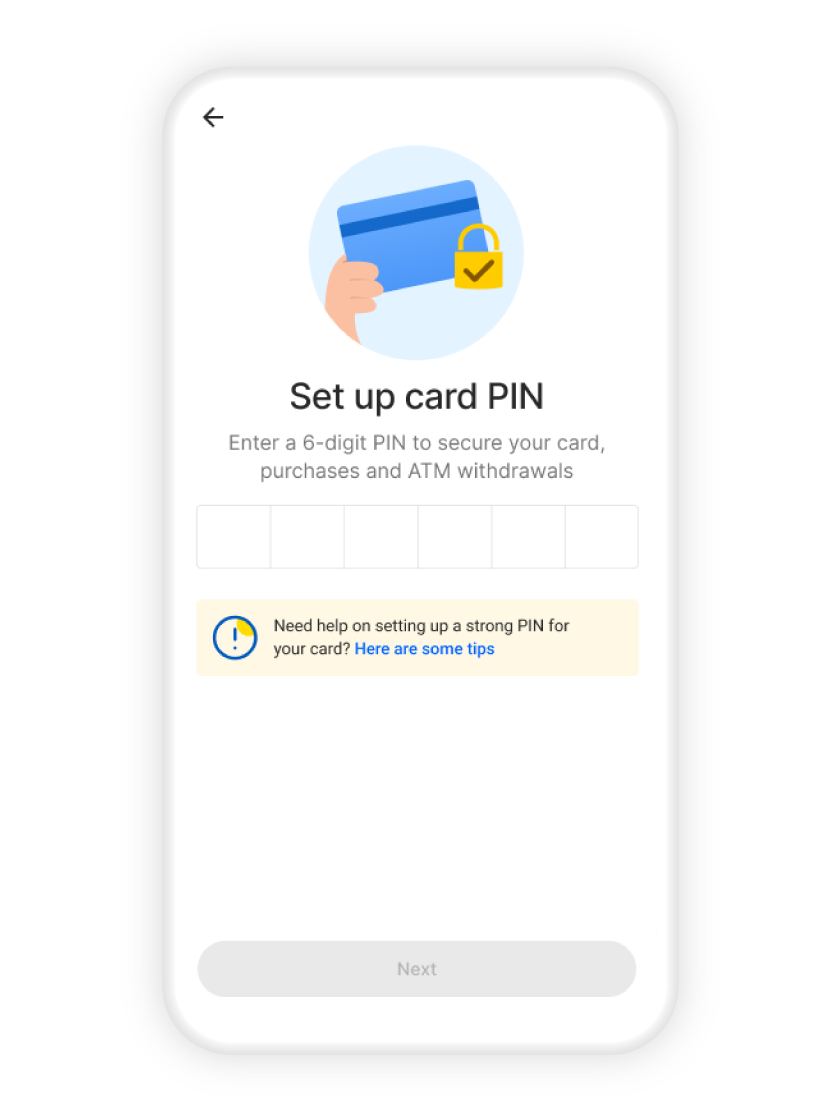
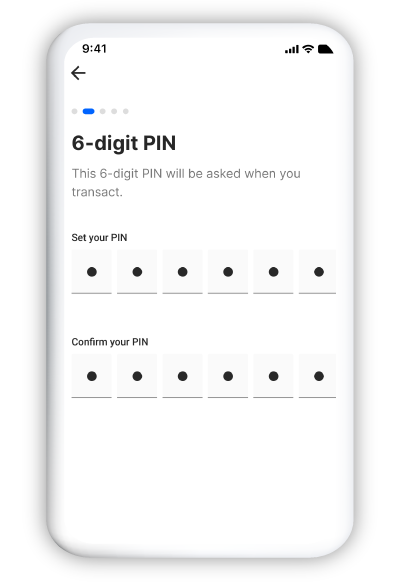
Create a PIN
Create a strong 6-digit PIN and do not share it with anyone.
4
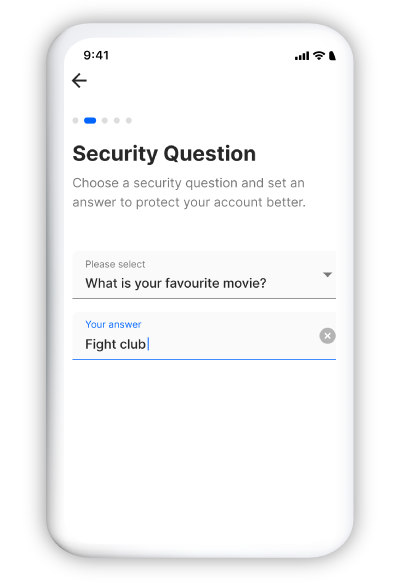
Set a security question
Select a security question and answer.
5
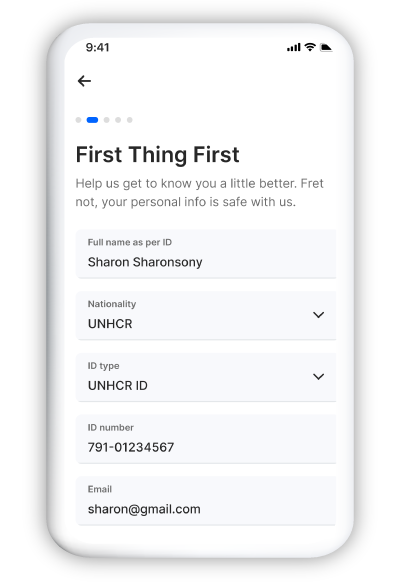
Enter your particulars
Key in your particulars and ensure they match your UNHCR ID.
6
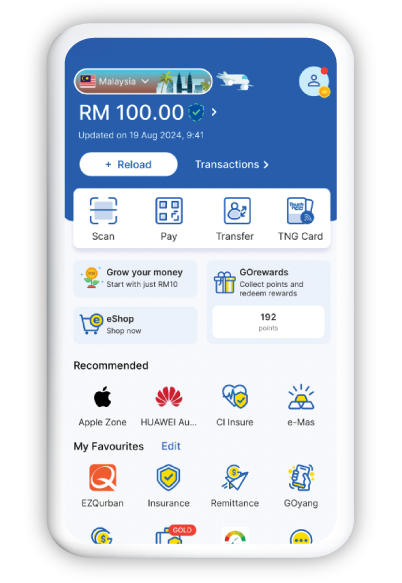
Registration complete
You're done. Welcome to TNG eWallet.
Verify your TNG eWallet account to keep it safe and secure with these simple steps
1
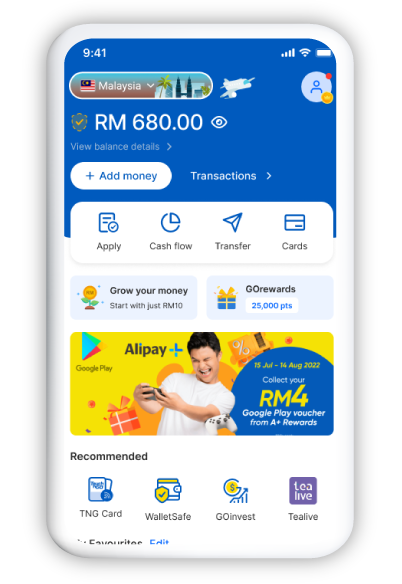
Tap on your Profile
Tap on your 'Profile'.
2
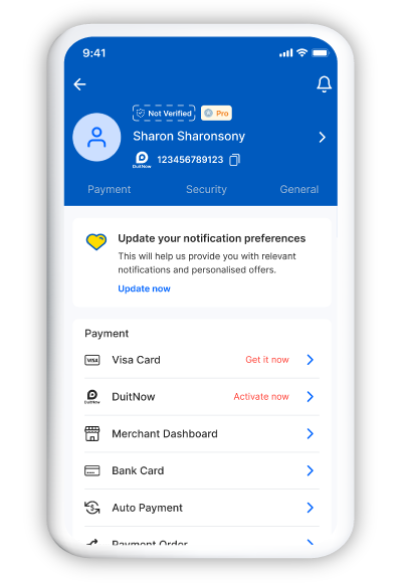
Tap on Not Verified
Tap on 'Not Verified' found above your name.
3
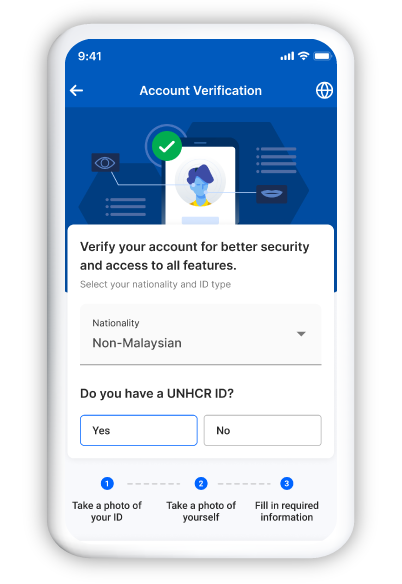
Verify your account
Select your nationality and answer the next question, then tap 'Verify Account'.
4
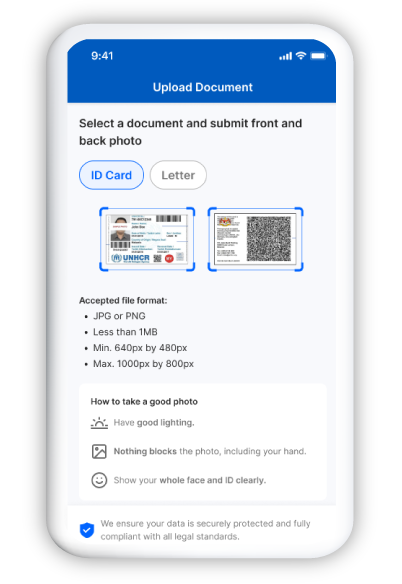
Upload your ID
Select your document type, for example a UNHCR identity card or letter, then tap 'Upload ID Card'.
5
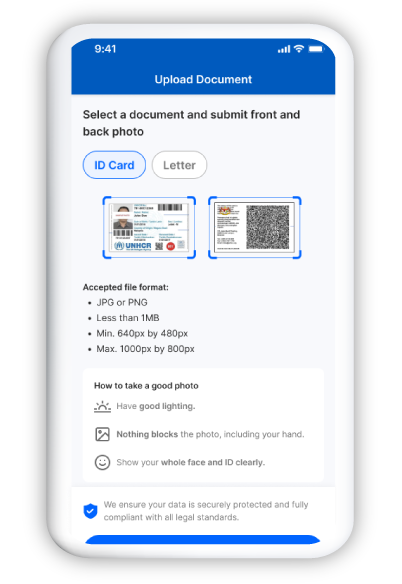
Submit document photos
Take a front and back photo of your selected document type, then tap 'Submit'.
6
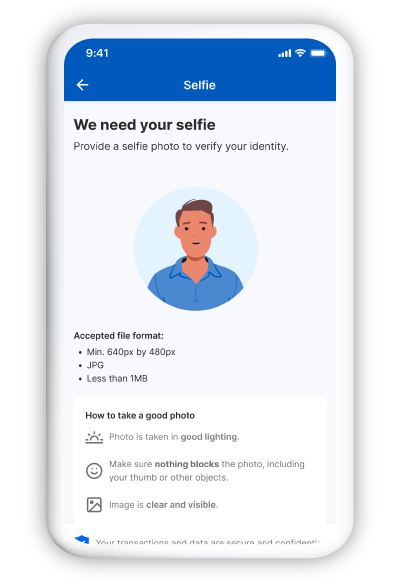
Complete face verification
Position your face within the frame for the system to capture your features.
7
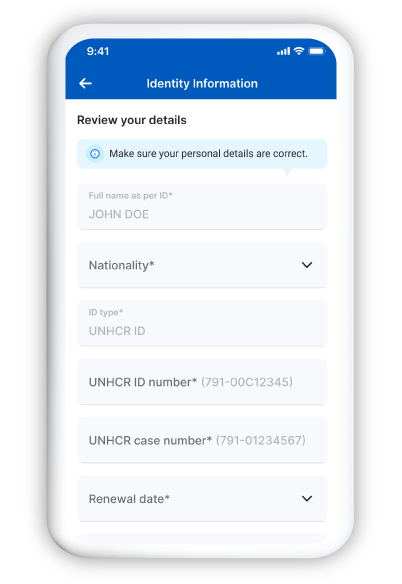
Provide your personal details
Provide your personal details and ensure the information matches your UNHCR ID, then tap 'Submit'.
8
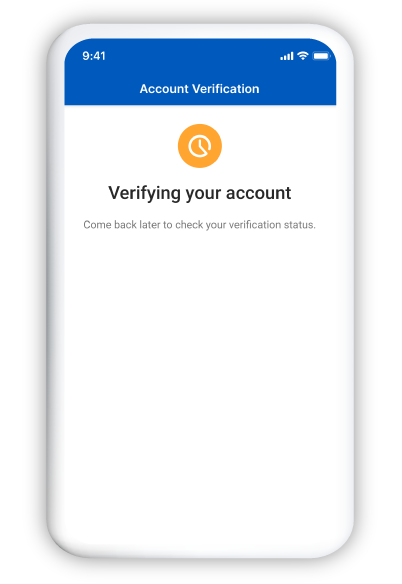
Verification pending approval
Your account verification is now pending approval. You will be notified via email once approved.
How to top up TNG eWallet with reload PIN:
Starting from as low as RM10 and going up to RM200 in value, you can buy TNG eWallet reload PINs from all major convenience stores (e.g. 7-Eleven, 99 Speedmart, KK Super Mart), petrol stations (Bhp, Caltex, Petron, Petronas, Shell), pharmacies (Big, Caring, Watsons) and supermarkets (Econsave, Giant, Lotus’s, Mydin) near you. For a full list, click here.
1
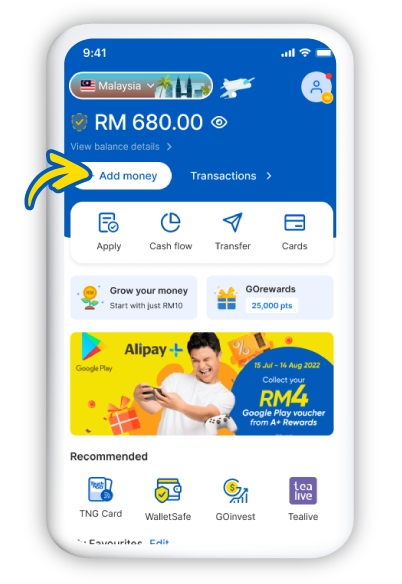
Tap on Add Money
After buying your reload PIN, tap on '+Add money' from your eWallet home screen.
2
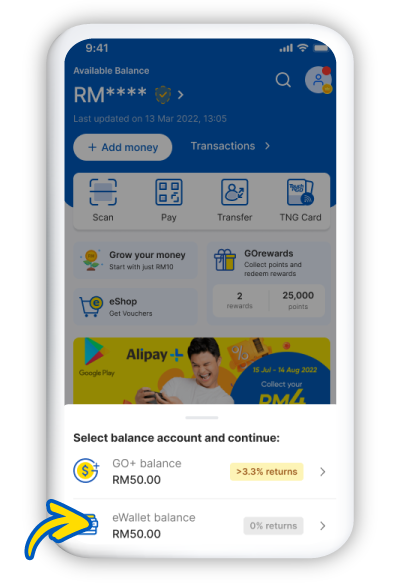
Tap on eWallet Balance
Tap on 'eWallet Balance'.
3
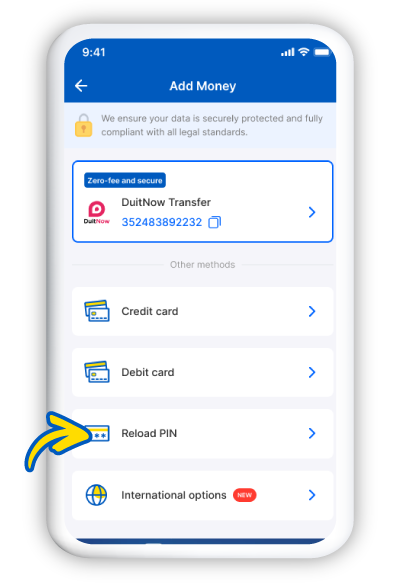
Select Reload PIN
Then select 'Reload PIN'.
4
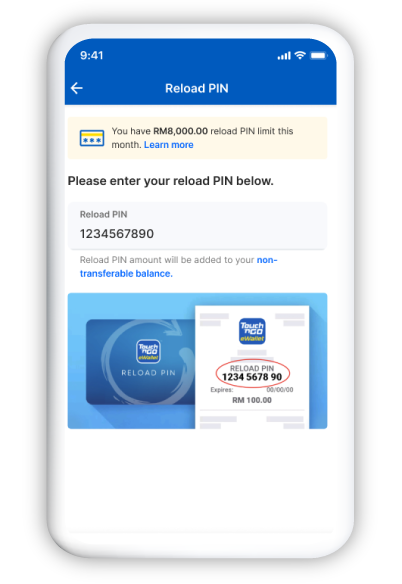
Enter reload PIN
Enter the 10-digit reload PIN.
5
Reload your eWallet
Tap 'RELOAD NOW' and you're done.
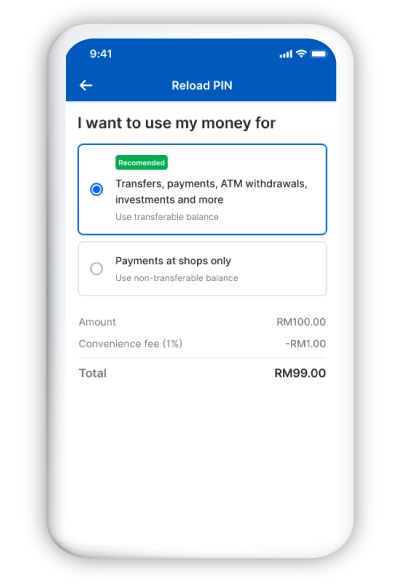
Withdraw money at ATMs with Touch ‘n Go eWallet Visa Card
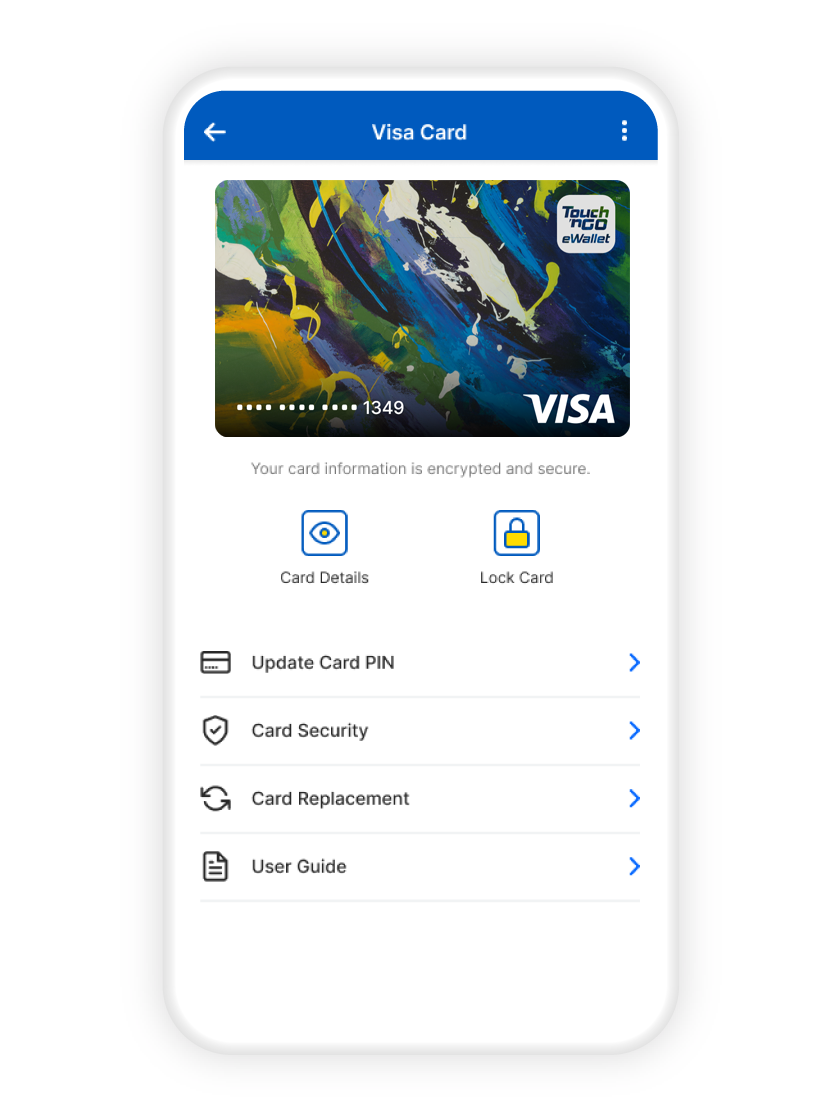
Apply for a Visa card directly from your eWallet for a small one-time fee of RM15 (includes delivery charges). Manage your card security directly from your dashboard too.
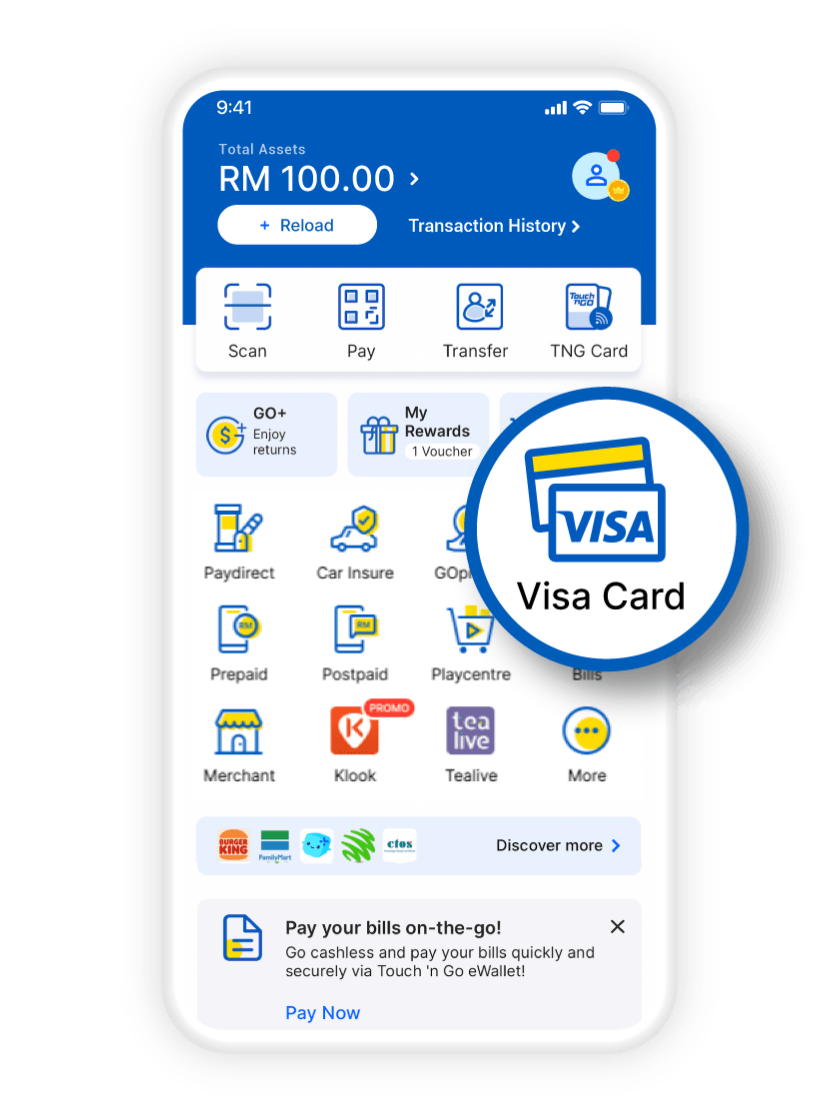
1
Tap on Visa Card
Tap on 'Visa Card'.
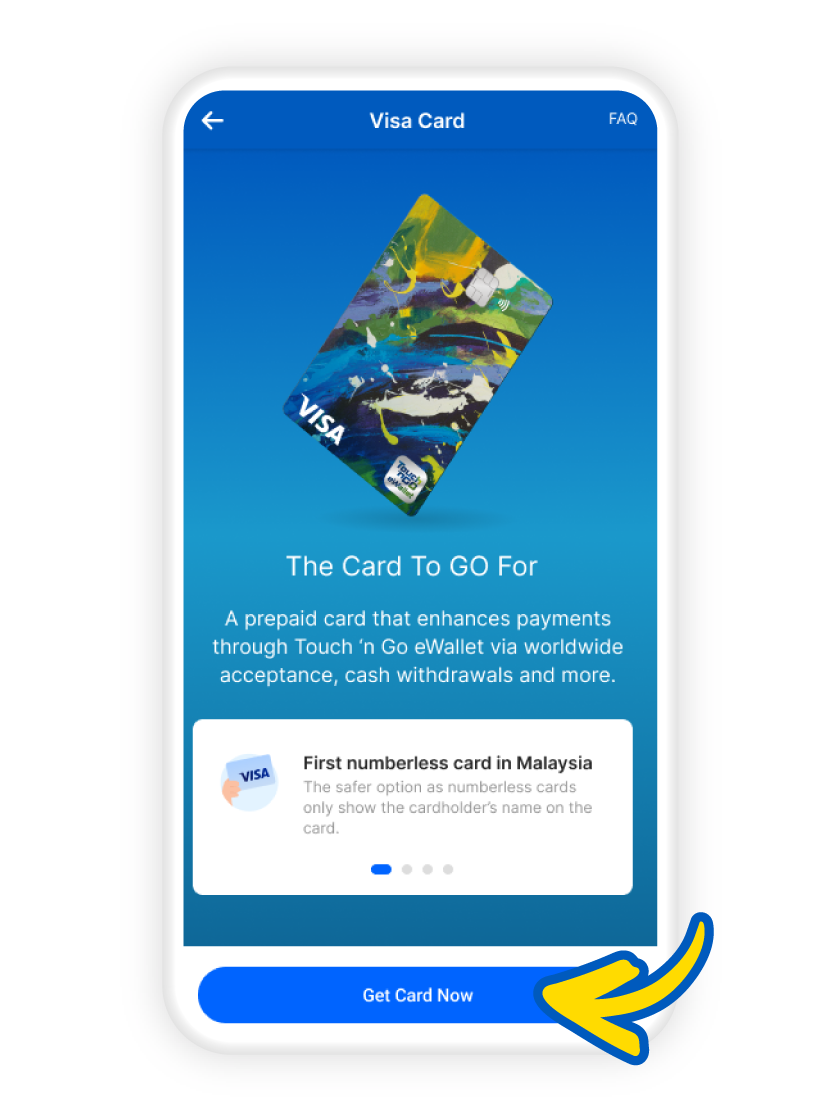
2
Get Card Now
Tap on 'Get Card Now'.
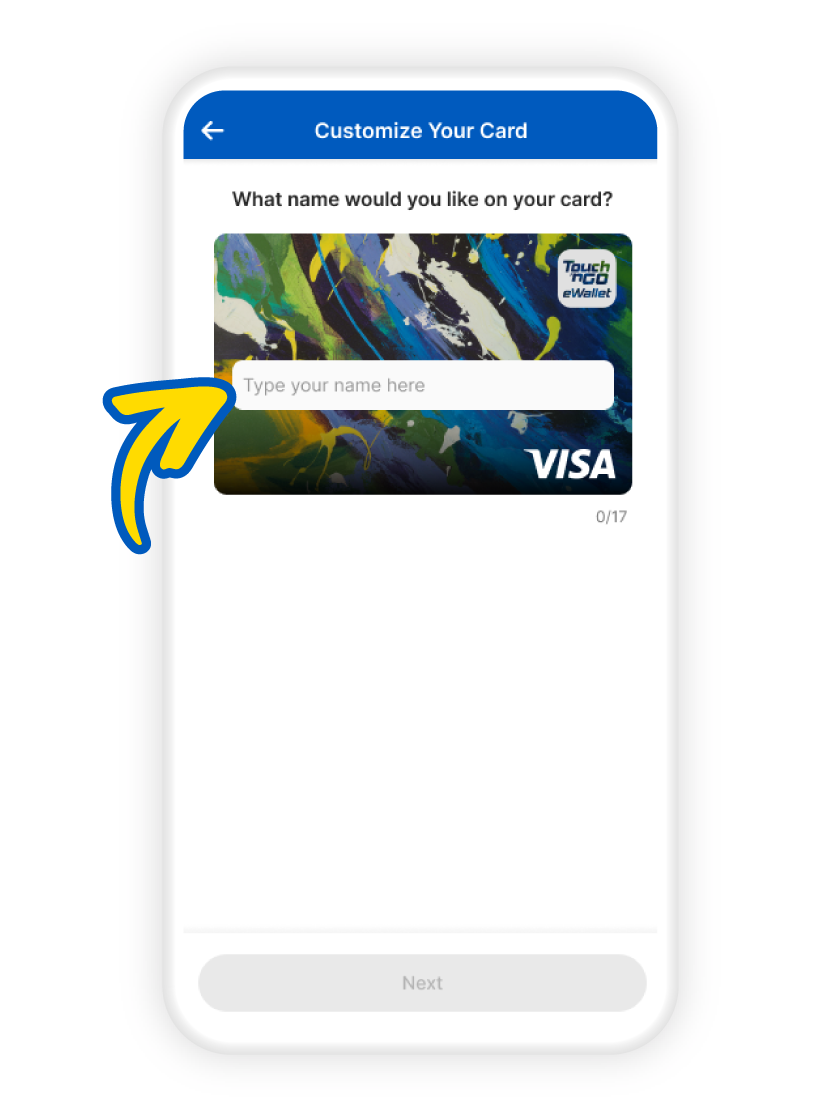
3
Enter your preferred name
Enter your preferred name for the card.
4
Review and Pay
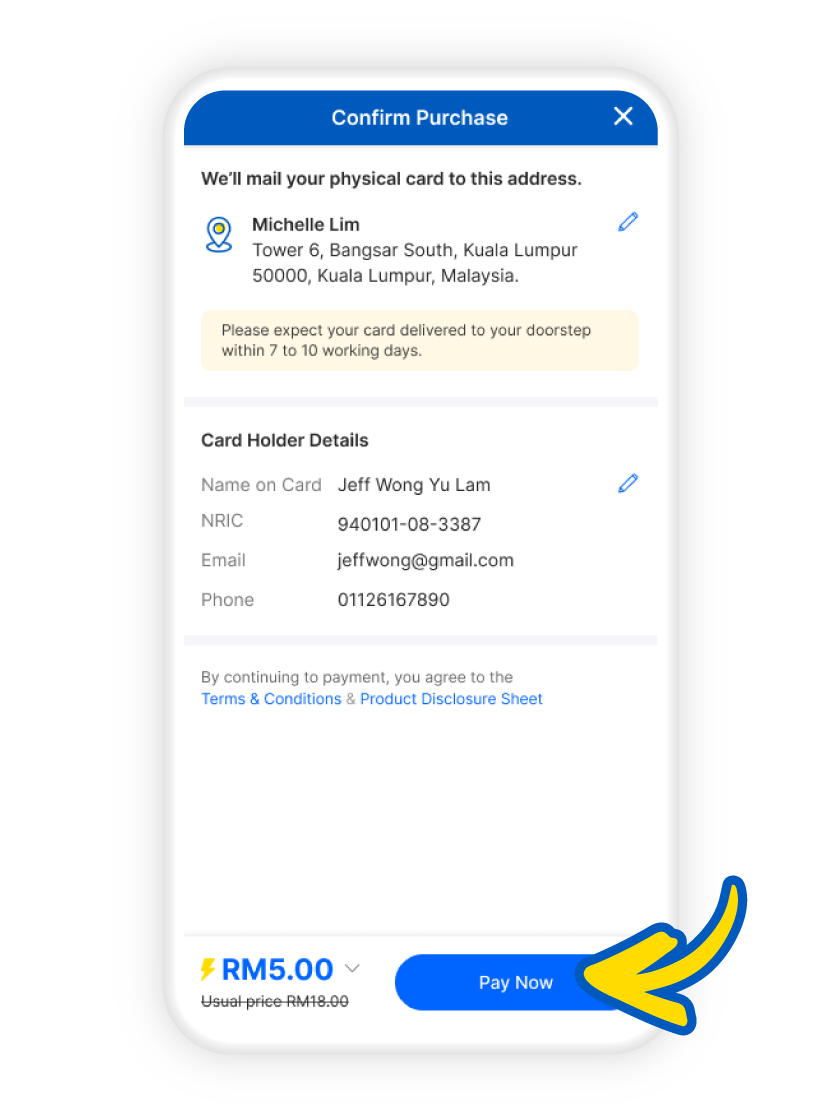
Check your particulars and tap 'Pay Now' to complete the application.
5
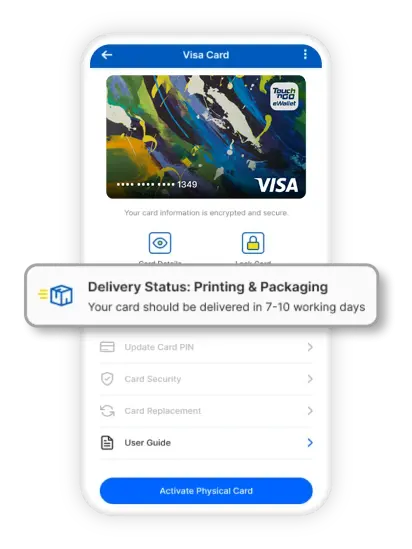
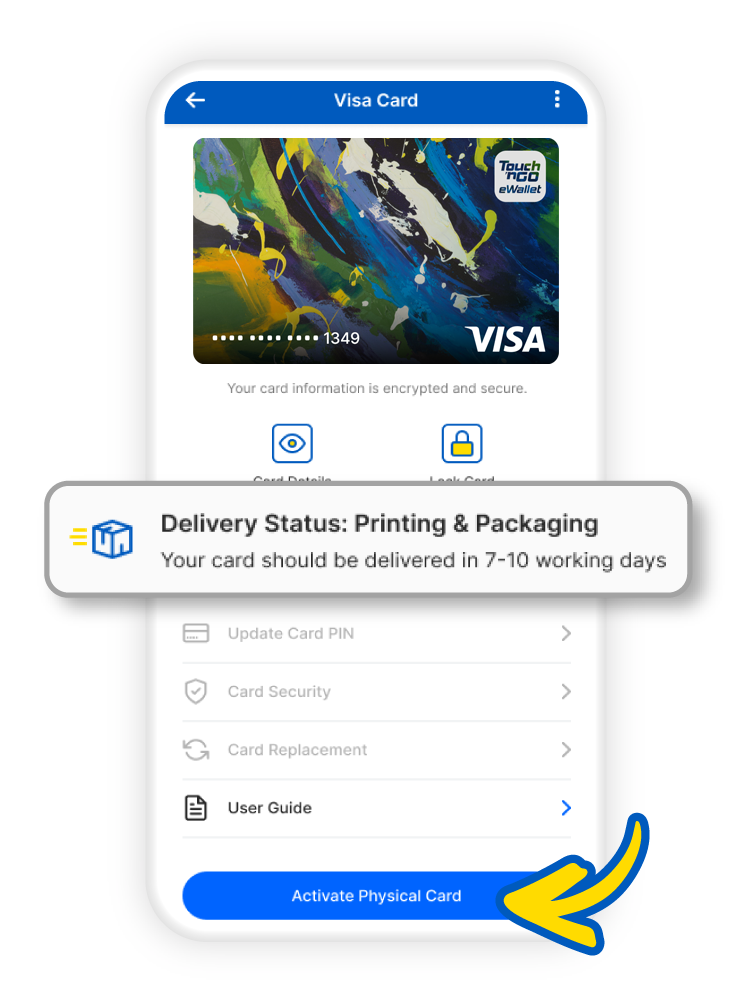
Track delivery status
Check your Visa Card delivery status.