Your TNG eWallet wallet size determines how much money you can keep in your wallet and how much you can pay or transfer. Understanding your limits helps you manage your balance and use your eWallet more confidently.
Wallet sizes are assigned based on your account details and verification type. Different limits apply to locals, residents, foreign workers, tourists, and UNHCR refugees in Malaysia.
Knowing your wallet size helps you plan your spending, transfers, and daily transactions more easily.
Knowing your wallet size helps you plan your spending, transfers, and daily transactions more easily.
| Phone Number Used for Registration | ID Used During Verification | Maximum Wallet Size |
|---|---|---|
| Malaysia / Singapore number | MyKad, MyTentera, International Passport | RM 20,000 |
| Malaysian number | UNHCR Card Holders | RM 5,000 |
| International number Excluding Singapore | MyKad, MyTentera, International Passport | RM 5,000 |
TNG eWallet transaction limits
To keep your account secure and running smoothly, TNG eWallet sets limits on payments and transfers. These limits help protect your wallet while allowing you to manage your spending safely.
Some limits depend on your wallet size and account profile. Monthly and annual limits are fixed based on your account type.


You can manage certain limits directly in the app, including:

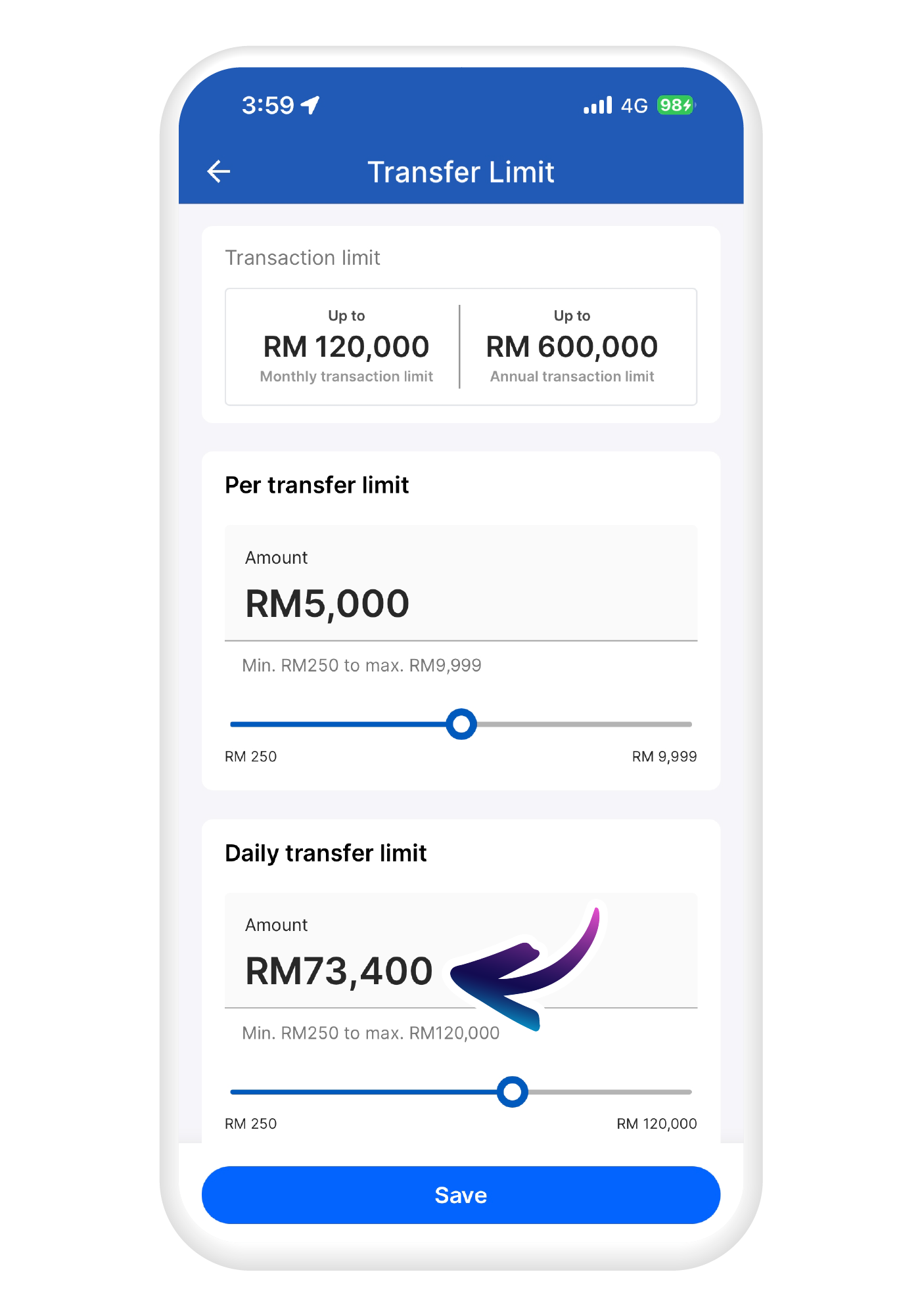
Daily payment limits

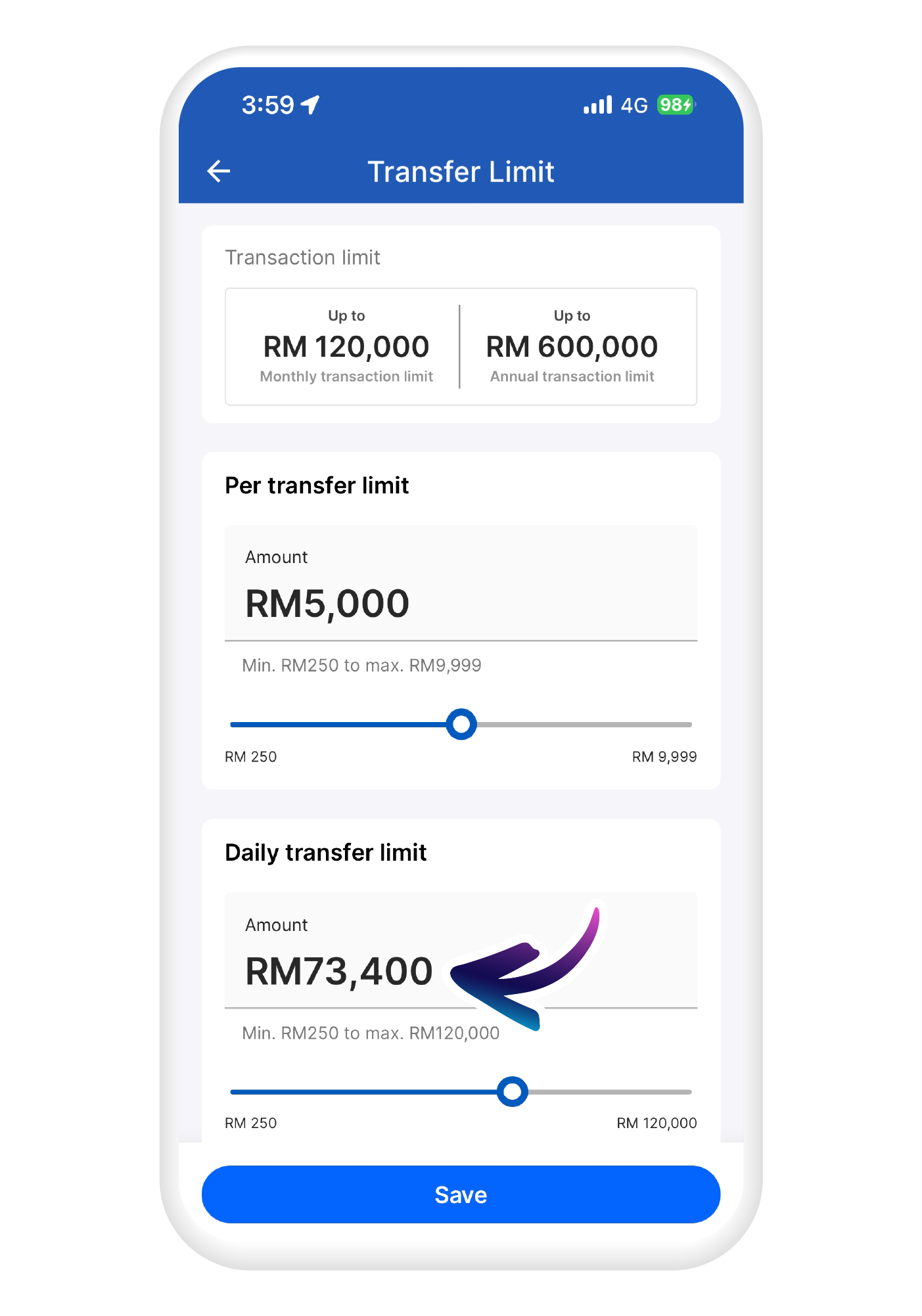
Daily transfer limits

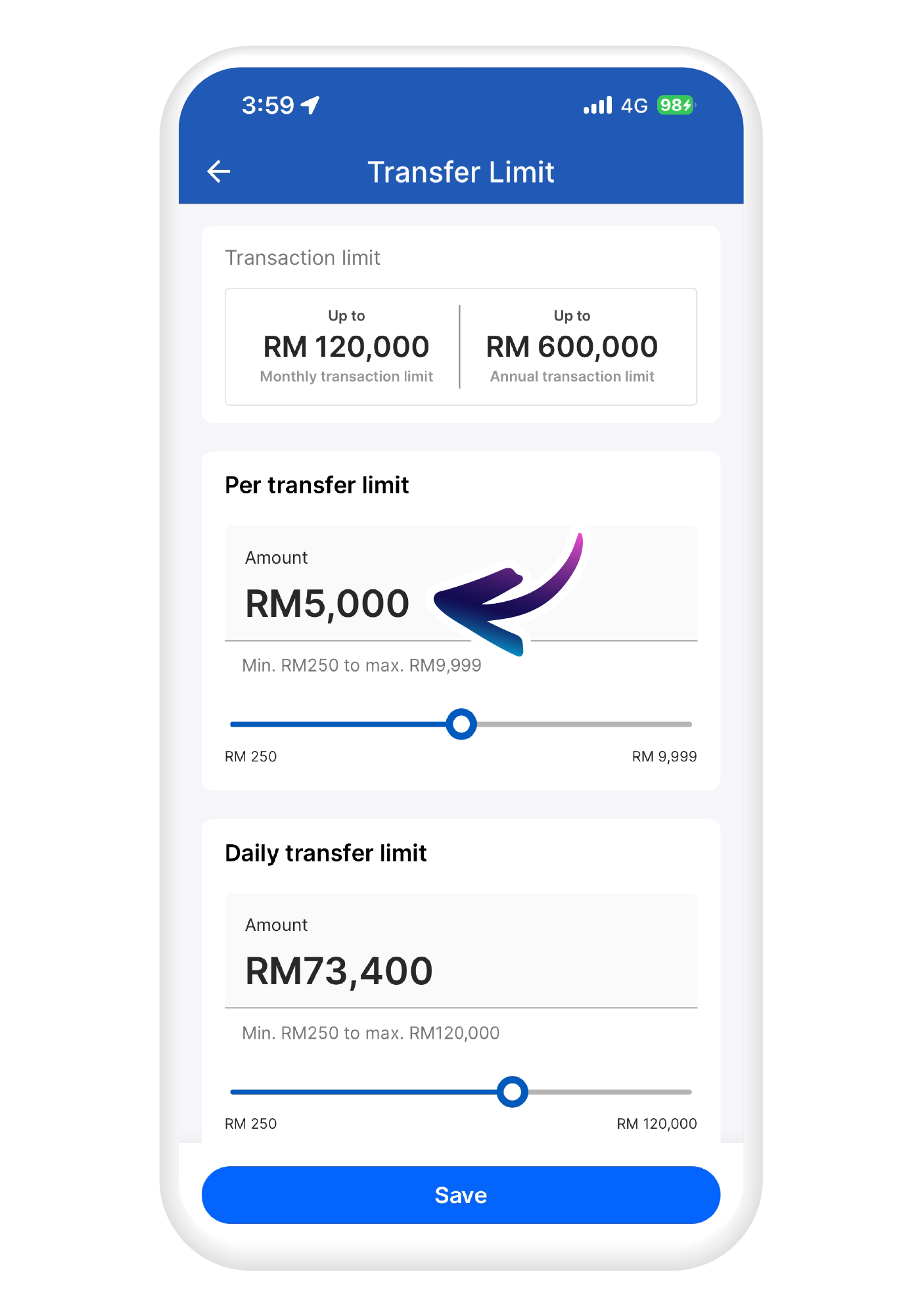
Limits per payment or transfer
These limits also apply to payments made using the Touch ’n Go eWallet Visa Card. Contactless payment limits can be managed separately from the Visa page within the app.
Transaction limits by wallet size
| Wallet Size | Per Transaction | Daily | Monthly | Annual |
|---|---|---|---|---|
| RM20,000 | RM9,999 | RM120,000 | RM120,000 | RM600,000 |
| RM5,000 | RM5,000 | RM5,000 | RM5,000 | RM60,000 |
How to set your payment and transfer limits in TNG eWallet
You can adjust your payment and transfer limits anytime from the My Wallet Limit settings in your profile within
the app.
Follow the steps below to manage your limits.
1
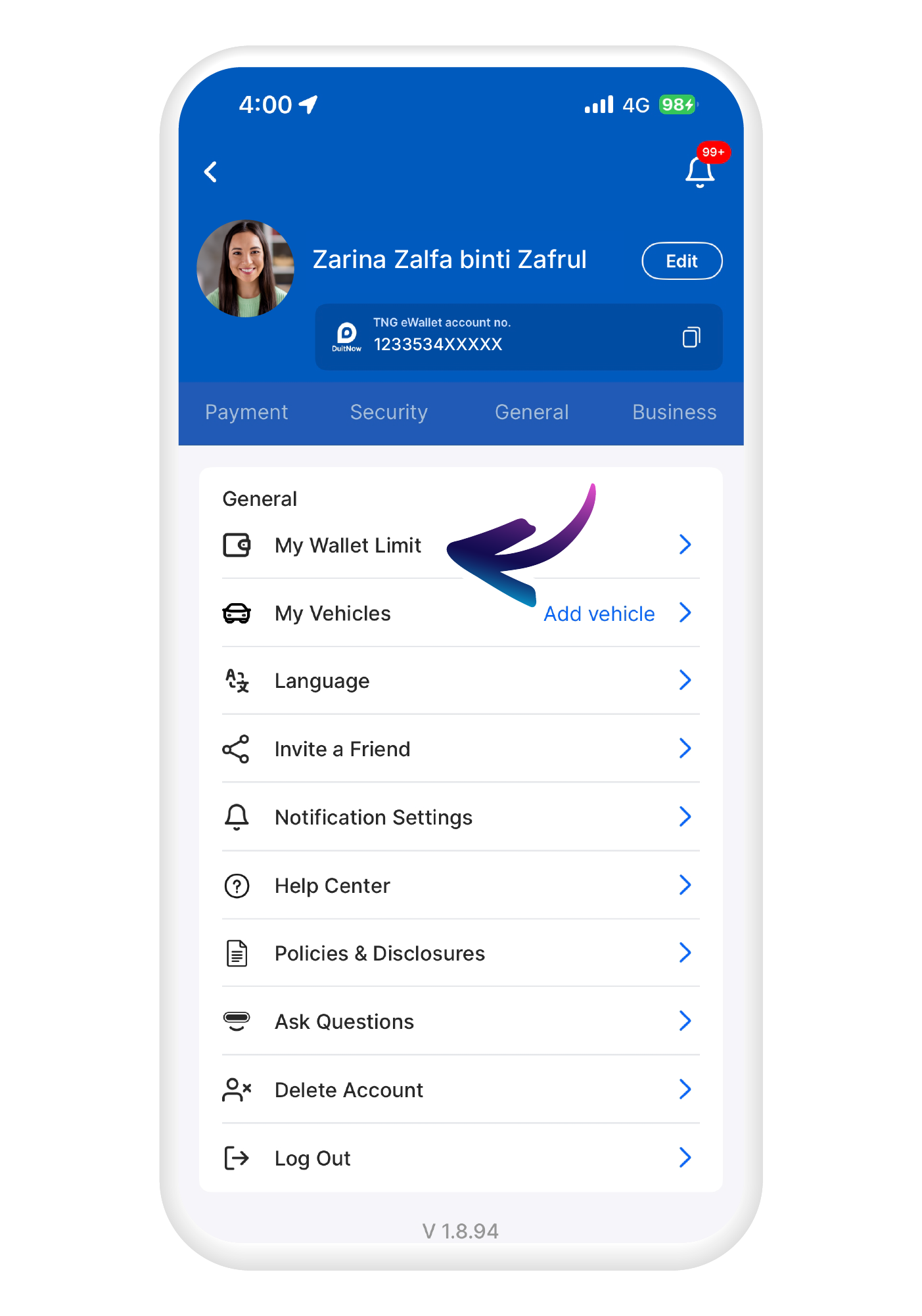
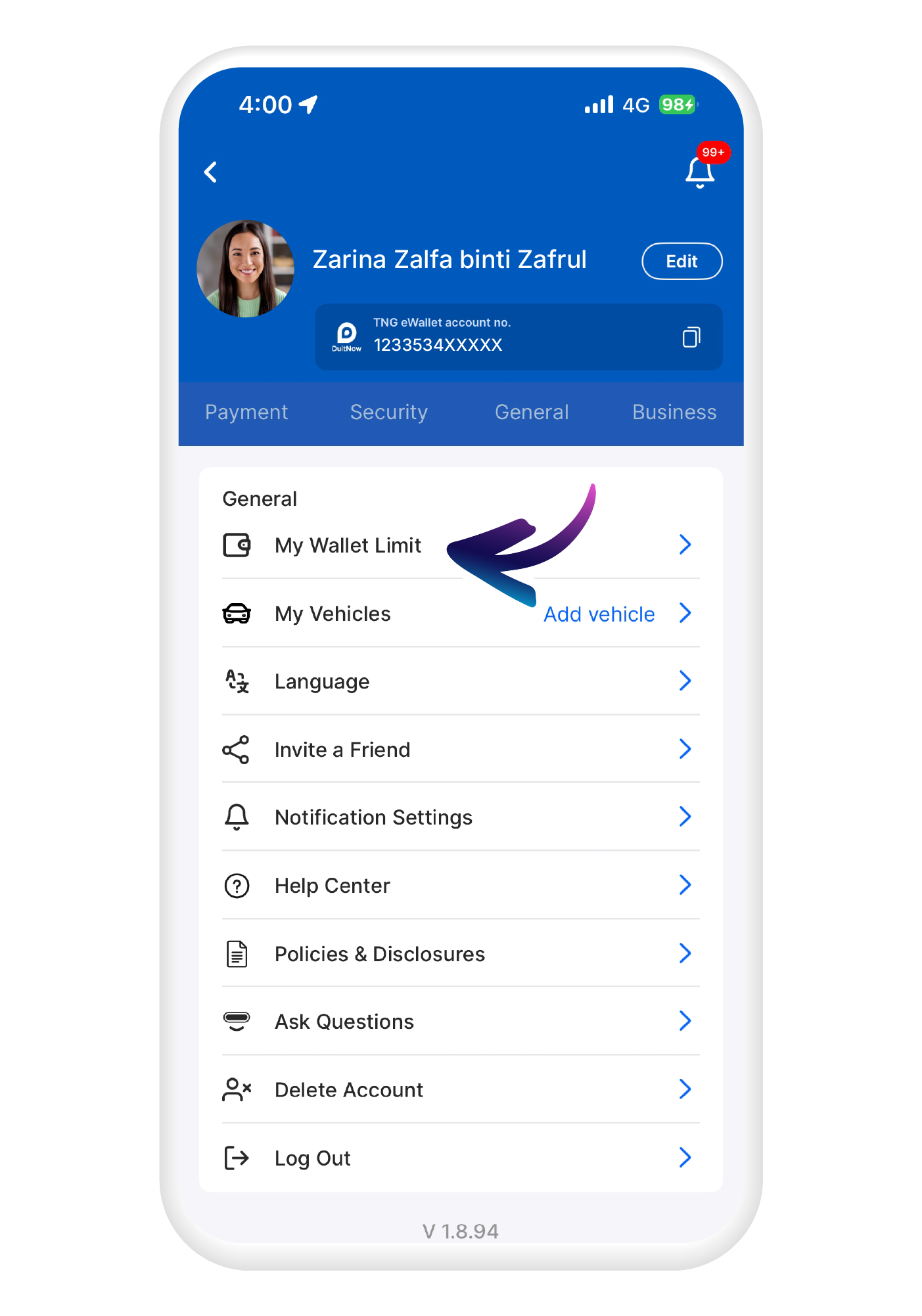
Open your TNG eWallet app, go to your profile, then tap on "My Wallet Limit" under General.
2
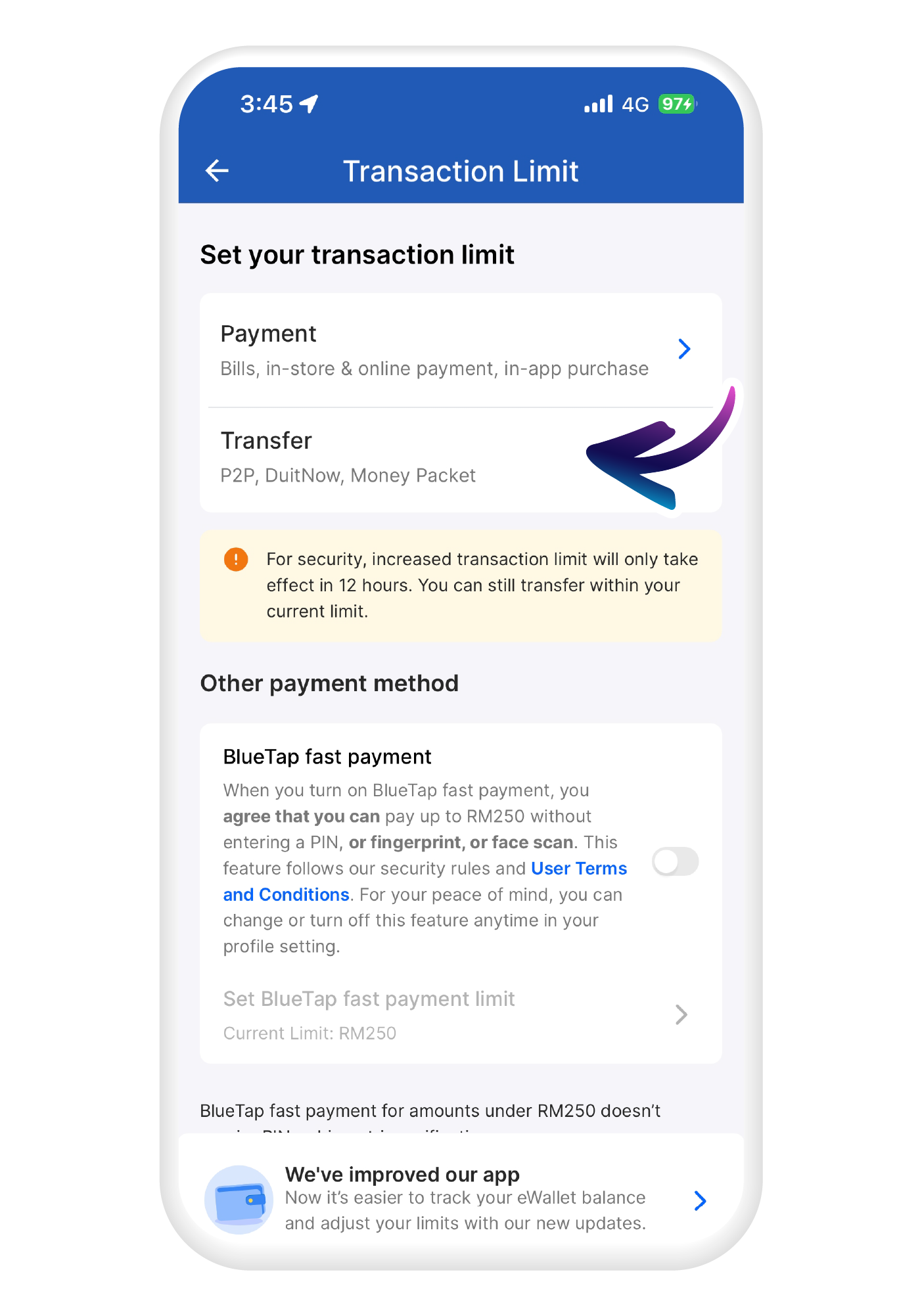
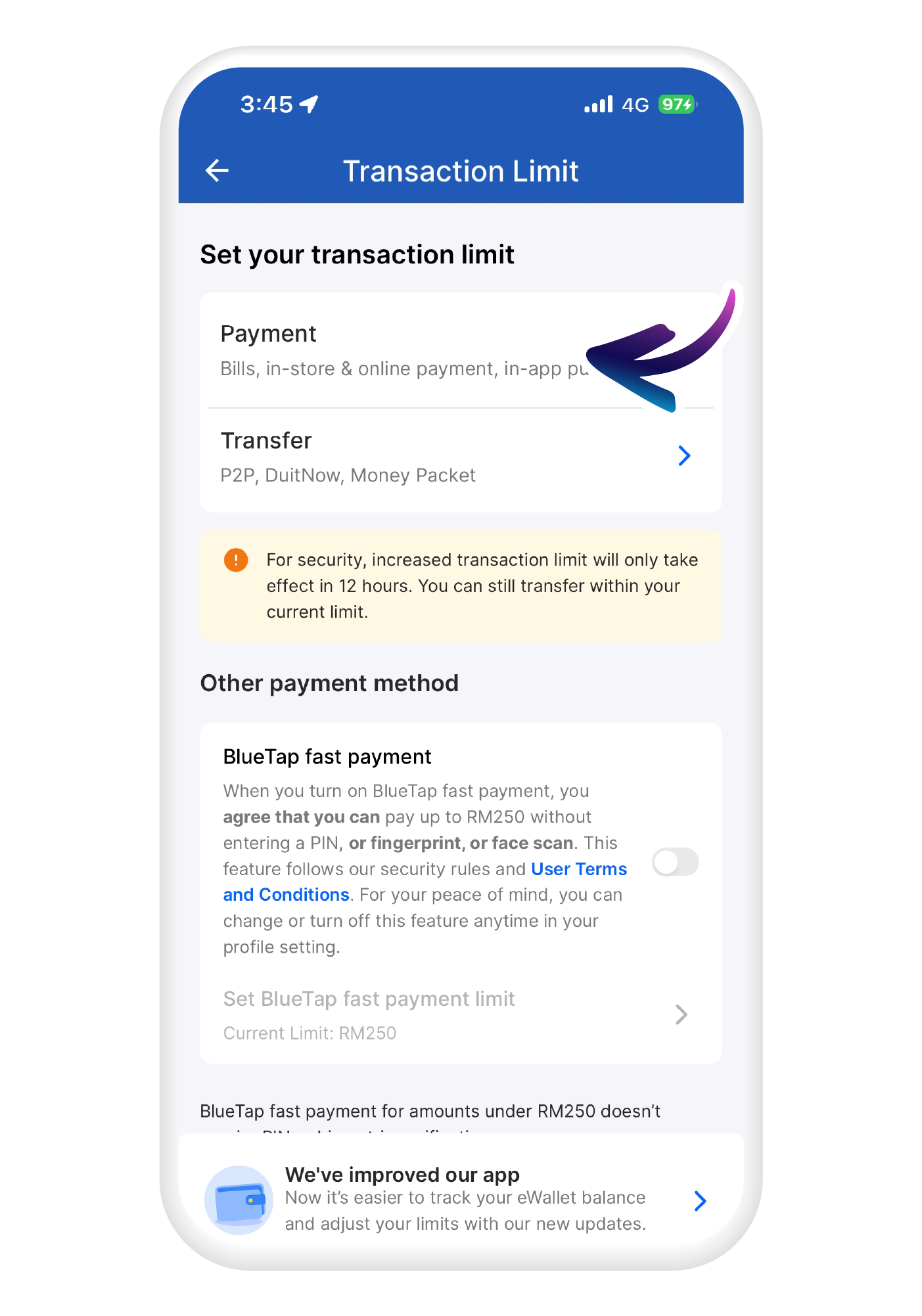
Then on "Manage Limit", select "Payment".
3
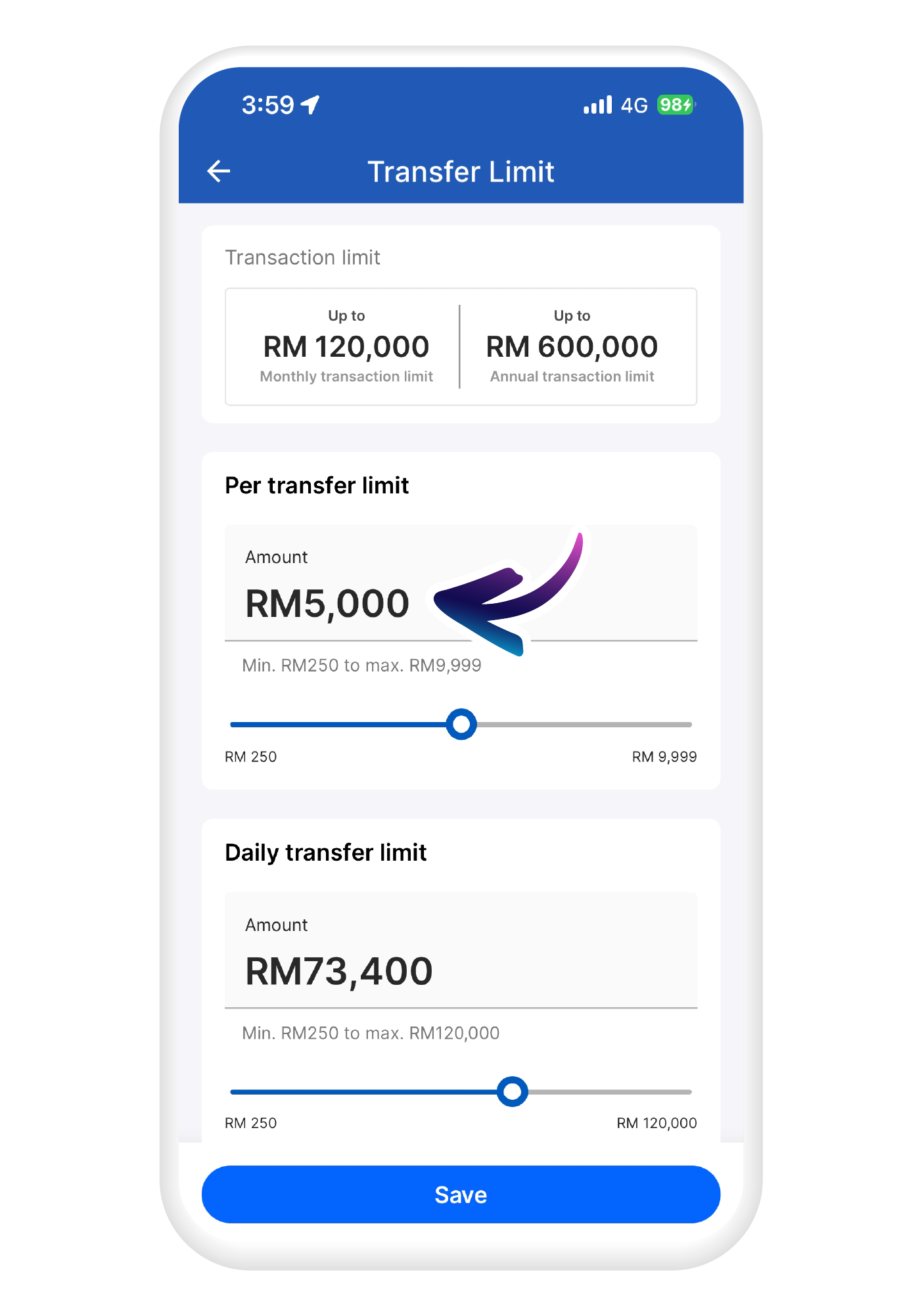
Key in your preferred per payment limit or adjust with the slider.
4
Do the same for daily payment limit.
5
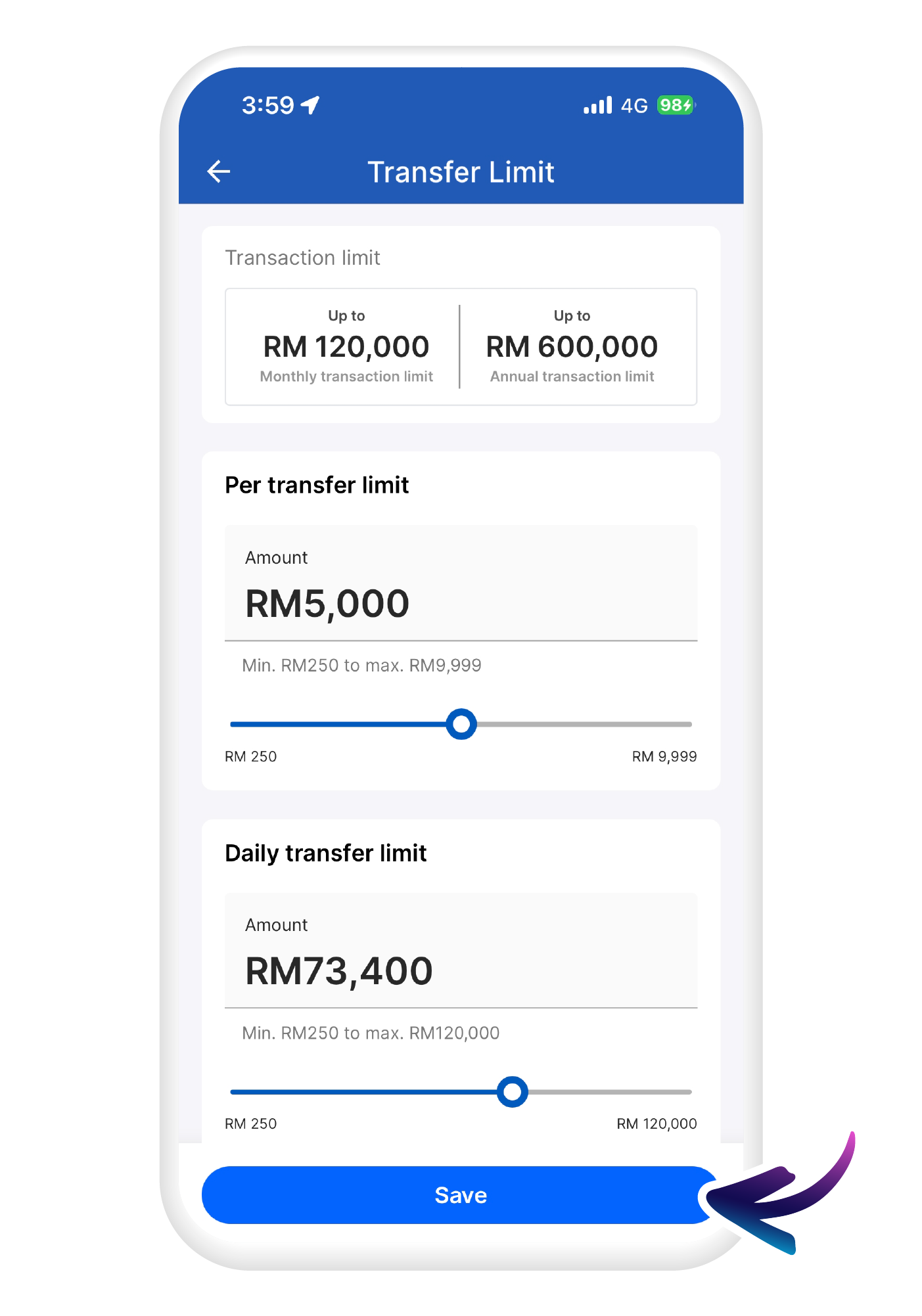
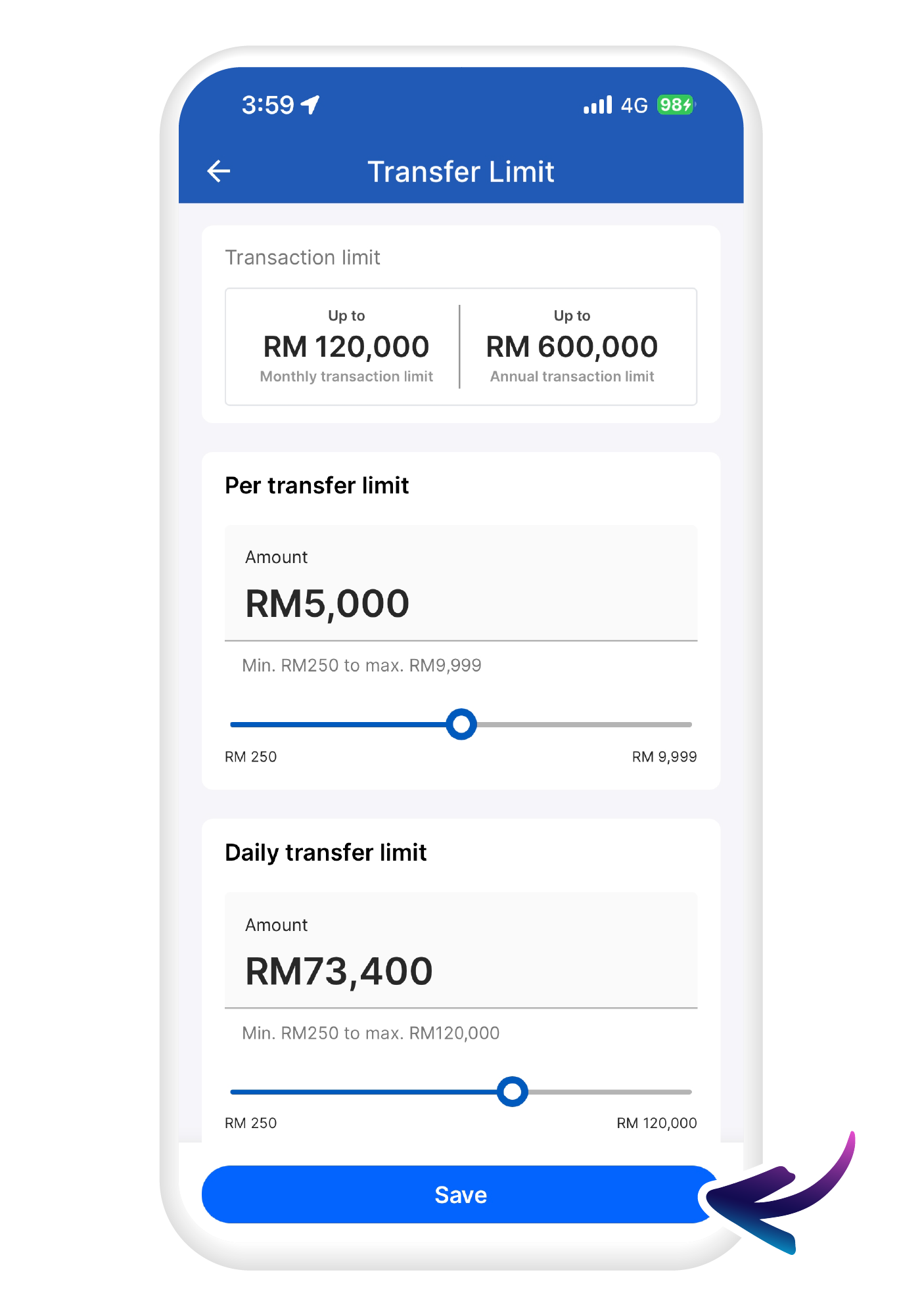
Hit "Save" when you are done.